64 Cyclone PRO User Manual
CYCLONE PRO
device, please see Section 8.4 - HCS08 P&E Multilink/Cyclone
PRO Connectionssection 7.4. For more information using a Cyclone
Pro in Codewarrior with an HC(S)12 device, please see the
Codewarrior User’s manual.
6. After you have configured the Cyclone Pro properly, click the “Contact
Target with These Setting” button.
The “Attempting to contact target and pass security” window appears.
7. Select the appropriate class in Target Hardware Type (Class VII for
MON08 MULTILINK and Class VIII for Cyclone PRO).
8. Click Contact target with these settings…
9. Follow the Power Cycle dialog instructions.
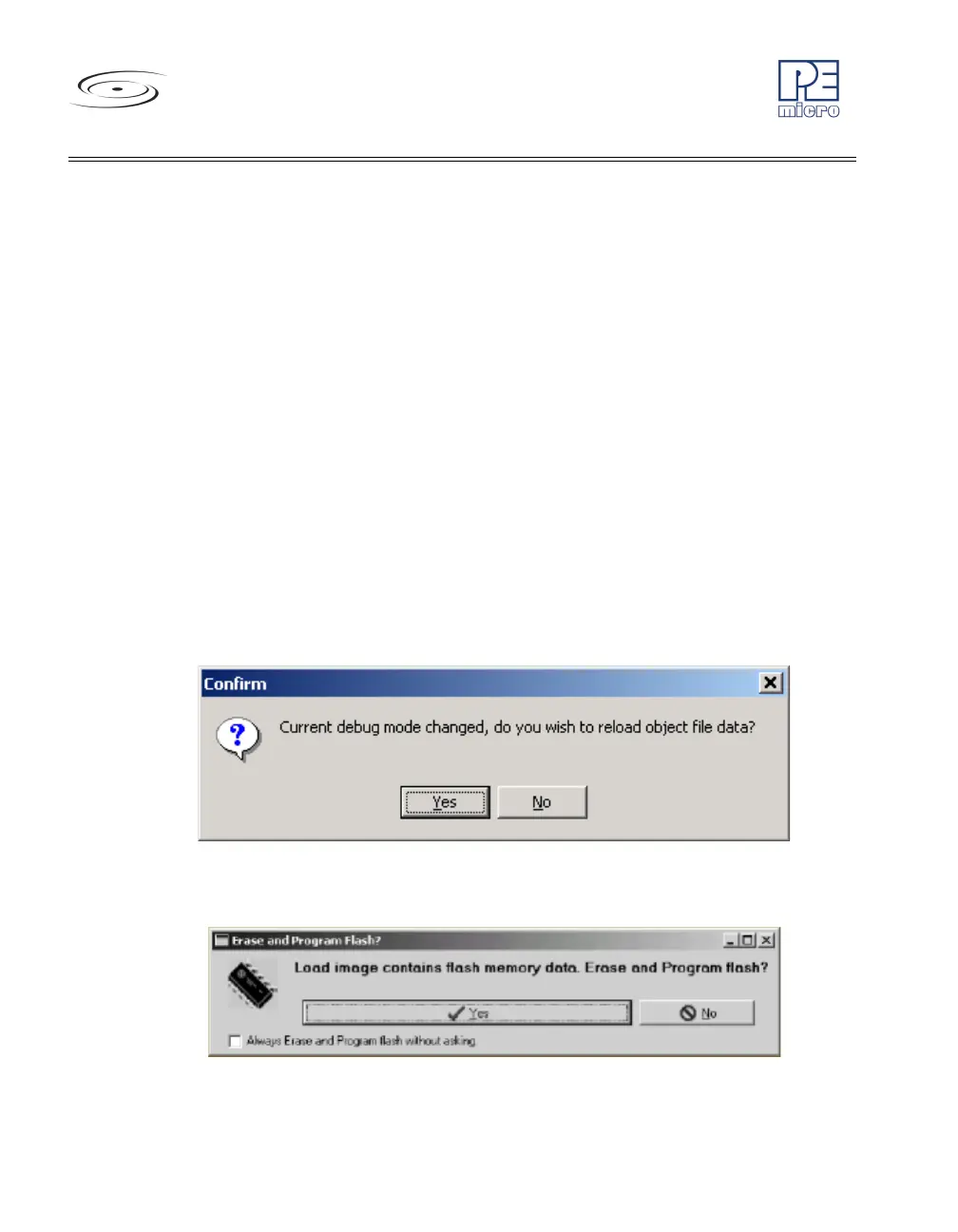
10. Click Yes in Confirm window. (Figure 8-6)
11. Click Yes in Erase and Program FLASH window. (Figure 8-7)
12. Follow the subsequent Power Cycle dialog instructions as the
scripted procedure automatically establishes communications, erases
the FLASH if necessary, and programs the FLASH.
Figure 8-6: Confirm Window
Figure 8-7: Erase And Program Flash Window



 To Next Page