EasyManua.ls Logo

Freescale Semiconductor PE Micro Cyclone Pro - Page 57

Freescale Semiconductor PE Micro Cyclone Pro
158 pages
Print Icon
To Next Page IconTo Next Page
To Previous Page IconTo Previous Page
Loading...
Cyclone PRO User Manual 51
CYCLONE PRO
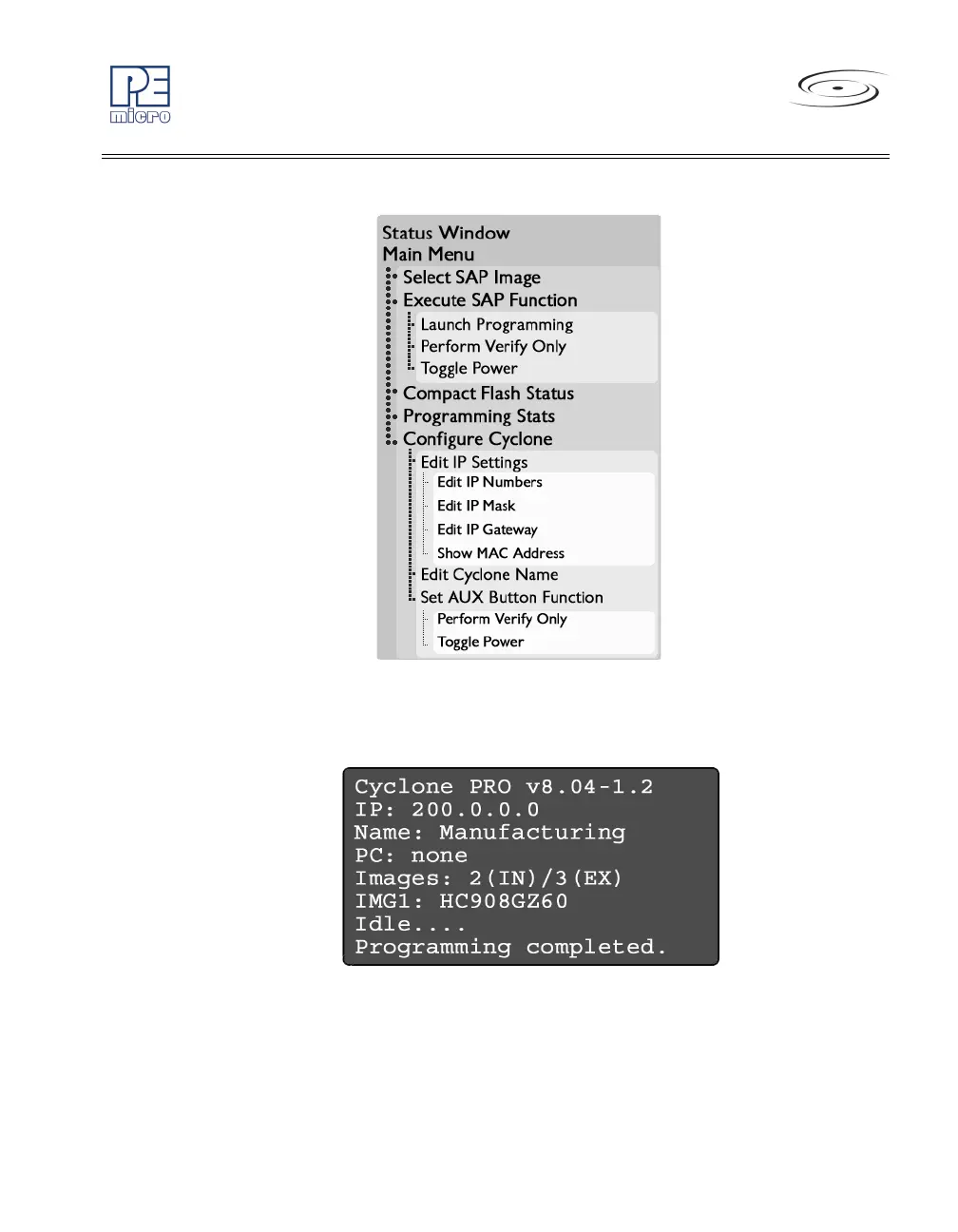
Figure 6-1: LCD Menu Overview
6.2.1 Status Window
Figure 6-2: Status Window
The status window appears when the Cyclone PRO is powered on. This
window lists the following information:
1. Firmware version of the PRO.


Table of Contents

Related product manuals