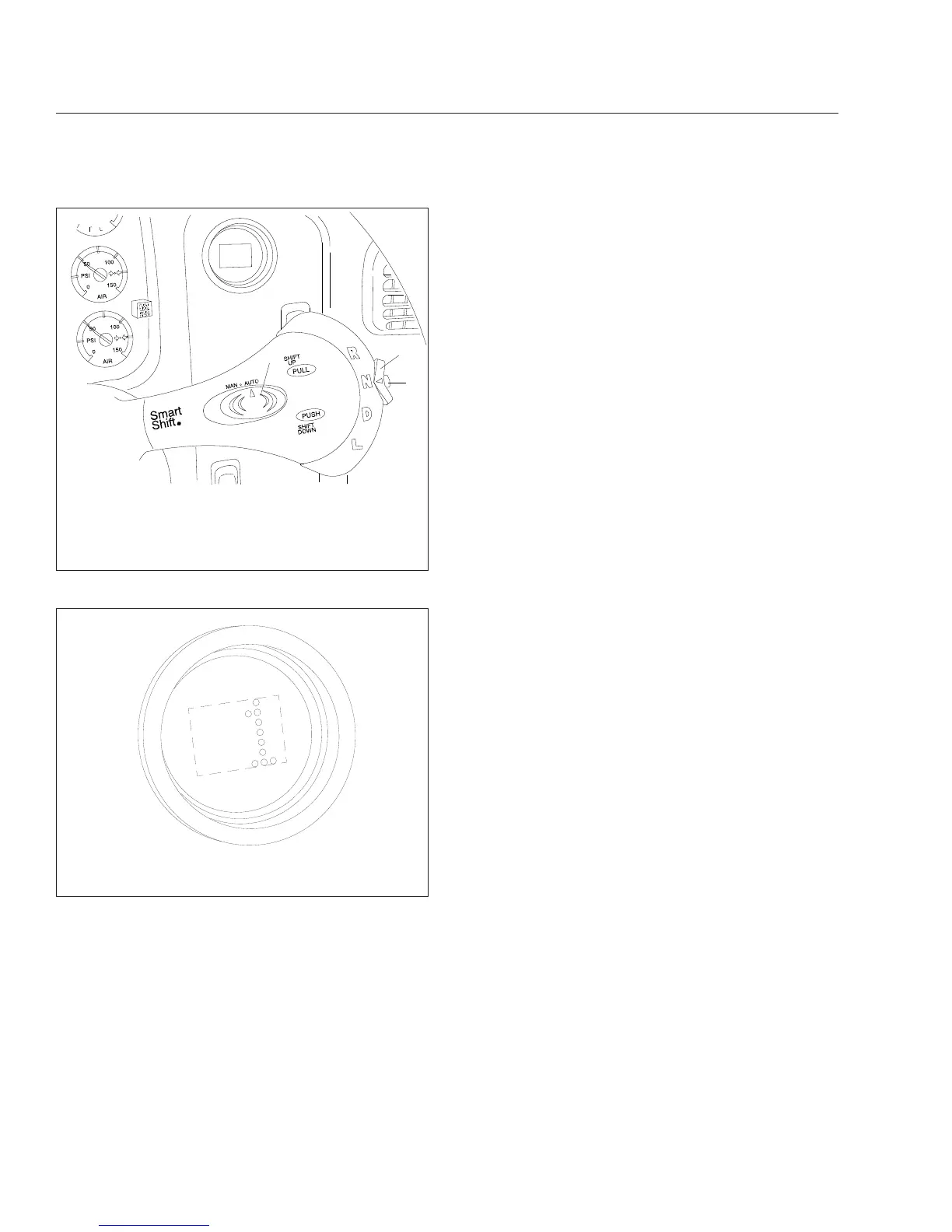
At the start of a shift, the current gear continues to
display until the transmission has been pulled into
neutral. At this point, as the transmission is synchro-
nizing for the new (target) gear, the gear indicator
flashes the number of the new gear.
When the shift is complete, the new gear displays
solid, without flashing.
Automatic Mode (AUTO)
In automatic drive mode (AUTO), upshifts and down-
shifts are made by the transmission without driver
intervention. Press in the neutral lock button, move
the selector switch to drive (D), and press down on
the throttle pedal. The transmission will shift auto-
matically.
If driving conditions require, it is still possible to re-
quest a manual shift. The transmission will make the
shift if the engine speed is within 75 rpm of the load-
based shift point for that gear.
If the driver presses down on the throttle pedal after
a manual downshift in automatic mode, the transmis-
sion will upshift again if the UltraShift DM TCU re-
quires it.
Manual Mode (MAN)
In manual drive mode (MAN), upshifts and down-
shifts are made by the driver:
•
To shift up, pull the lever up (towards you).
•
To shift down, push the lever down (away from
you).
The system will hold the current gear until the driver
requests a shift. In downhill situations in particular,
the driver must be alert to vehicle speed by down-
shifting and/or using the service brakes as needed.
A shift request will still be refused if the selected gear
would cause engine overspeed or excessive lugging.
Selecting Gears
Reverse
Reverse (R) is at the upper end of the four-position
selector switch located at the end of the SmartShift
control lever. To select R, press in the neutral lock
button and move the selector switch upward to the
position above neutral.
UltraShift DM has two reverse gears, reverse low
and reverse high. To shift manually between them,
use the shift lever as described for MAN mode.
There is no AUTO mode for reverse.
When reverse low is selected, the letter R displays
on the current gear indicator. When reverse high is
selected, the letter H displays on the current gear
indicator. See
Fig. 14.6.
01/21/2004
f270079c
1
2
3
1. Slide Switch (controls forward driving mode)
2. Selector Switch (controls gear selection)
3. Neutral Lock Button (prevents accidental shift into
gear)
Fig. 14.4, Switches, UltraShift Transmissions
10/13/2003
f610680
NOTE: The gear indicator displays the current gear. In
this example, it displays first gear.
Fig. 14.5, Current Gear Display
Automated and Automatic Transmissions
14.7








 To Next Page