3.
Press the MY INFO switch to advance to the
TEMPERATURE WARNING screen. Press the
MY INFO switch to go to the change screen.
Press the upper half of the +/- INFO switch to
toggle between ON and OFF.
4.
Press the MY INFO switch to advance to the
CHANGE TARGET MPG screen. Press the MY
INFO switch to go to the change screen.
5.
Press the MY INFO switch to advance to the
CHANGE LCD LAMP screen. Press the MY
INFO switch to go to the change screen. Press
the upper half of the +/- INFO switch to toggle
between ON and OFF.
6.
Press the MY INFO switch to advance to the
CHANGE BRIGHTNESS screen. Press the MY
INFO switch to go to the change screen.
7.
Press the upper or lower half of the +/- INFO
switch to select the desired brightness setting.
8.
Press the MY INFO switch to advance to the
CHANGE LANGUAGE screen. Press the MY
INFO switch to go to the change screen.
9.
Press the upper or lower half of the +/- INFO
switch to select the desired language.
10.
Press the MY INFO switch to advance to the
CHANGE UNITS screen. Press the MY INFO
switch to go to the change screen.
11.
Press the upper or lower half of the +/- INFO
switch to toggle between English and metric.
12.
Press the MY INFO switch to advance to the
RESET PARAMETERS screen.
12.1
Press the MY INFO switch to go to the
change screen.
12.2
Press the upper half of the +/- INFO
switch to toggle between YES and NO.
13.
Press the MY INFO switch to return to the begin-
ning of the setup menus.
ICU4Me
Functions
ICU4Me settings and the driver message center are
controlled using the ICU4Me control switch located
on the dash. See
Fig. 4.17.
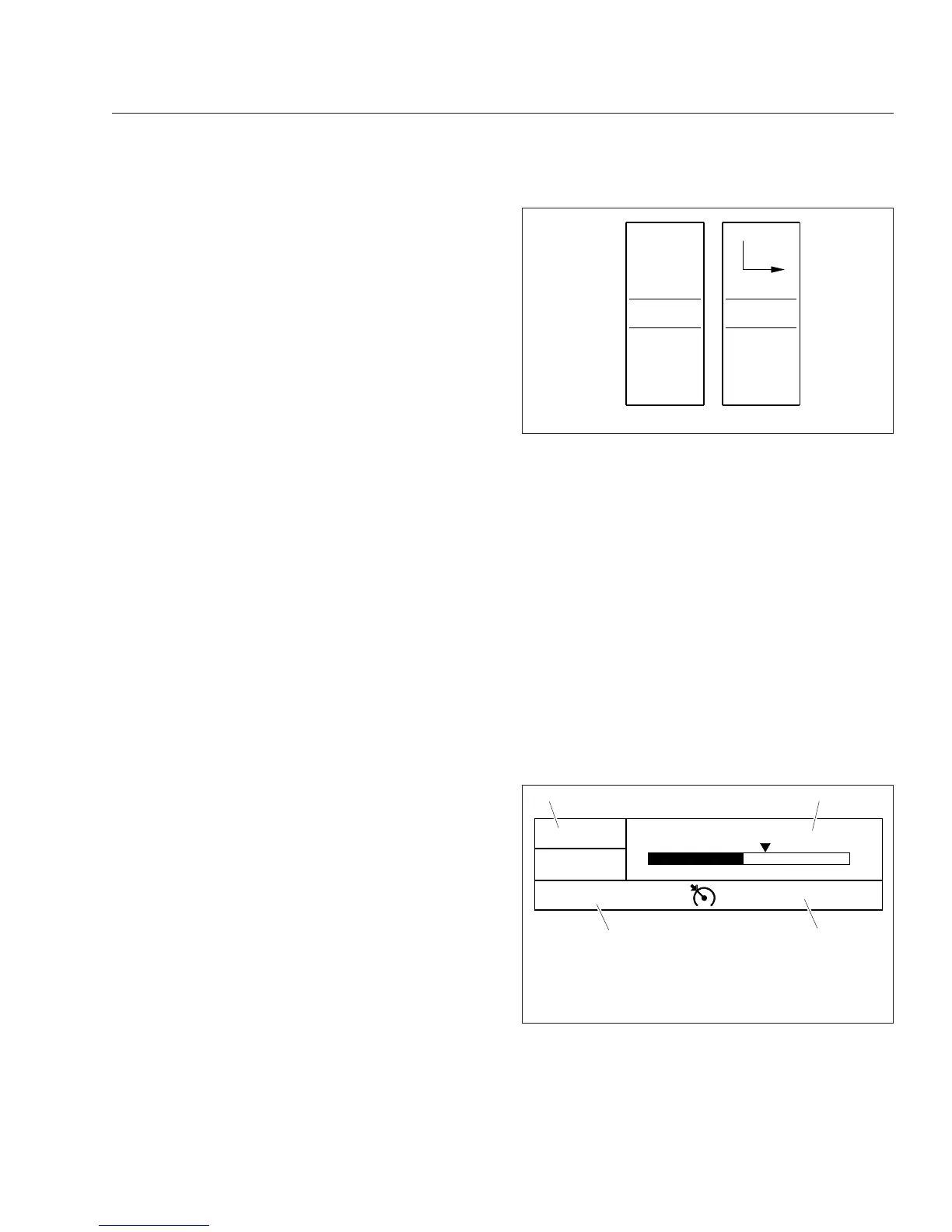
The driver message center is divided into four sec-
tions. The odometer and cruise control status field
are displayed along the bottom of the message cen-
ter. When cruise control is active, the cruise control
status field displays relevant cruise control icons and
the set speed. If the vehicle is equipped with a
manual transmission, time and temperature are dis-
played in the top left corner of the driver message
center. The message field displays the driving
screens and alert messages. See
Fig. 4.18.
If the vehicle is equipped with an automated trans-
mission, the gear display is located in the top left
corner of the driver message center. Time and tem-
perature are displayed in the message field, unless
an alert message is active or a driving screen has
been selected. The odometer and cruise control sta-
tus fields are displayed along the bottom of the mes-
sage center. See
Fig. 4.19. For information about
transmission display options, see
Chapter 14.
f61117204/03/2012
Menu
Back
+
−
Fig. 4.17, ICU4Me Control Switch
06/26/2012 f611166
5555555 mi
1/7
NW
77° F
Trip MPG: 5.6
0
15
5
12
3
4
10
65 mph
1. Temperature and Compass
2. Message Field
3. Cruise Control Status Field
4. Odometer
Fig. 4.18, Driver Message Center Without Gear Display,
ICU4Me
Instruments
4.22








 To Next Page