S90-600 O FRICK QUANTUM EVAPORATOR CONTROL PANEL
Page 14 OPERATION
MAIN MENU SELECTION -
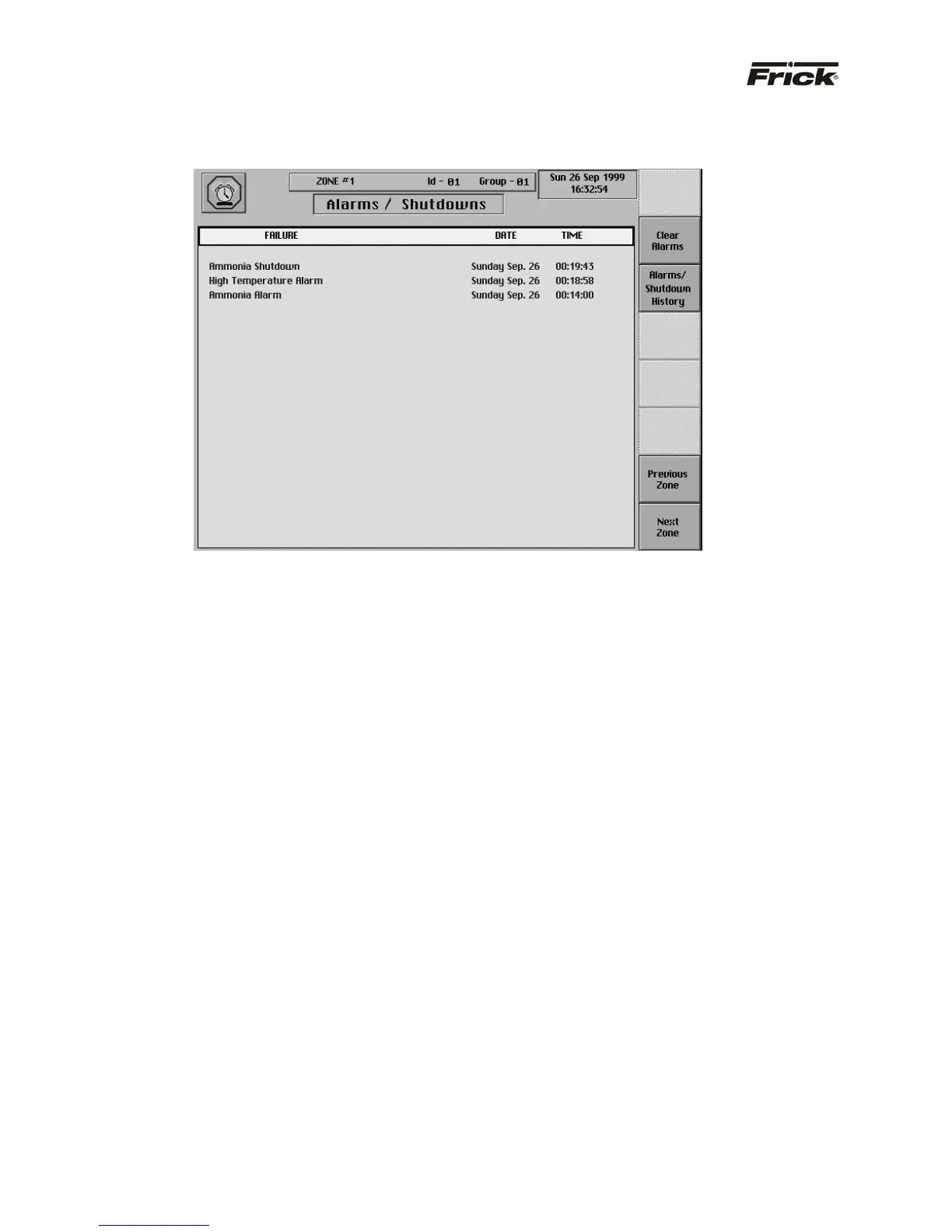
“ALARMS/SHUTDOWNS” SCREEN
The following are the “Alarms/Shutdowns” screen
selection keys:
· [Clear Alarms] - Selecting this key will clear all
alarms and/or shutdowns from this screen.
· [Alarms/Shutdown History] - A full screen of
failures is stored, along with the Last Fail
Date/Time of the failure. The stored data shows
on the “Alarms/Shutdowns History” screen. The
data is saved, even if there is a power outage.
To resume normal operation it will be necessary to go
through the following steps:
1. Correct the conditions causing the alarm.
2. To clear or reset the “Alarms/Shutdowns” screen
and turn off any alarm annunciation device, from
the screen press the [Clear Alarms] key. This
will also clear the “ALARM” or “SHUTDOWN”
message from the “Operating Status” screen.
3. If the conditions causing the alarm have not been
corrected or a new fault has occurred, a new
“ALARM” or “SHUTDOWN” message will appear.
The Alarms/Shutdowns history screen keeps a
record of the alarms and shutdowns. This
information will help troubleshoot persistent
operational problems.
Refer to the “Alarms/Shutdowns Message” section for a
list of all the possible alarms.



 To Next Page