FRICK QUANTUM EVAPORATOR CONTROL PANEL S90-600 O
OPERATION Page 9
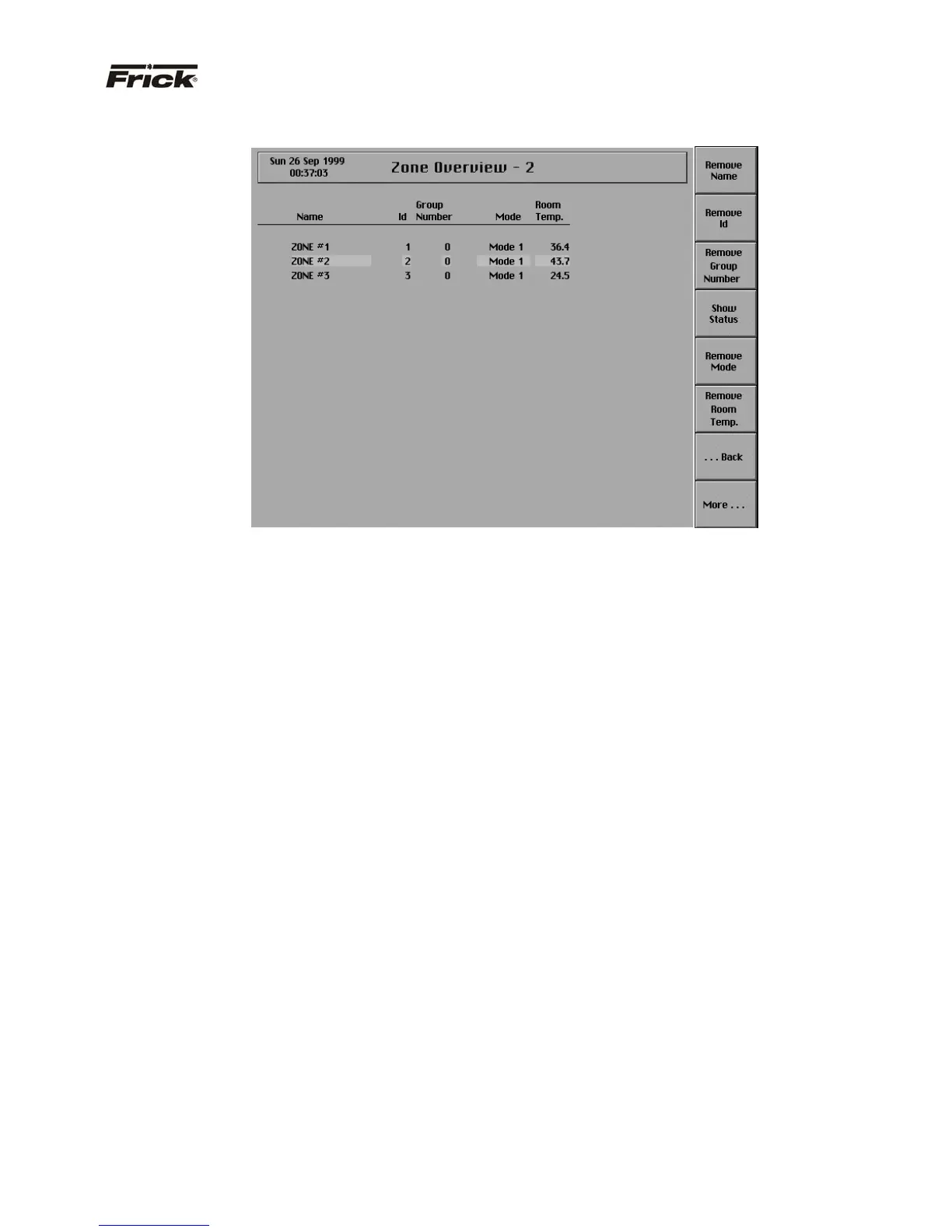
“ZONE OVERVIEW - 2” SCREEN
This screen can display the data of up to 20 zones at one
time, and allows for the selection of what zone data to
display. There is a toggle key for all data that can be
viewed. The key changes between the following
selections:
· [Show “x
”] - This key is provided if the “x” data is
not presently shown. “x” is used here to refer to
the different data that can be selected to be
shown on the screen.
· [Remove “x”] - This key is provided if the “x”
data is presently shown. “x“ is used here to refer
to the different data that can be selected to be
removed from this screen.
The data that follows can be selected to display, but the
amount of data that is shown is limited by the space
required for each piece of data.
· Name
· ID
· Group Number
· Status
· Mode
· Room Temp. (Temperature)
· Suction Temp. (Temperature) – (enhanced unit
only)
· Ret (Return) Air Temp. (Temperature)
· Dischrg (Discharge) Temp (Temperature)
· Humidity – (enhanced unit only)
· Ammonia – (enhanced unit only)
· Motor Amps – (enhanced unit only)
· Panel Temp(Temperature)
· Variable Fan
· Modulating Valve – (enhanced unit only)
· Fan Aux. – (enhanced unit only)
· Freezer Door – (enhanced unit only)
· Alarms
· Zone Selected



 To Next Page