3 Copy
176
Copy
3
2
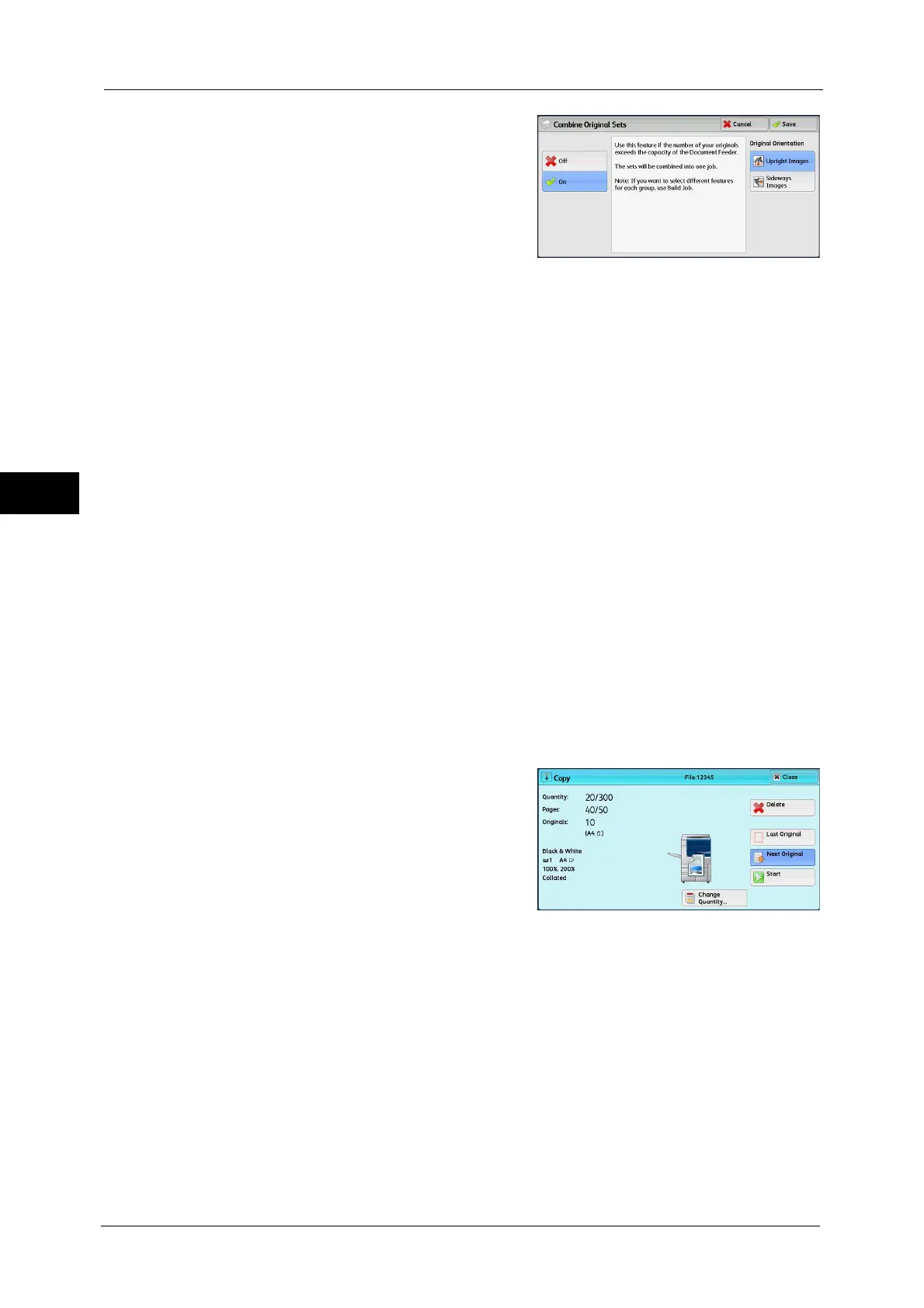
Select any option.
Off
Disables this feature.
On
Enables this feature.
Original Orientation
Allows you to specify the orientation of the document so that the machine can identify the
top of the document.
Note • If the [Original Orientation] setting differs from the actual document orientation, the machine may
not detect the top of the document correctly.
Upright Images
Select this option when placing the top edge of the document against the top side of the
document glass or document feeder.
Sideways Images
Select this option when placing the top edge of the document against the left side of the
document glass or document feeder. Always select [Sideways Images] when the top of
the document is placed facing the left side (horizontal text).
[Copy] Screen When Combine Original Sets is in Progress
The [Copy] screen is displayed when copying starts.
Delete
Clears the document data stored with the Combine Original Sets feature, and cancels
copying.
Note • You can also press the <C (Clear)> or <Clear All> button on the control panel to perform the same
operation.
Last Original
Select this button to end scanning documents.
Next Original
Select this button when you have more documents to copy. This button is always selected
when the Combine Original Sets feature is used.



 To Next Page
 Loading...

