Basic Operation 25
4
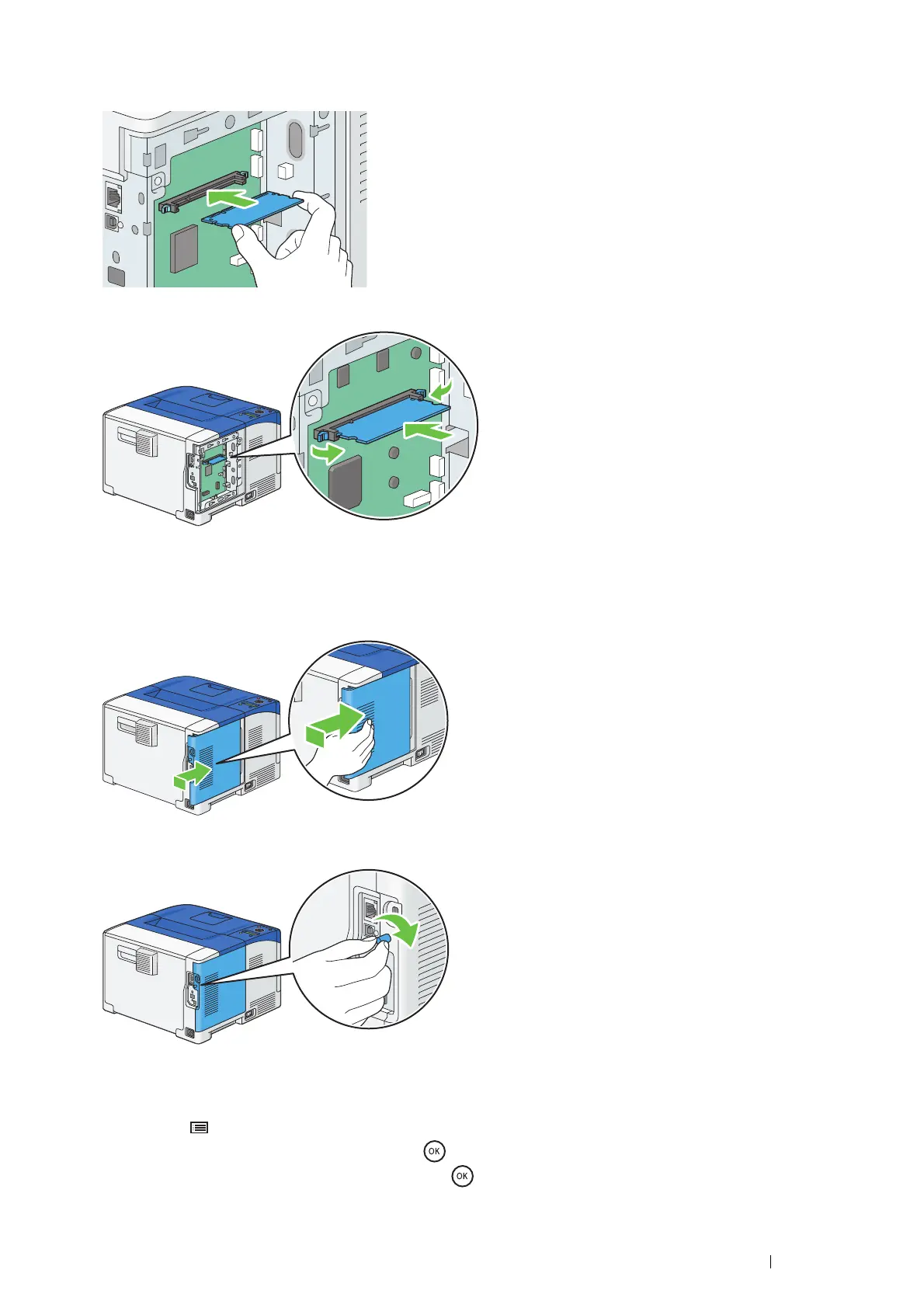
Hold the edge of the memory module with the labeled side down and the connector toward the control board, and
then insert it into the slot.
5
Push the memory module firmly into the slot.
NOTE:
• Ensure that the memory module is firmly fixed in the slot and does not move easily.
6
Align the guide on the control board cover with the slot around the control board, and slide it towards the front of the
printer.
7
Turn the screw clockwise.
8
Turn on the printer.
9
Print the Printer Settings page to confirm that the newly installed memory module is detected by the printer.
a
Press the (Menu) button.
b
Select Report / List, and then press the button.
c
Select Printer Settings, and then press the button.
The Printer Settings page is printed.


 To Next Page
 Loading...