System expansions
A26361-K675-Z120-1-7619, edition 3 41
► Press the board into the slot so that it engages.
► Fold the retaining bracket down again in the direction of the arrow (2). Ensure that the retaining
bracket engages.
► Install the board bracket as described in "Installing board bracket" section.
► Close the casing (see "Closing the casing" chapter).
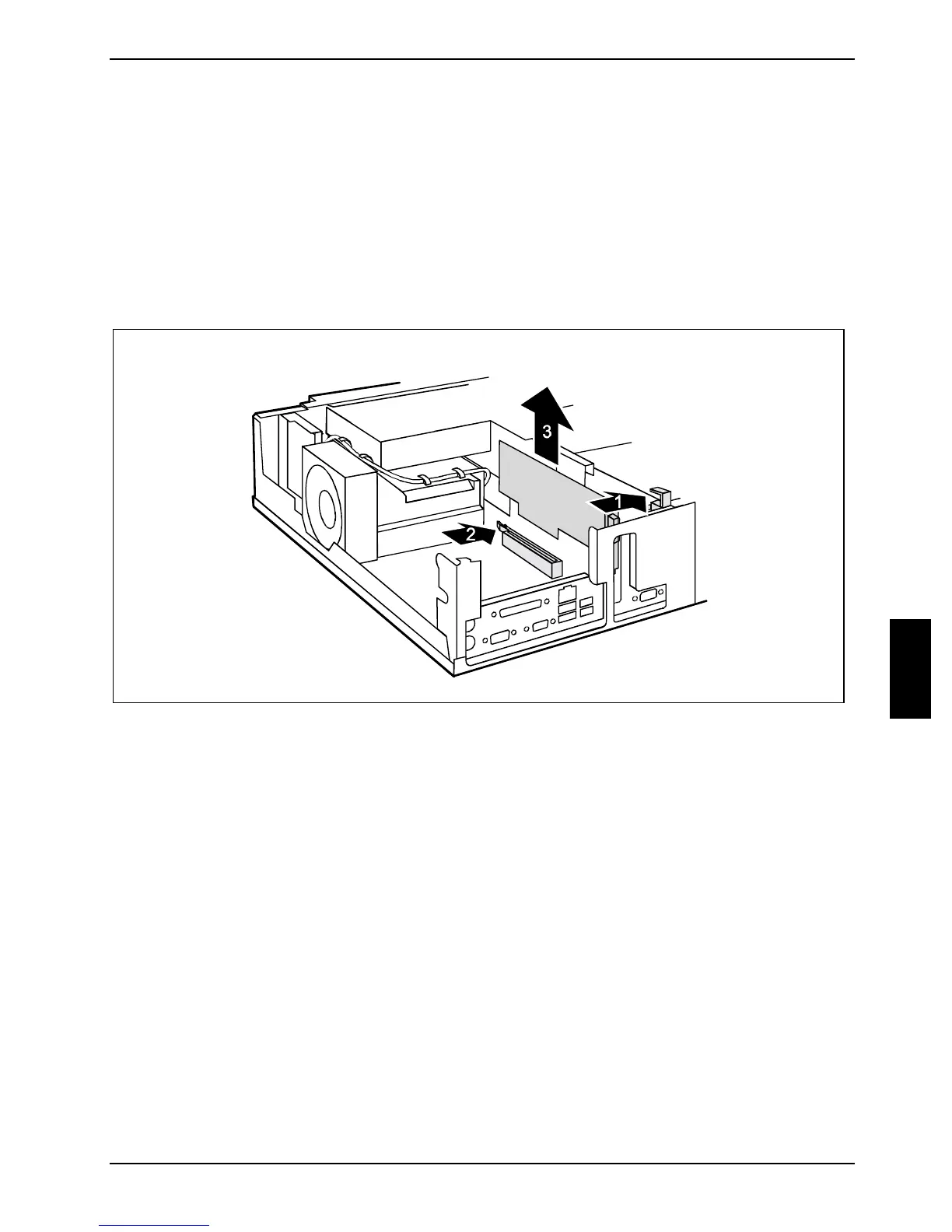
Removing the graphiks card
► Open the casing (see "Opening the casing" chapter).
► Remove the board bracket as described in "Removing board bracket" section.
► Press sideways against the retaining bracket and fold it up in the direction of the arrow (1).
► Press against the ledge of the slot (2) to release the graphics card from the slot.
► Pull the graphics card out of the slot in the direction of the arrow (3).



 To Next Page