151
8.1 Paper Jams
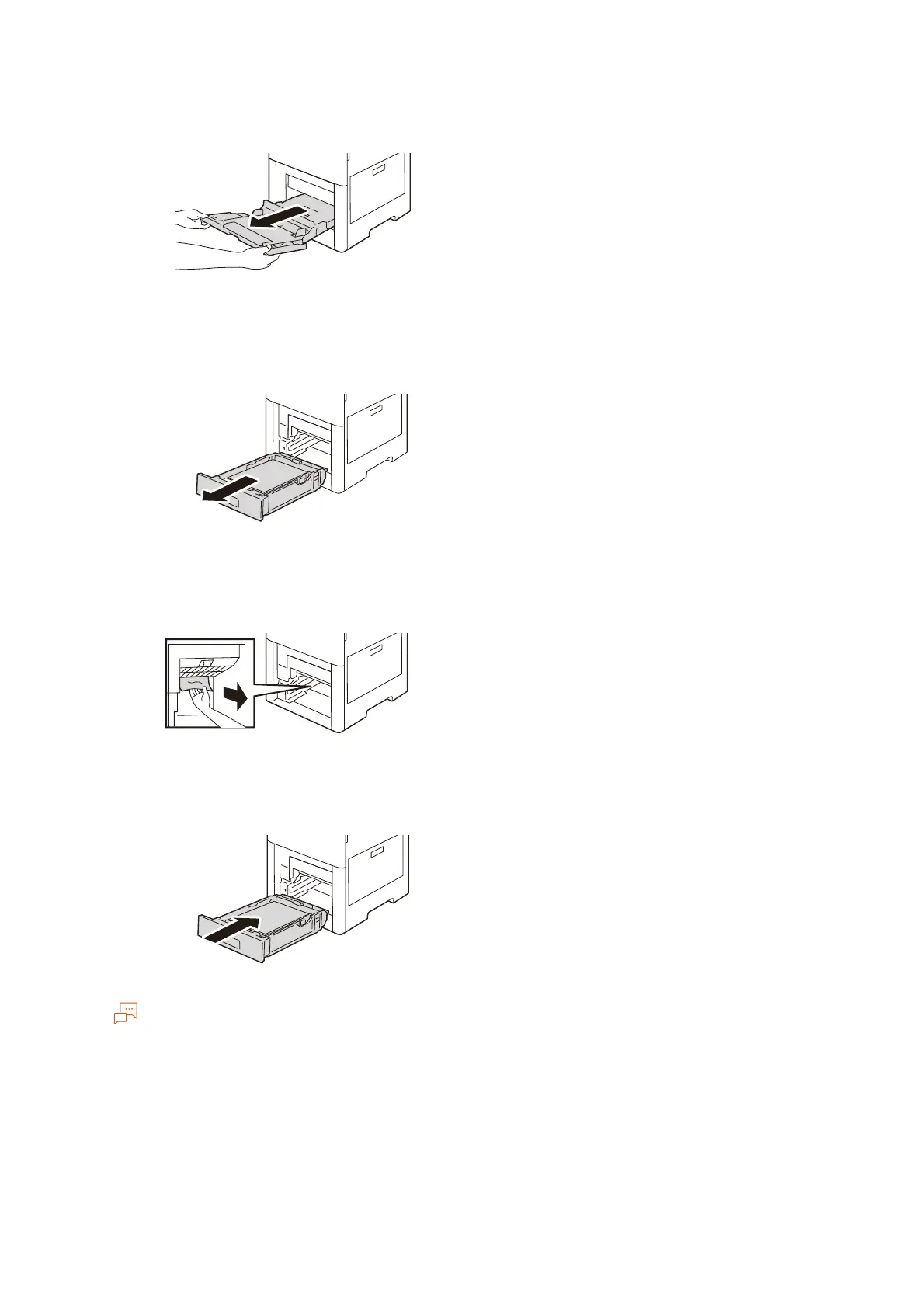
2. Hold both sides of the Bypass Tray, then pull it straight out of the main unit.
3. Pull the Tray 1 out until it stops, then remove it from the main unit while lightly lifting its front
part.
4. Check the inside of the machine and then remove any crumpled paper and any remaining paper
jammed.
5. Insert Tray 1 into the main unit, then push it all the way in.
If the tray is extended for large size paper, the tray protrudes when it is inserted into the machine.


 To Next Page
 Loading...









