20
2 Setup
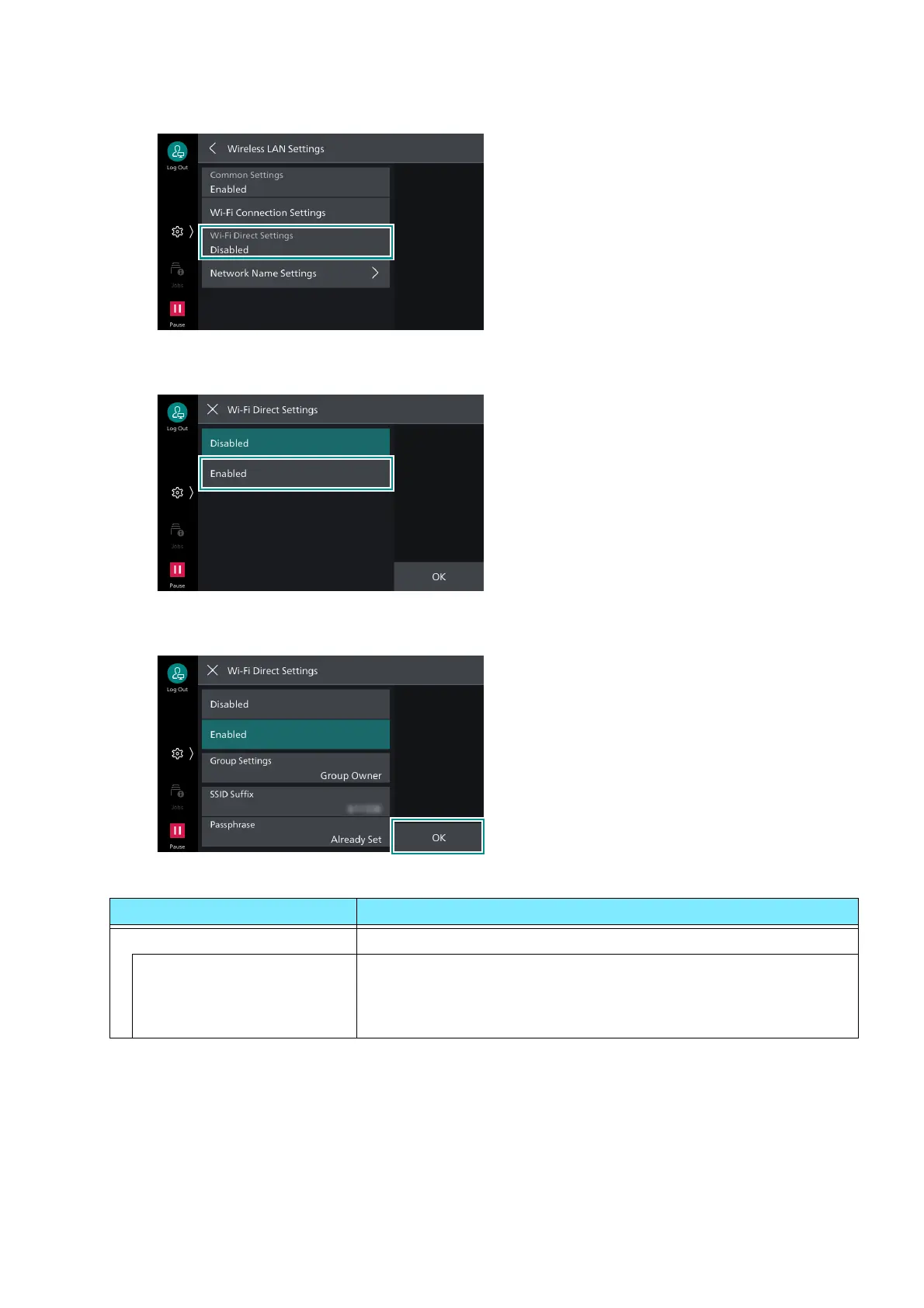
3. Tap on [Wi-Fi Direct Settings].
4. Tap on [Enabled].
5. Set each item and tap on [OK].
Group Settings
Setting items Details
[Auto] Select this when not fixing the machine to a Group Owner.
[Device Name] Enter the name of the machine identified by the Wi-Fi Direct
network using alphanumerics up to 32 characters. The name set
here will be displayed when selecting the machine to connect to
from a mobile device.



 To Next Page
 Loading...








