FUJITSU DL3100
3-4 User’s Manual
TRACTOR FEED
HANDLING
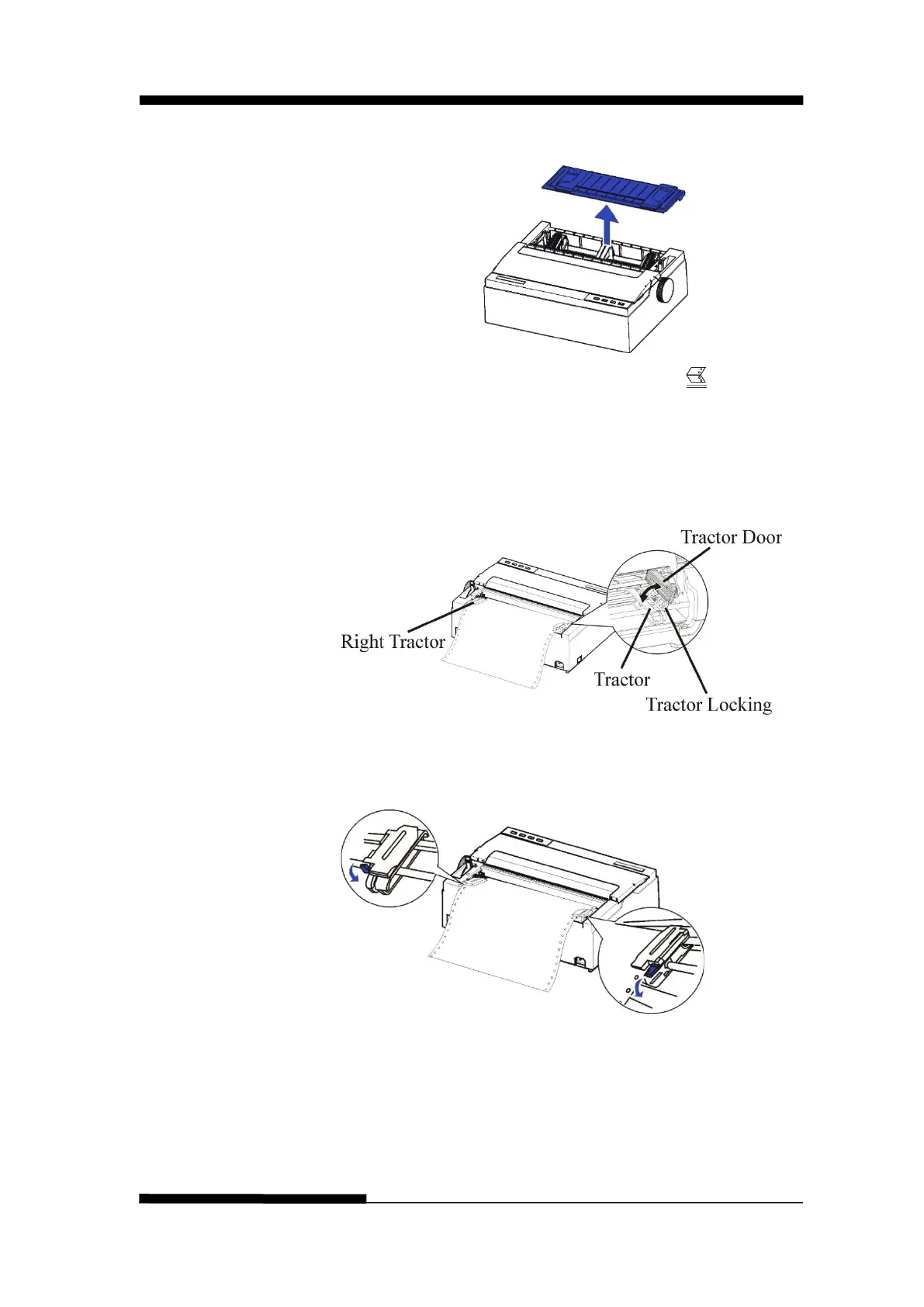
1. Remove the sheet feeder.
2. Move the paper select lever backward to “ ” for
continuous paper position.
3. Adjust the print gap lever if necessary.
4. Raise the tractor doors and fit the first 3 paper holes onto
the left tractor pins. Close the left tractor door. In the
same way, install the paper on the right tractor.
5. Adjust the left and right tractor to the width of the paper
until the paper is flat. Do not stretch the paper too
taut.Press the tractor locking to lock the tractor.











 To Next Page