157
How to operate the Sound Adjustment Mode
IX
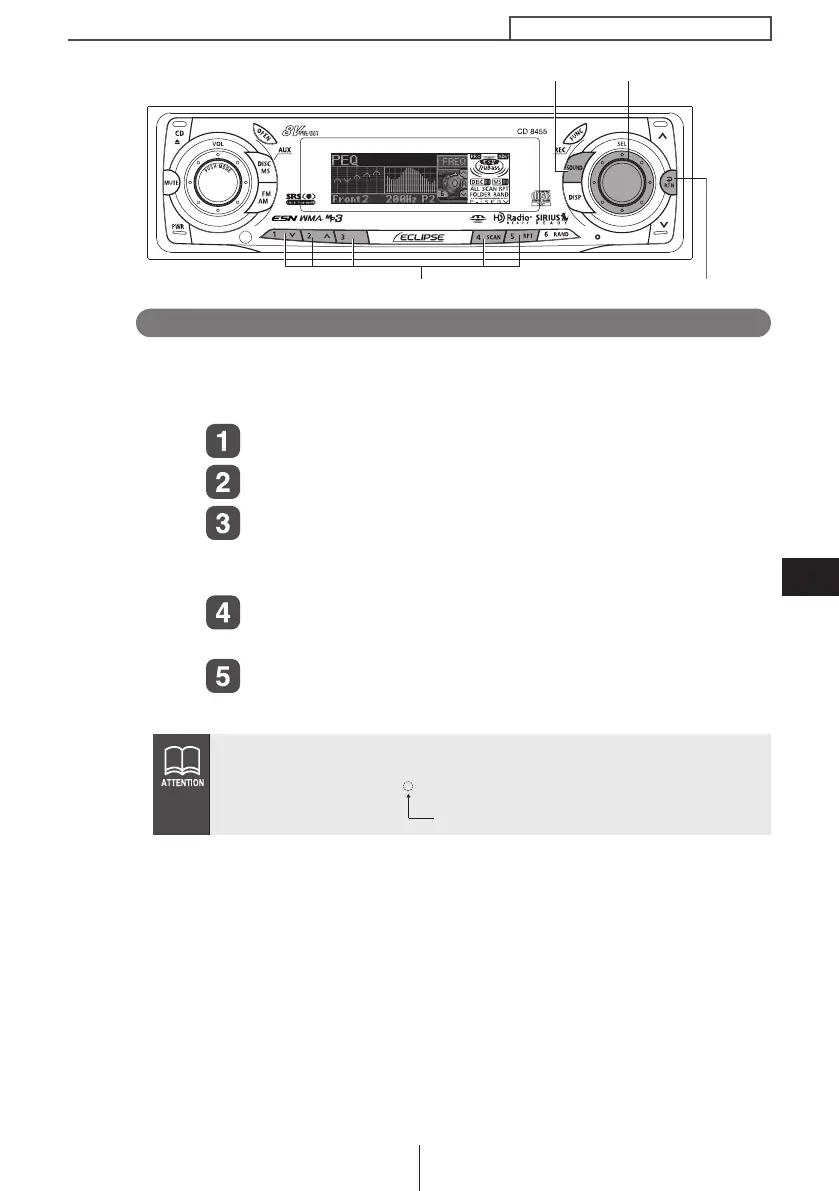
Selecting an equalizer mode from memory
Press a preset button to select the equalizer mode set in memory
for the button. The buttons that stores equalizer modes in memory
are called preset buttons.
Turn the [SEL] button to select PEQ.
Press the [SEL] button.
Select any button, from [1] to [5], and press it for
less than two seconds.
The preset pattern stored in memory will be retrieved.
Press the [RTN] button.
At this time, other adjustments can also be made in pro mode.
Press the [SOUND] or [RTN] button to exit sound
adjustment mode.
When the preset value is changed, the display shows as follows:
[RTN] button
[SOUND] button [SEL] button
Buttons [1] to [5]
P
1~5 (Preset ch No.)
CD8455.book 157 ページ 2004年12月11日 土曜日 午後7時24分



 To Next Page