64
Basic operation
Switching demonstration screen display
You can set the demonstration screen display to appear or not
appear when the power is turned on.
When the power turns on, the various demonstration screens such
as the audio operation screens and motion picture screens will
appear repeatedly in the following order.
Opening screen ➔ FM operation screen ➔ CD operation screen ➔
MP3/WMA operation screen ➔ Memory Stick operation screen ➔
CD Changer operation screen ➔
Sound Adjustment Mode operation screen ➔ Motion Picture A ➔
Motion Picture B ➔ Motion Picture C ➔ Ending screen ➔
Opening screen ➔ · · · · ·
If you press a button while the demonstration screens are being
displayed, the demonstration screens will be canceled and the
audio operation screen will be displayed. If you do not operate the
status display function within 15 seconds, the display will return
automatically to the demo screen.
Turn the [SEL] button to select the Demo.
The selected item will be highlighted.
Press the [SEL] button.
The Demo ON/OFF mode is activated.
Turn the [SEL] button to select ON or OFF.
The selected item will be highlighted.
Press the [SEL] button.
The selected settings will take effect.
Press the [RTN] button.
At this time, other adjustments can also be made in function mode.
Press the [FUNC] or [RTN] button to exit function
mode.
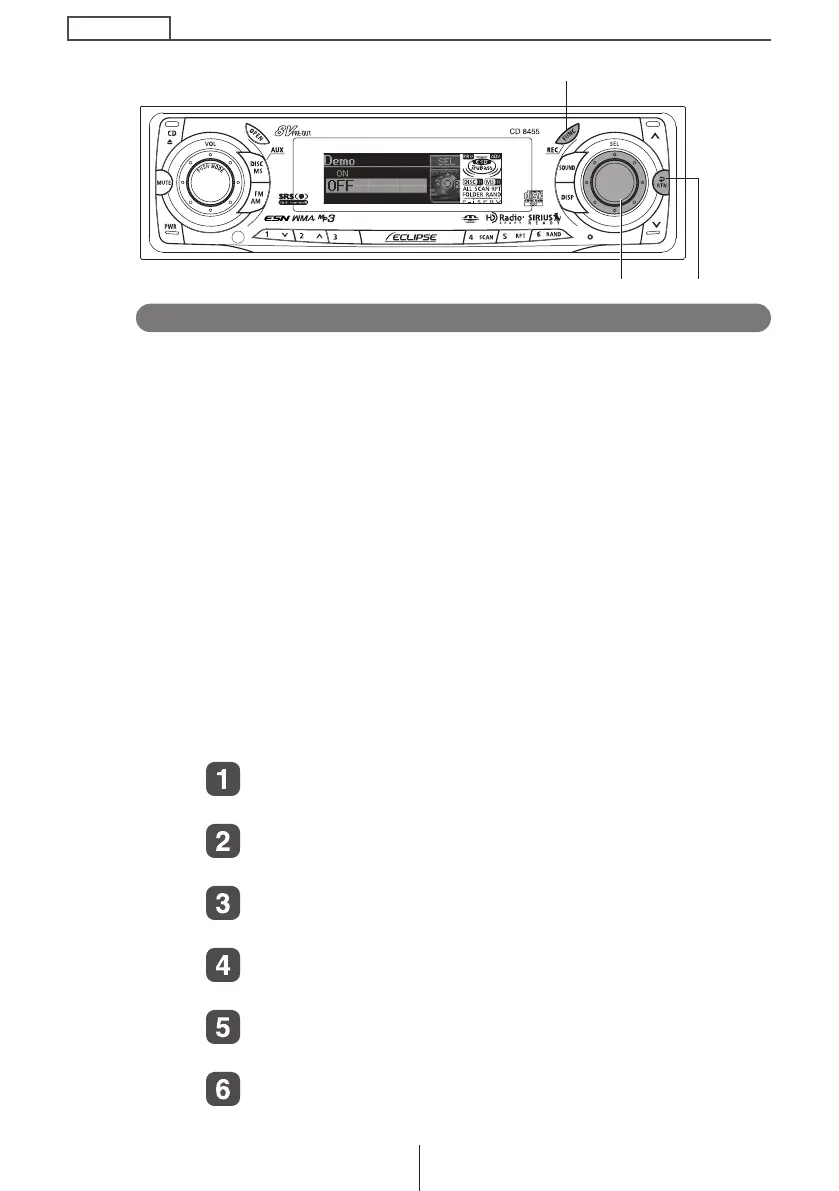
[SEL] button [RTN] button
[FUNC] button
CD8455.book 64 ページ 2004年12月11日 土曜日 午後7時24分



 To Next Page