75
How to operate the CD player
V
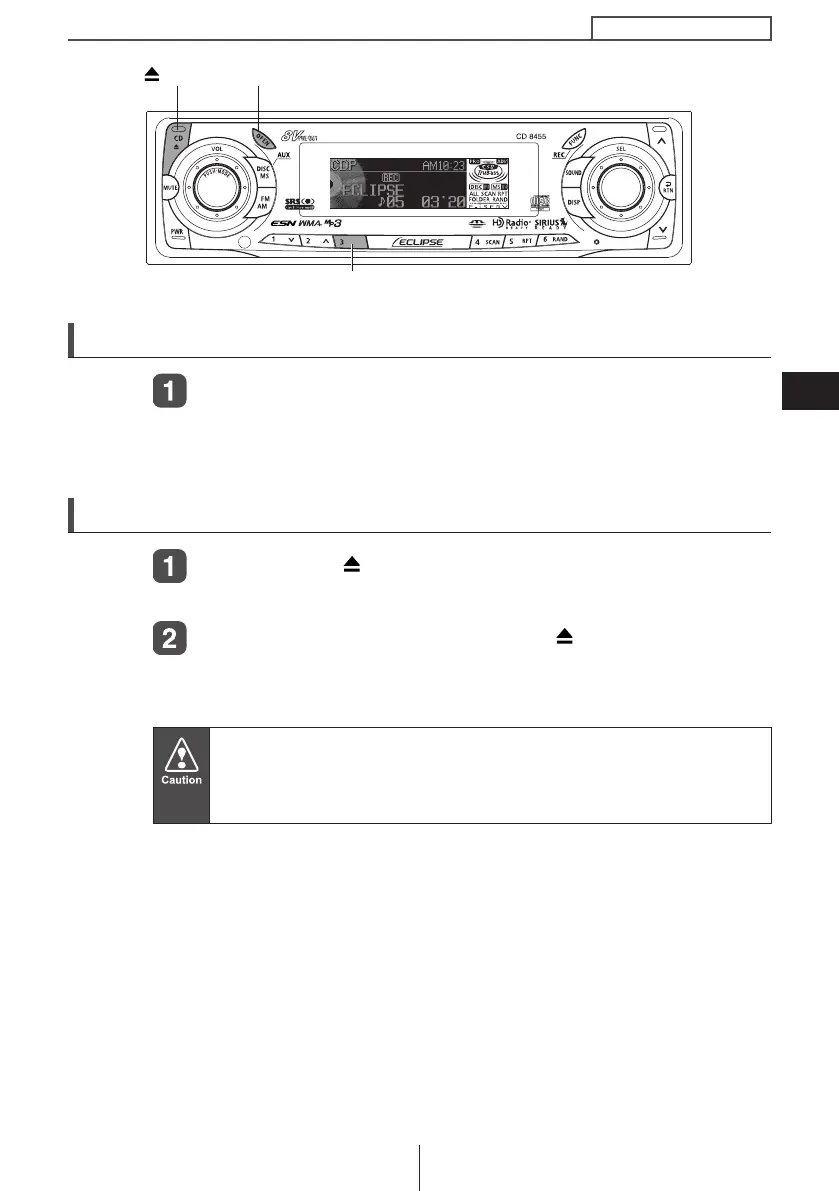
Switching a CD to pause / play
Press button [3].
It pauses playing a CD.
To cancel, press button [3] again.
Ejecting the disc
Press the [CD ] button.
The front panel opens and the disc is ejected.
Remove the disc and press the [CD ] or [OPEN] button.
The front panel closes. If left alone for 15 seconds after the disc
ejection, the front panel closes after the BEEP sound.
● Do not drive with the front panel open. The panel may cause
unexpected personal injury during a panic stop, or the like.
● Do not attempt to close the front panel by hand. Doing so may
damage the panel.
[CD ] button
[OPEN] button
Button [3]
CD8455.book 75 ページ 2004年12月11日 土曜日 午後7時24分



 To Next Page