190
How to use the remote control
Replacing the battery
Use two AAA size batteries.
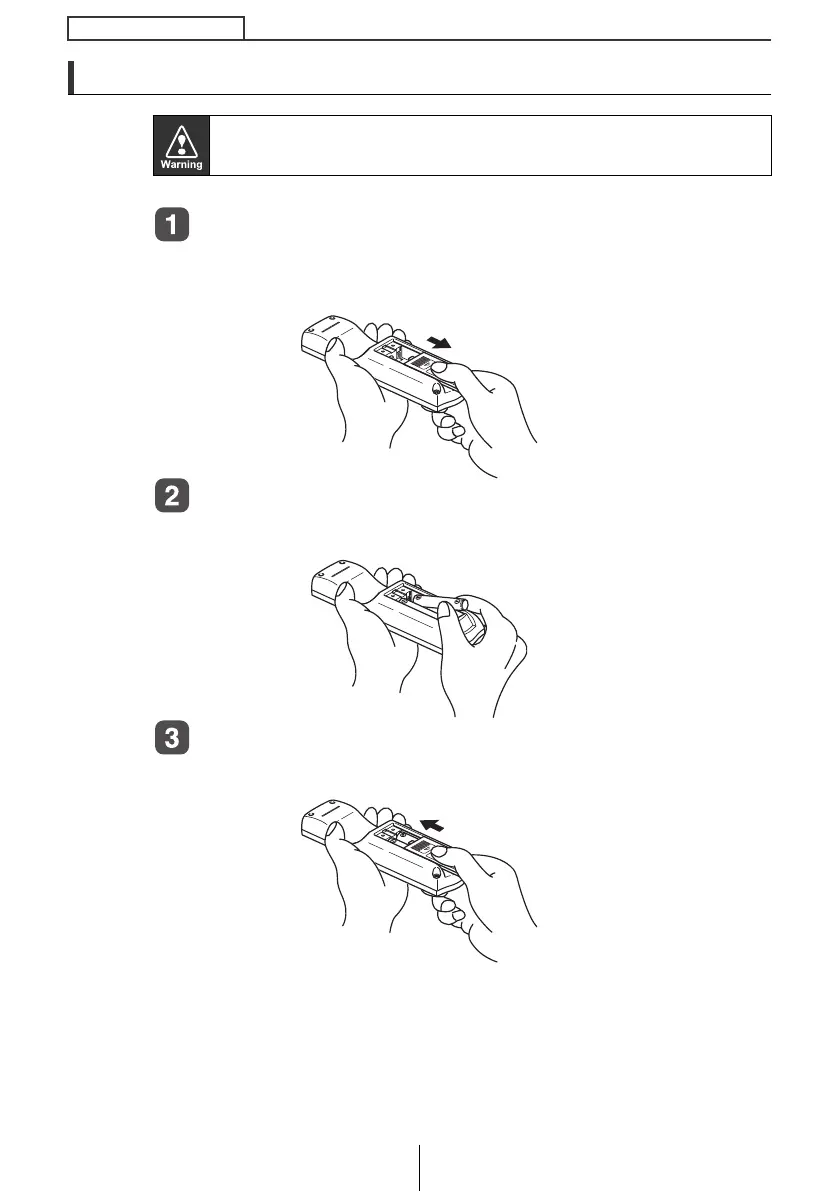
Remove the back cover of the remote control unit by
gently pressing and sliding it in the direction indicated
by the arrow.
Install the two batteries provided into the compartment
as illustrated inside the compartment.
Return the back cover into place by sliding it in the
direction indicated by the arrow.
To prevent accidents, store batteries out of the reach of children. If a
child has swallowed one, consult a doctor immediately.
CD8455_11_E.fm 190 ページ 2004年12月16日 木曜日 午後6時5分



 To Next Page