169
How to operate the Sound Adjustment Mode
IX
Speaker layout
Depending upon speaker layout, you can switch between 3-way
and 4-speaker systems. (Select a system configuration before
adjusting PEQ, time alignment or cross over.)
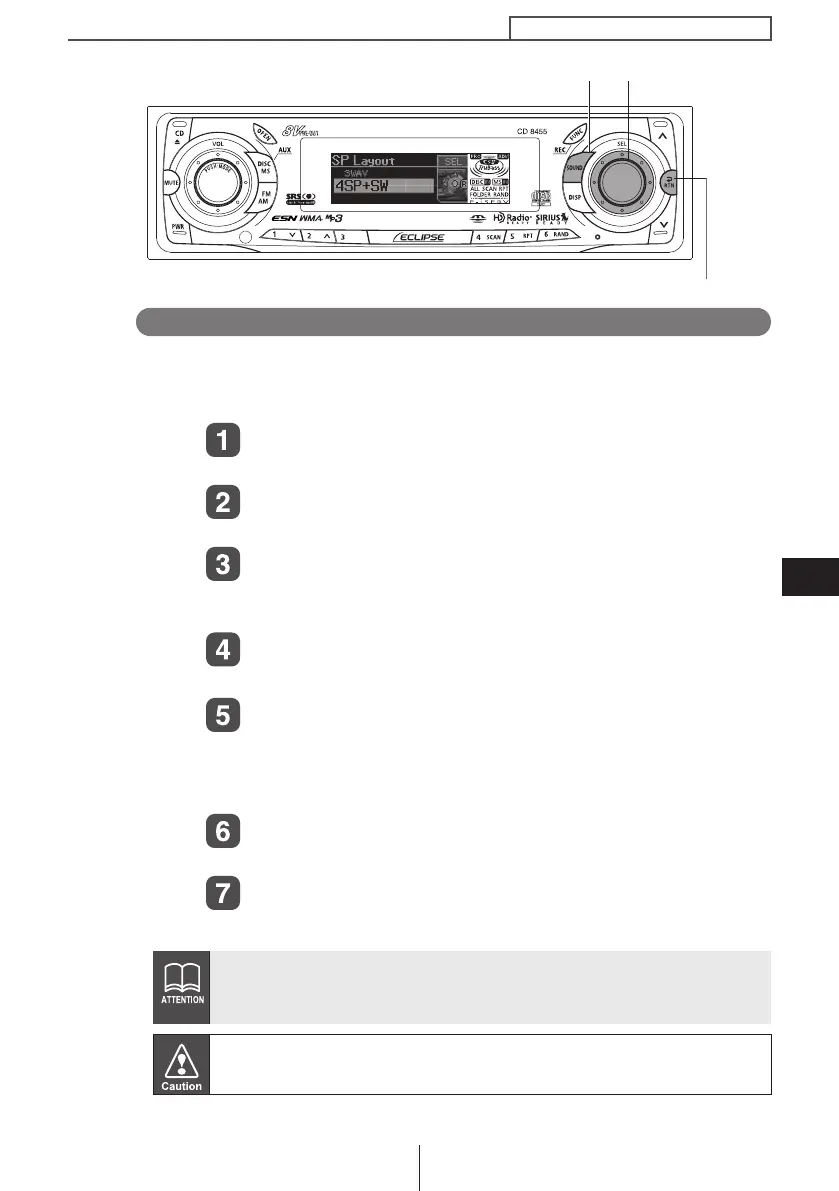
Turn the [SEL] button to select SP Layout.
The selected item is highlighted.
Press the [SEL] button.
The mode will change to SP Layout mode.
Turn the [SEL] button to select 3WAY or 4SP + SW
3WAY: 3WAY speaker system
4SP + SW: 4 speaker and a sub-woofer
Press and hold the [SEL] button for more than five
seconds.
The speaker layout confirmation message will be
displayed. If the layout is OK, press [SEL].
Press the [RTN] button to return the speaker layout selection
screen.
Press the [RTN] button.
At this time, other adjustments can also be made in pro mode.
Press the [SOUND] or [RTN] button to exit sound
adjustment mode.
If the vehicle is equipped withe 3-way speaker system, do not change
from pro mode to normal mode.
Doing so may cause damage to the speakers.
When switching between 3WAY mode and 4SP + SW mode, please
make sure that the volume level is set to 0.
[SOUND] button
[RTN] button
[SEL] button
CD8455.book 169 ページ 2004年12月11日 土曜日 午後7時24分



 To Next Page