211
Others
XV
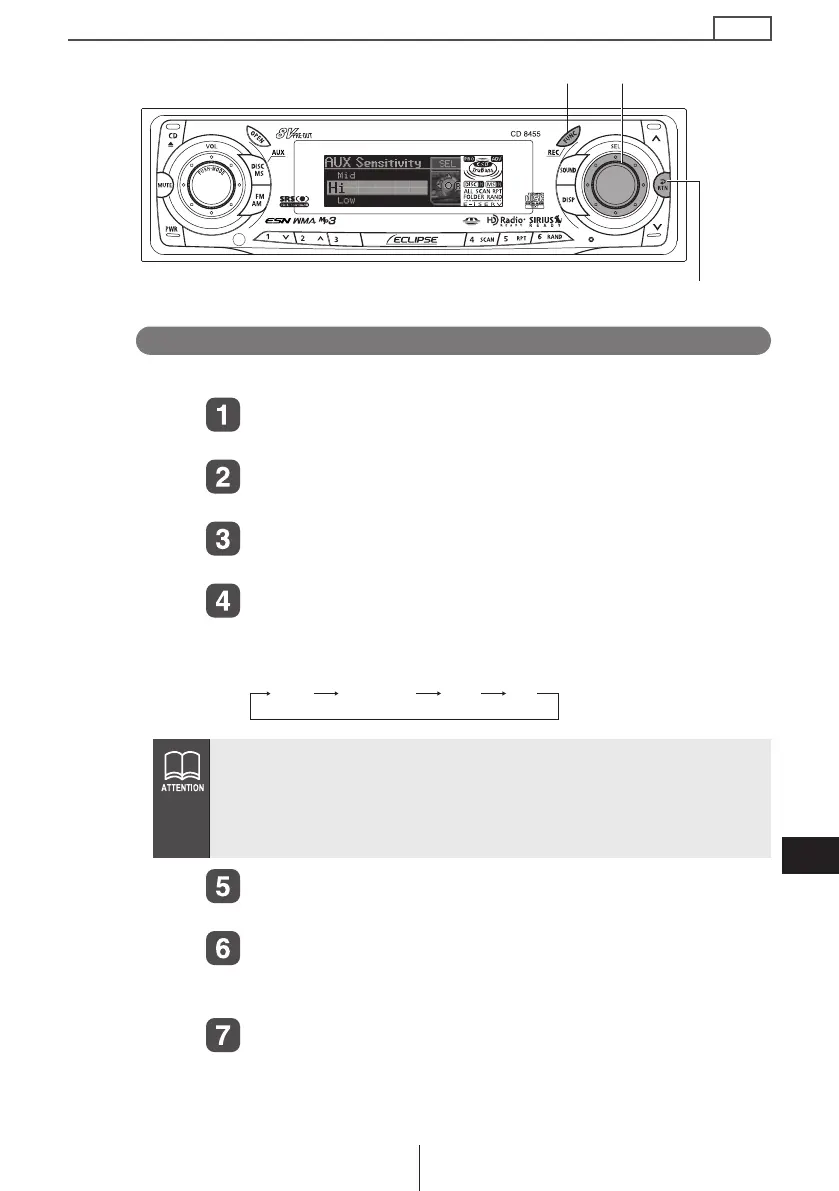
Changing auxiliary input sensitivity
The sensitivity of the auxiliary mode can be changed.
Press the [FUNC] button for less than one second.
The function mode is activated.
Turn the [SEL] button to select AUX Sensitivity.
The selected item is highlighted.
Press the [SEL] button.
The AUX sensitivity mode is activated.
Turn the [SEL] button to select the sensitivity mode.
Turning the button allows you to toggle through sensitivity
modes as follows:
Press the [SEL] button.
The selected settings will take effect.
Press the [RTN] button.
At this time, other adjustments can also be mode in function
mode.
Press the [FUNC] or [RTN] button to exit function
mode.
Input sensitivity modes are roughly as follows:
Low 2 Vrms
Mid-Low 960 mVrms
Mid 480 mVrms
Hi 240 mVrms
[RTN] button
[SEL] button[FUNC] button
Low Mid-Low Mid Hi
CD8455.book 211 ページ 2004年12月11日 土曜日 午後7時24分



 To Next Page