159
How to operate the Sound Adjustment Mode
IX
Press the [AUDIO CONTROL] button for less than
two seconds.
After pushing the button, a 10-second countdown begins.
Leave the vehicle during that time.
Pink noise will be output from the speakers and measurement
of the frequency characteristics will start. [Measuring] will
appear on the display while measurement is in progress.
When measurement is complete, the measurement results will
appear on the display. You can adjust the volume (by turning
the [AUDIO CONTROL] button) and restart measurement
while measurement is in progress.
Press the [AUDIO CONTROL] button once more to cancel
measurement.
Press the [OPEN] button.
Insert a Memory Stick.
Press the [AUDIO CONTROL] button for more than
two seconds.
Measurements can be written to a memory stick and corrected
automatically using the E-iSERV website.
Close all doors and windows while measurement is in progress.
In order to make measurement of frequency characteristics easier,
slight errors may occur in the measurement data under some
circumstances when this function is used. In addition, it is not
equivalent to the precise measurements that can be made by
pofessional measuring devices.
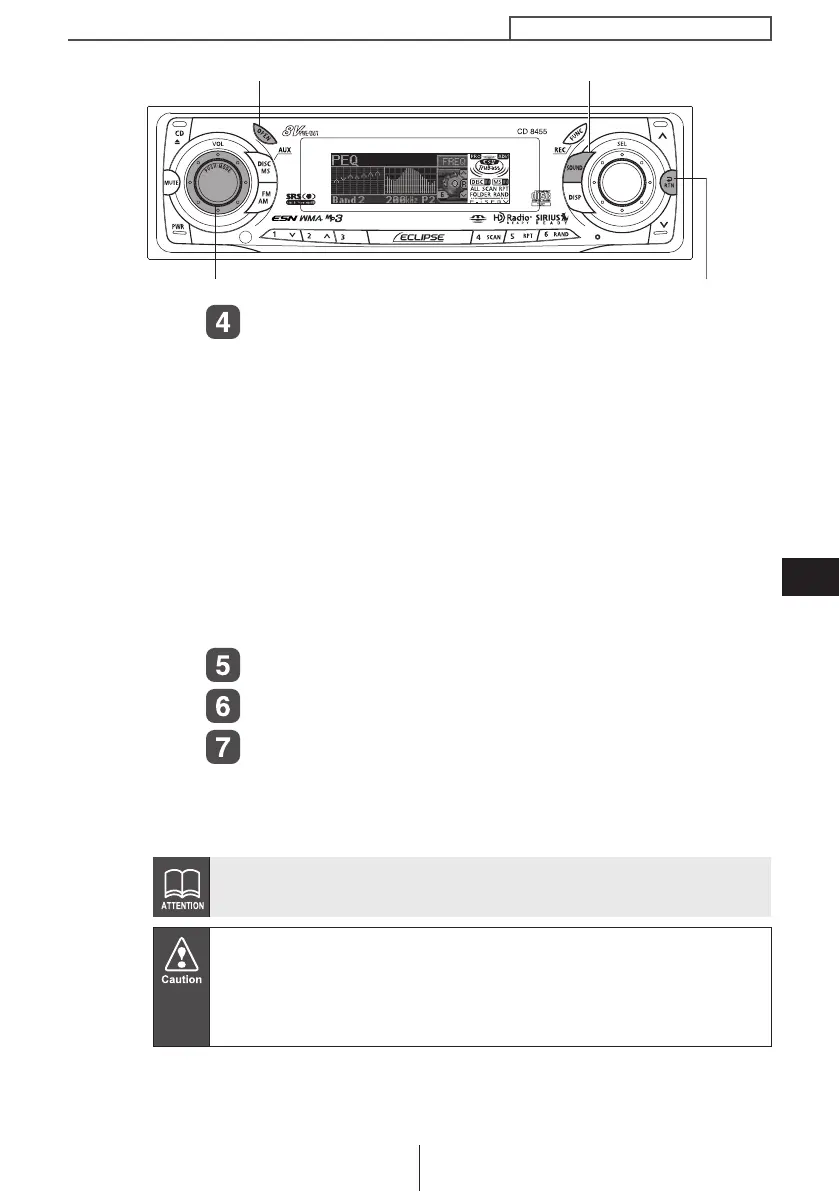
[SOUND] button
[RTN] button
[AUDIO CONTROL] button
[OPEN] button
CD8455.book 159 ページ 2004年12月11日 土曜日 午後7時24分



 To Next Page