171
How to operate the Sound Adjustment Mode
IX
Press the [RTN] button.
At this time, other adjustments can also be made in pro mode.
Press the [SOUND] or [RTN] button to exit sound
adjustment mode.
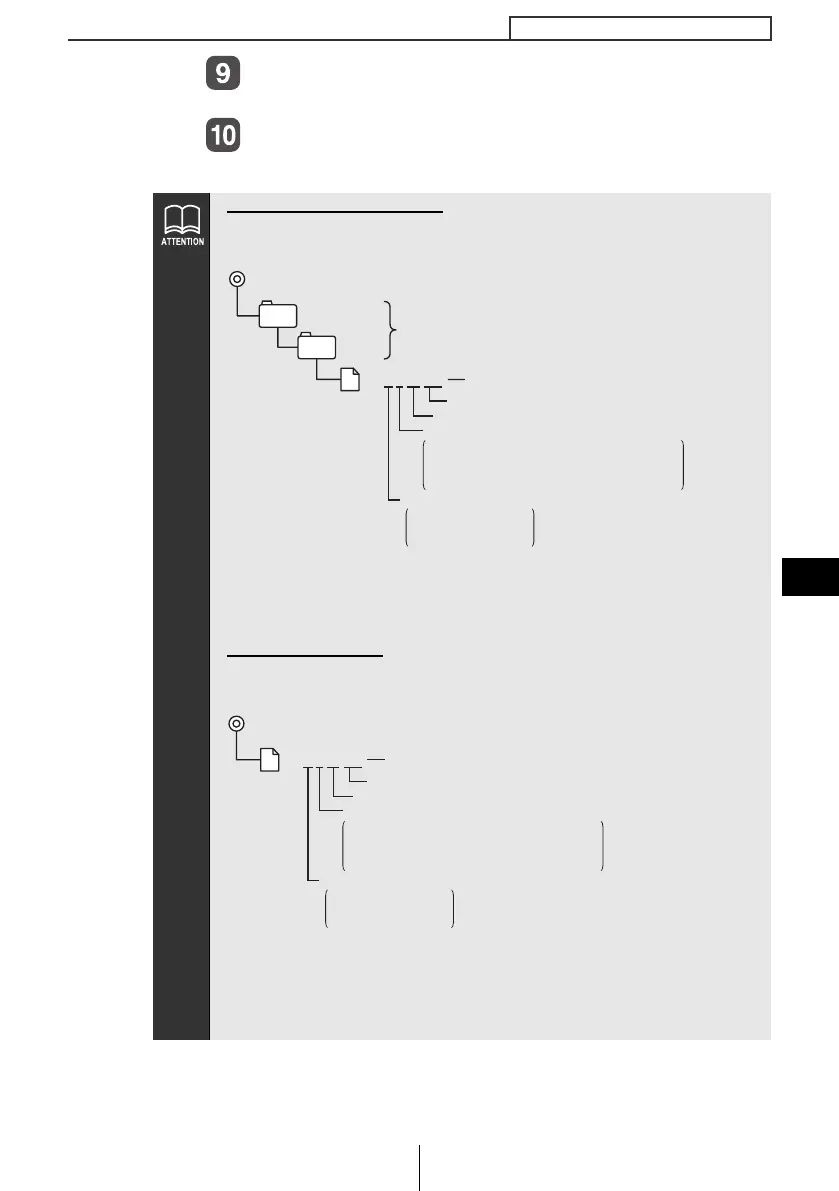
When using a Memory Stick:
● Make a folders in the Memory Stick and download the data
adjust through E-iSERV (web site) as shown below.
● The files that can be read by this deck are created automatically
when you are downloading from the E-iSERV sound effect
customizations.
When using a CD-R:
● The deck can only import files from CD-R that have been written
with root directories.
● Disc formats that may be used are as follows:
• CD-ROM (MODE 1)
• CD-ROM (MODE2_FORM 1)
*CD-ROMs written in MODE2_FORM2 cannot be read.
MSFTEN
DATA
File extension
Two digit number
204㧖 X 00 .eis
Adjustment mode
a:Pro Mode (3WAY)
c:Normal Mode
d:Pro Mode (4SP+SW)
Adjustment pattern
a: Flat tuning B: Bass range emphasis
c: Bass and Treble range emphasis
d: Midium range emphasis
0: No automatic parametric equalizer correction
User creation
Automatic creation
File extension
Two digit number
204
㧖 X 00 .eis
Adjustment mode
a:Pro Mode (3WAY)
c:Normal Mode
d:Pro Mode (4SP+SW)
Adjustment pattern
a: Flat tuning B: Bass range emphasis
c: Bass and Treble range emphasis
d: Midium range emphasis
0: No automatic parametric equalizer correction
Automatic creation
CD8455_09_E.fm 171 ページ 2004年12月13日 月曜日 午後1時25分



 To Next Page