66
Basic operation
Reading steering switch data
The steering switch data that has been downloaded from E-iSERV
(website) to a Memory Stick or CD-R can be loaded into the deck
and saved there.
Press the [FUNC] button for less than one second.
The function mode is activated.
Turn the [SEL] button to select Steering SW.
Press the [SEL] button.
Select media by turning the [SEL] button.
Press the [SEL] button.
“INSERT DISC” or “INSERT MS” will be displayed and the
panel will open automatically.
Insert the Memory Stick or CD-R to be used for
saving the steering switch data.
Press the [OPEN] button to close the front panel.
Turn the [SEL] button to select the file to be saved.
The selected file name is highlighted.
Press the [SEL] button.
The CD-R or Memory Stick data is read. While it is reading,
[READING] is displayed.
If the data can be read successfully, [Completed] will appear
on the display. When using CD-R data, the CD-R will
automatically eject when reading is complete.
Do not turn off power or ignition switch during reading precess. This will
corrupt the data.
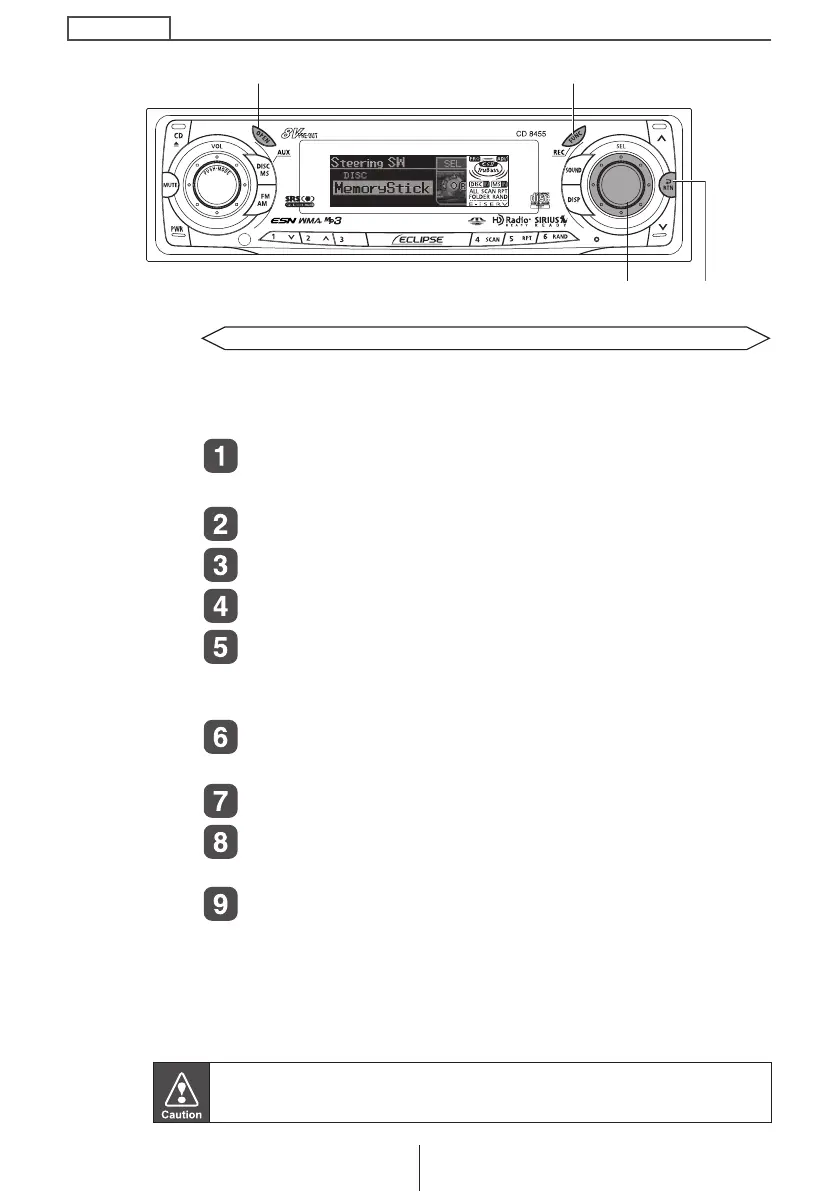
[SEL] button
[FUNC] button
[OPEN] button
[RTN] button
CD8455.book 66 ページ 2004年12月11日 土曜日 午後7時24分



 To Next Page