Chapter 2 Operating the Library
2.5 Configuring the Library
FUJITSU Storage ETERNUS LT260 Tape Library User’s Guide -Panel Operation-
Copyright 2016 FUJITSU LIMITED P3AM-8802-04ENZ0
26
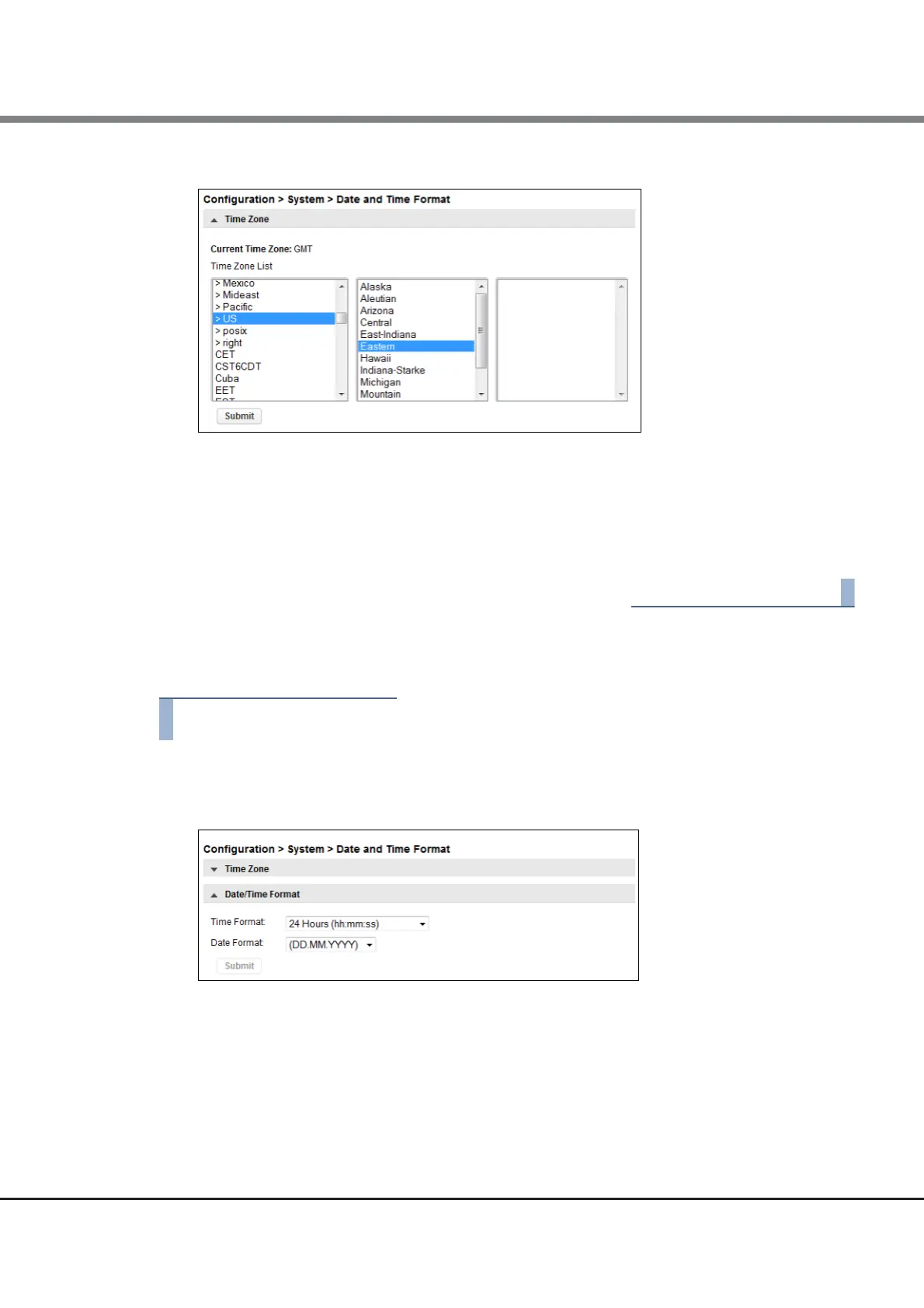
Figure 2.4 Time zone
2 Expand the time zone list, as necessary, until a location with the appropriate time zone is
visible.
3 Select a location with the appropriate time zone.
4 Click Submit.
2.5.3.2 Setting the Date and Time Format
1 Click Date/Time Format.
Figure 2.5 Date/Time format
2 Select a time format.
3 Select a date format:
For example, July 30, 2013 is displayed as:
• DD.MM.YYYY - 30.07.2013
• MM/DD/YYYY - 07/30/2013
• YYYY-MM-DD - 2013-07-30














 To Next Page