Chapter 2 Operating the Library
2.5 Configuring the Library
FUJITSU Storage ETERNUS LT260 Tape Library User’s Guide -Panel Operation-
Copyright 2016 FUJITSU LIMITED P3AM-8802-04ENZ0
28
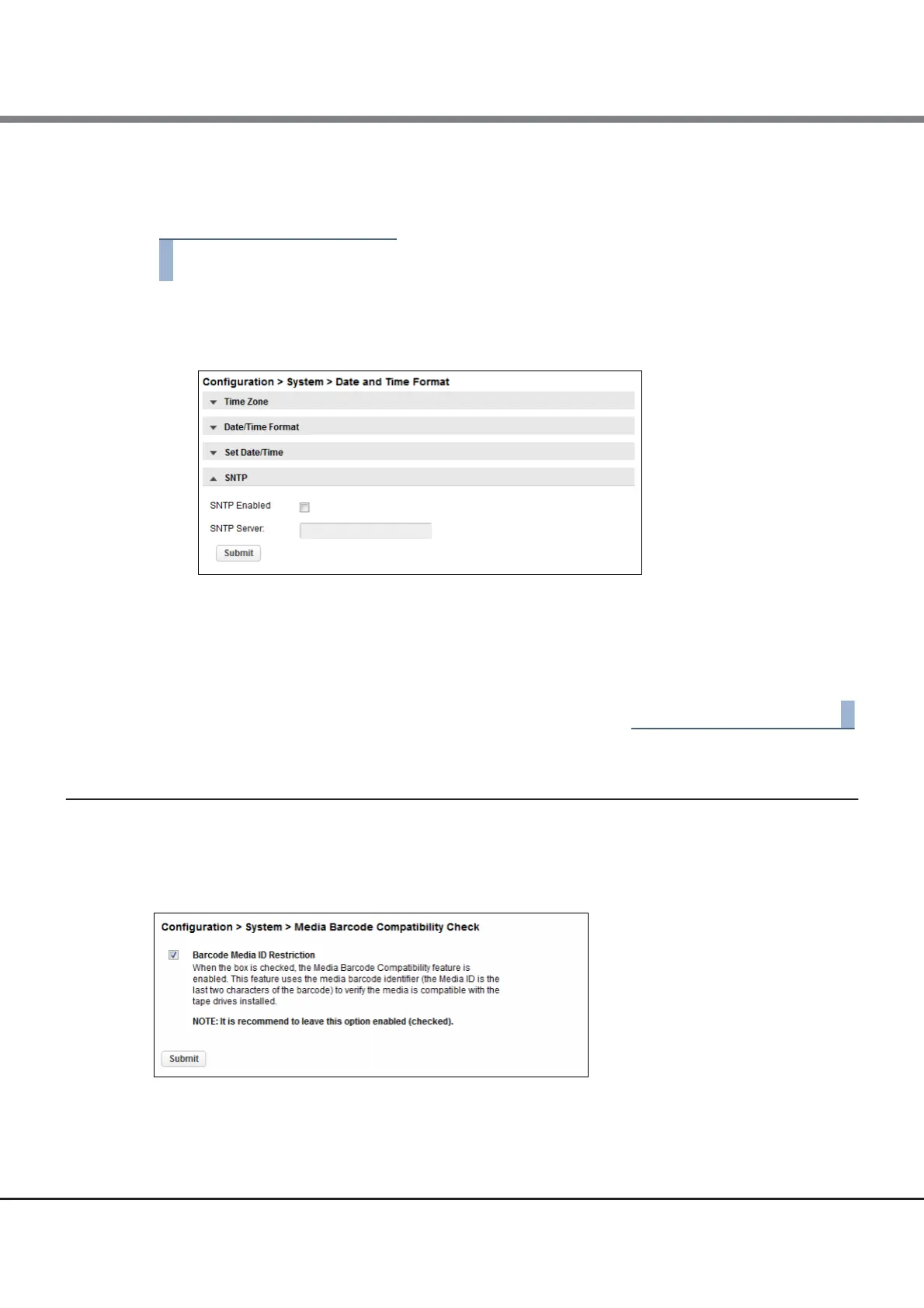
2.5.3.4 Enabling SNTP (Simple Network Time Protocol) Synchronization
The library must have network access to an SNTP server.
1 Click SNTP.
Figure 2.7 SNTP
2 Click SNTP Enabled.
3 Enter the SNTP server address.
4 Click Submit.
2.5.4 Configuring Media Barcode Compatibility Checking
From the Configuration > System > Media Barcode Compatibility Check screen you can enable or disable the
barcode media ID check.
Figure 2.8 Media barcode compatibility check
When Barcode Media ID Restriction is enabled, the library will only allow appropriate tape cartridges to be
loaded into tape drives. The barcode media ID is the last two characters of the barcode. For example, an LTO-
6 labeled cartridge will not be allowed to move into an LTO-5 tape drive.














 To Next Page