About Actions (for Mac OS users)
227
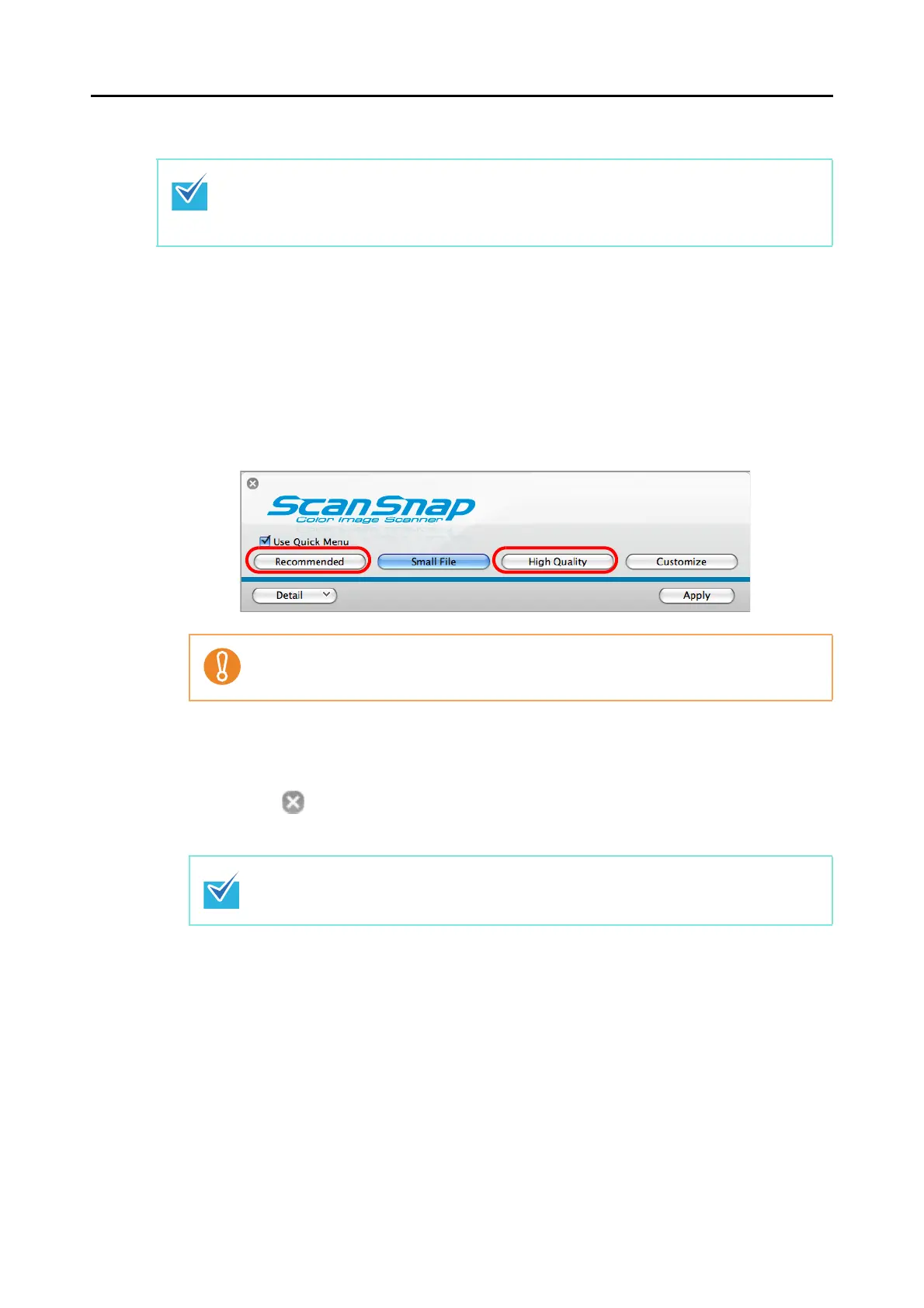
Using the Quick Menu
1. Select [Settings] from the ScanSnap Manager menu.
Refer to "ScanSnap Manager Menu" (page 170) for more information about the
ScanSnap Manager menu.
D The ScanSnap setup window appears.
2. Select either [Recommended] or [High Quality] button.
3. Click the [Apply] button in the ScanSnap setup window.
4. Click the [ ] button in the upper left corner or press the [esc] key to
close the ScanSnap setup window.
To use the Quick Menu, you need to select the [Use Quick Menu] checkbox in the ScanSnap
setup window.
Refer to "Using the Quick Menu" (page 173) for more details about how to perform scanning by
using the Quick Menu.
It is recommended to select [Auto] or [Best] for [Image quality] in the [Scanning] tab in the
ScanSnap setup window when you scan business cards.
The ScanSnap setup window also closes when you press the [Scan] button on the
ScanSnap.



 To Next Page
 Loading...













