Setting the ScanSnap (for Windows users)
66
■ Automatic Linkage with Applications
ScanSnap Organizer, CardMinder, Rack2-Filer trial version (bundled with the ScanSnap), and
Rack2-Filer (V5.0 or later recommended) (bundled model or sold separately) automatically
link with the ScanSnap upon startup.
Automatic Linkage Mode
There are two modes for automatic linkage.
zLink when one of the above applications is active (recommended)
When ScanSnap Organizer, CardMinder or Rack2-Filer becomes active (with the
application’s dialog box brought to front and selected in taskbar), performing a scan by
pressing the [Scan] button automatically starts the linkage between ScanSnap Manager
and the active application in which the scan result is displayed.
Even when the ScanSnap is in Quick Menu mode, ScanSnap Manager automatically
links with the active application in which the scan result is displayed without the Quick
Menu appearing after scanning.
The interaction between the application and ScanSnap Manager ends once the
application is no longer active.
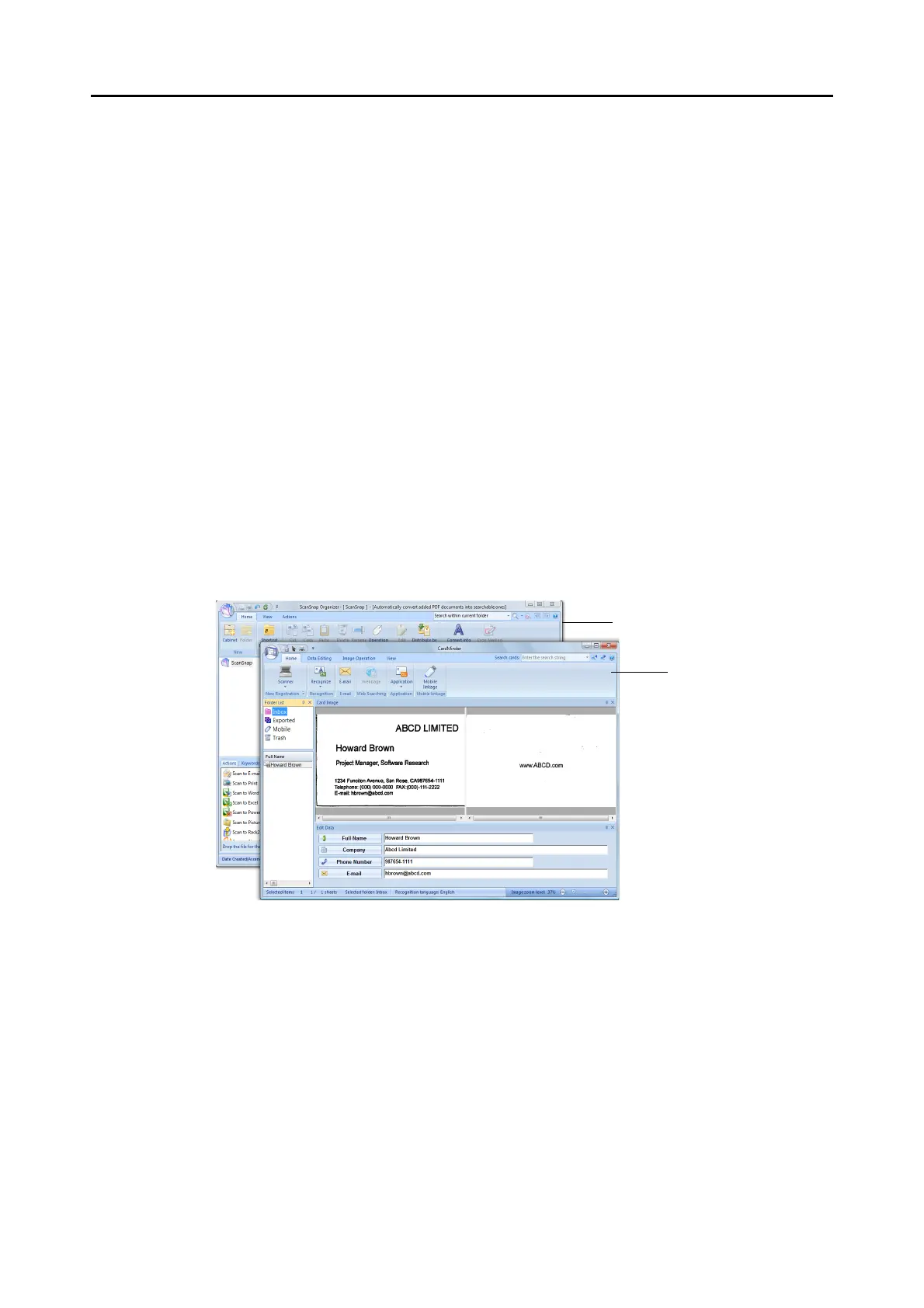
The example above shows ScanSnap Manager automatically linking with CardMinder
when CardMinder dialog box is in front (active).



 To Next Page
 Loading...













