Working with the Tablet PC
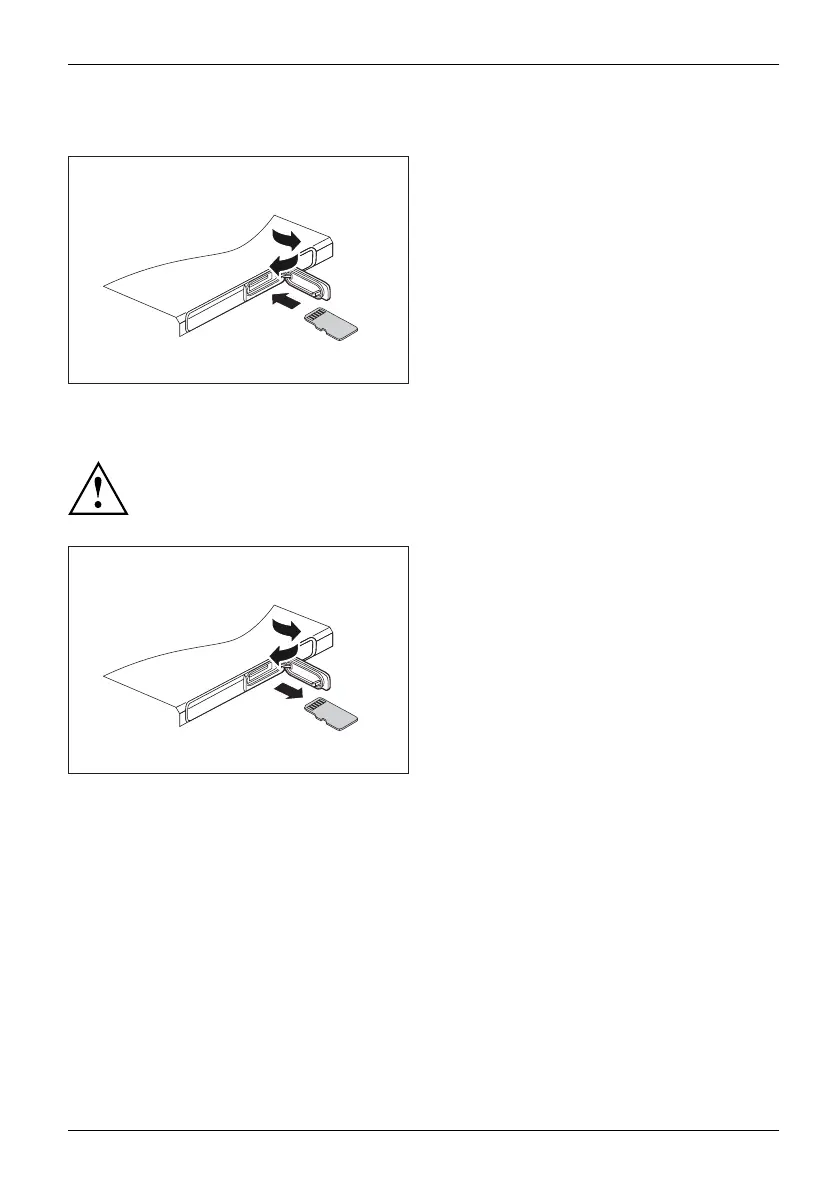
Inserting the memory card
2
1
3
► Open the slot c over (1).
► Carefully push the memory card into the
slot (2) as shown in the picture. Do not
apply any force, otherwise the delicate
contact surfaces could be damaged.
Memorycard
► Close the slot cover (3).
Removing the memory card
Memorycard
To avoid any loss of data, always follow the correct procedure for removing the
card (see the documentation for your operating system).
2
1
3
► Open the slot c over (1).
► Press the edge of
the memory card
so that the m emo
ry card will jump part
of the way out of
its slo t.
► Pull the memory card out of the slot in
the direction of the arrow (2).
► Close the slot
cover (3).
Fujitsu 33



 To Next Page
 Loading...









