A
B
D
(a)
(b)
(c)
time
C
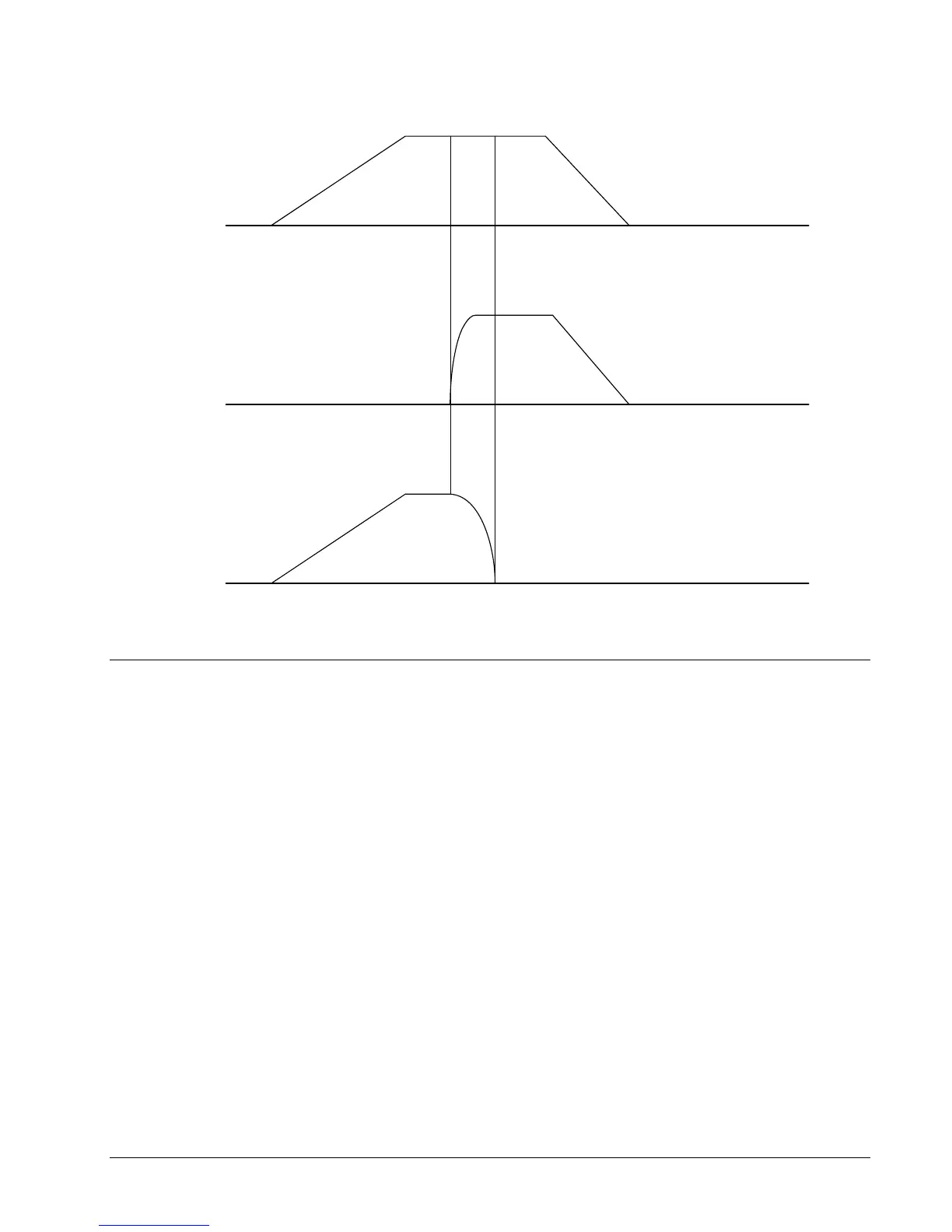
Figure A-23 - Vector and Axes Velocities
Example- Communicating with OPTO-22 SNAP-B3000-
ENET
Controller is connected to OPTO-22 via handle F. The OPTO-22’s IP address is 131.29.50.30. The
Rack has the following configuration:
Digital Inputs Module 1
Digital Outputs Module 2
Analog Outputs (+/-10V) Module 3
Analog Inputs (+/-10V) Module 4
Instruction Interpretation
#CONFIG Label
IHF=131,29,50,30<502>2 Establish connection
WT10 Wait 10 milliseconds
JP #CFGERR,_IHF2=0 Jump to subroutine
JS #CFGDOUT Configure digital outputs
JS #CFGAOUT Configure analog outputs
JS #CFGAIN Configure analog inputs
MBF = 6,6,1025,1 Save configuration to OPTO-22
DMC-2X00 Appendices y 249



 To Next Page