Start-up
G&D DVIMUX2-DL-USB · 10
English
Start-up
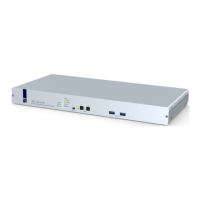
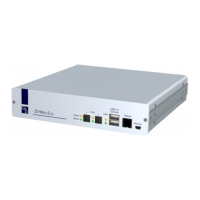
Turn on the Power switch on the back panel of the KVM switch.
As soon as the device is supplied with power, the green User LED lights up. The
KVM switch is now ready for use.
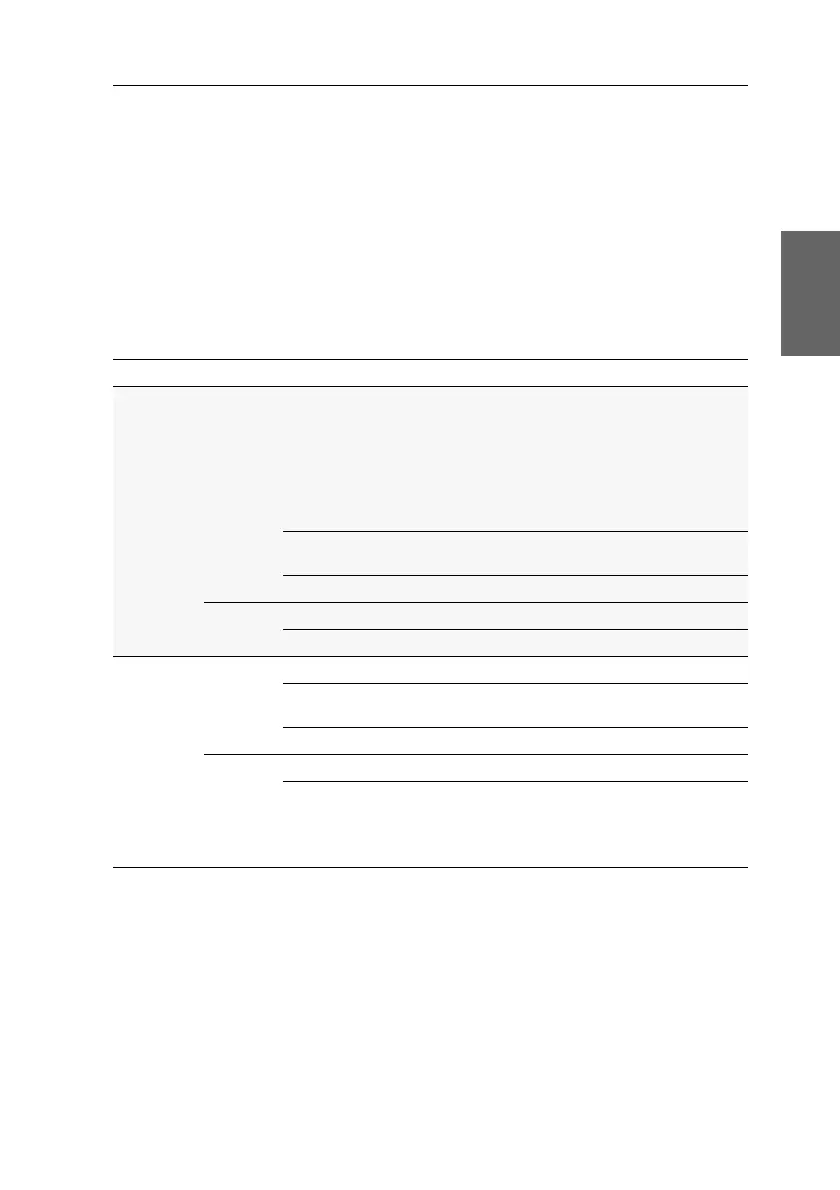
Status displays
The LEDs on the front panel of the device enable you to control the operational status
at all times.
Section LED Status Meaning
CPU 1 ... 2 Active on All inputs are forwarded to the computer of this channel.
In the default settings of the KVM switch, data of devices
connected to the »USB 2.0 Devices« interface are for
-
warded to the computer of this channel, too.
An additionally flashing Active LED (see below) of
another channel shows that USB data is permanently
switched to another channel.
flashing The devices connected to the »USB 2.0 Devices« interface
are permanently switched to this channel (Pinning).
off The channel is currently inactive.
Status on The computer is ready for operation.
off No computer is connected or the computer is turned off.
User Active on The keyboard is properly and completely initialised.
slow flash-
ing
The LED blinks after the device is turned on and until the
keyboard is initialised
flashing The setup mode of the KVM switch is active.
Status on The KVM switch is supplied with the necessary voltage.
off The KVM switch is turned off or is not supplied with the
necessary voltage.
If necessary, check the proper connection of the power
supply cable.


 To Next Page