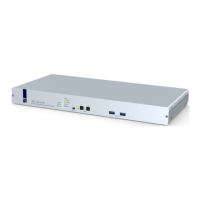
Configuration
G&D DVIMUX2-DL-USB · 40
English
A special USB keyboard mode guarantees that whenever a special key of this key-
board pressed, this action is transmitted to the target computer:
How to select the USB keyboard type:
INPUT DEVICE SETTING
LK463 compatible keyboard
LK463
NOTE:
The USB keyboard type can only be changed in the setup menu.
Setup Menu
1. Use the terminal emulator to establish a connection to the KVM switch.
If the setup menu is not displayed, the Monitoring mode of the service port is
enabled. Enter
»!« to switch to the setup menu.
2. Use the Arrow or Arrow keys to select the row USB Keymode of the channel
and press
Enter.
3. Use the Arrow or Arrow keys to select the channel whose setting you want
to change in the Set USB Keymode submenu.
4. Press the Space key (repeatedly) to select the desired option (see above).
5. Repeat steps 3 and 4 to change this setting for another channel.
6. Press the S key to save your settings.
IMPORTANT:
Changing to the SUN German or SUN US keymode requires a reboot of
the Sun computer.


 To Next Page