Edge
®
820
51
EN
2 Pair your smartphone with the Edge device
(Pairing Your Smartphone,
page 49)
.
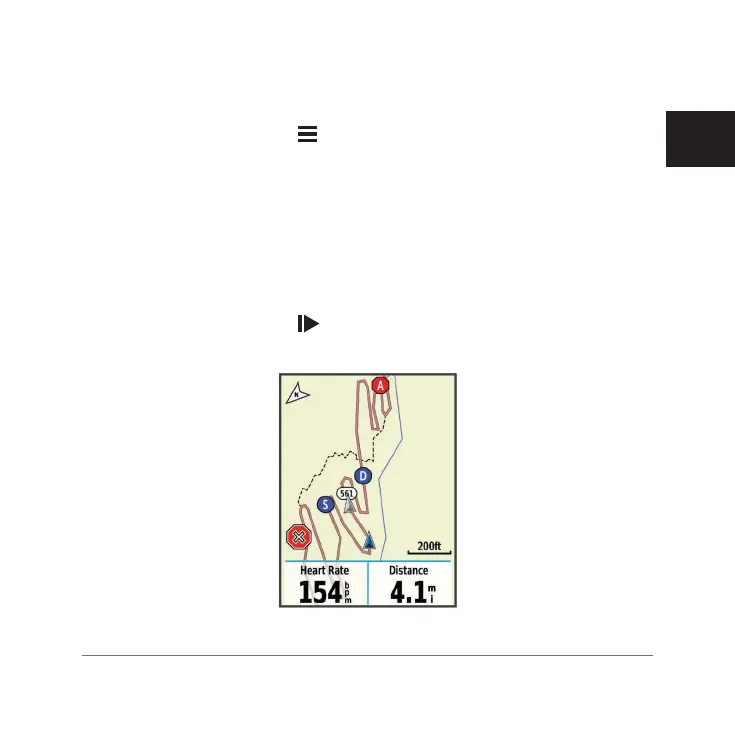
3 On the Edge device, select > Settings > Group Track to enable viewing
connections on the map screen.
4 In the Garmin Connect Mobile app, from the settings menu, select Live
Track > Group Track.
5 Select Visible to > All Connections.
NOTE: If you have more than one compatible device, you must select a
device for the Group Track session.
6 Select Start Live Track.
7 On the Edge device, select , and go for a ride.
8 Scroll to the map to view your connections.
Edge 820_SEA英泰印 [4.75x4.75]-7.indd 51 2016/8/27 下午 03:01:32


 To Next Page