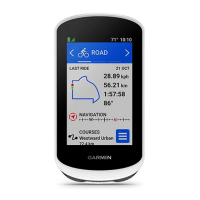
Edge
®
820
91
TH
cadence data that occur when you are not pedaling
(Data Averaging for
Cadence or Power, page 65)
.
Power Averaging: Controls whether the device includes zero values for power
data that occur when you are not pedaling
(Data Averaging for Cadence
or Power, page 65)
.
Changing the Units of Measure
You can customize units of measure for distance and speed, elevation, tem-
perature, weight, position format, and time format.
1 Select
> Settings > System > Units.
2 Select a measurement type.
3 Select a unit of measure for the setting.
Turning the Device Tones On and Off
Select
> Settings > System > Tones.
Changing the Device Language
Select
> Settings > System > Language.
Changing the Configuration Settings
You can modify all of the settings you configured in the initial setup.
1 Select
> Settings > System > Device Reset > Initial Setup.
2 Follow the on-screen instructions.
Time Zones
Each time you turn on the device and acquire satellites or sync with your
Edge 820_SEA英泰印 [4.75x4.75]-7.indd 91 2016/8/27 下午 03:01:35


 To Next Page