Edge
®
820
97
EN
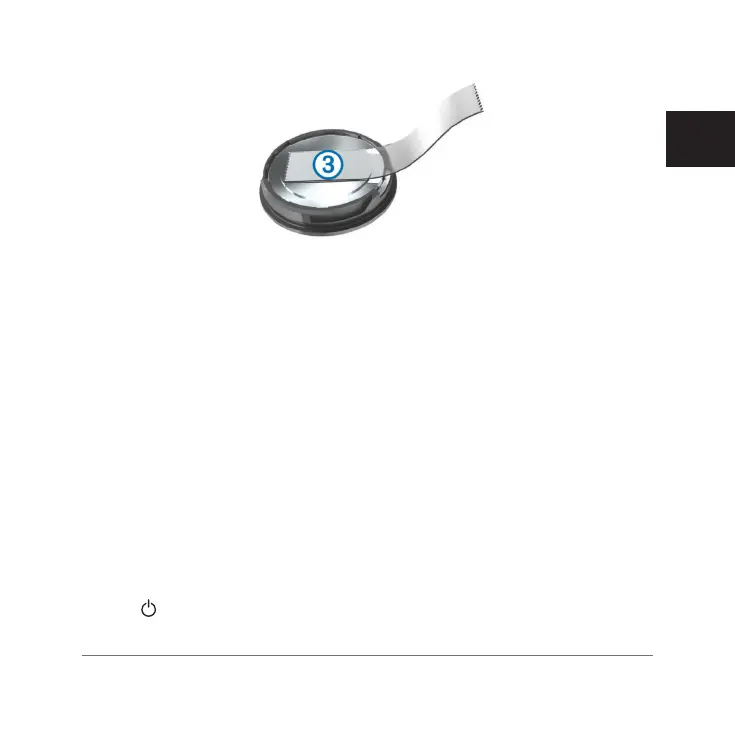
4 Wait 30 seconds.
5 Insert the new battery into the cover, observing polarity.
NOTE: Do not damage or lose the O-ring gasket.
6 Twist the cover clockwise until the marker points to locked.
NOTE: The LED flashes red and green for a few seconds after battery re-
placement. When the LED flashes green and then stops flashing, the device
is active and ready to send data.
If the device stops responding, you may need to reset it. This does not
erase any of your data or settings.
Troubleshooting
Resetting the Device
If the device stops responding, you may need to reset it. This does not erase
any of your data or settings.
Hold
for 10 seconds.
The device resets and turns on.
Edge 820_SEA英泰印 [4.75x4.75]-7.indd 97 2016/8/27 下午 03:01:35



 To Next Page