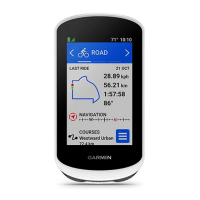
Edge
®
820
73
EN
Using Electronic Shifters
Before you can use compatible electronic shifters, such as Shimano
®
Di2
™
shifters, you must pair them with your device
(Pairing Your ANT+ Sensors,
page 65)
. You can customize the optional data fields
(Customizing the
Data Screens, page 83)
. The Edge device displays current adjustment values
when the sensor is in adjustment mode.
Situational Awareness
Your Edge device can be used with the Varia Vision
™
device, Varia
™
smart bike
lights, and rearview radar to improve situational awareness. See the owner’s
manual for your Varia device for more information.
NOTE: You may need to update the Edge software before pairing Varia de-
vices
(Updating the Software, page 100)
.
History
History includes time, distance, calories, speed, lap data, elevation, and op-
tional ANT+ sensor information.
NOTE: History is not recorded while the timer is stopped or paused.
When the device memory is full, a message appears. The device does not
automatically delete or overwrite your history. Upload your history to Garmin
Connect periodically to keep track of all your ride data.
Viewing Your Ride
1 Select
> History > Rides.
2 Select a ride.
Edge 820_SEA英泰印 [4.75x4.75]-7.indd 73 2016/8/27 下午 03:01:34


 To Next Page