72
Edge
®
820
EN
Conducting an FTP Test
Before you can conduct a test to determine your functional threshold power
(FTP), you must have a paired power meter and heart rate monitor
(Pairing
Your ANT+ Sensors, page 65)
.
1 Select
> My Stats > FTP > FTP Test > Ride.
2 Select
to start the timer.
After you begin your ride, the device displays each step of the test, the
target, and current power data. A message appears when the test is com-
plete.
3 Select
to stop the timer.
4 Select Save Ride.
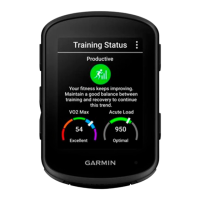
Your FTP appears as a value measured in watts per kilogram, your power
output in watts, and a position on the color gauge.
Automatically Calculating FTP
Before you can conduct a test to determine your functional threshold power
(FTP), you must have a paired power meter and heart rate monitor
(Pairing
Your ANT+ Sensors, page 65)
.
1 Ride at a steady, high intensity for at least 20 minutes outdoors.
2 After your ride, select Save Ride.
3 Select > My Stats > FTP.
Your FTP appears as a value measured in watts per kilogram, your power
output in watts, and a position on the color gauge.
Edge 820_SEA英泰印 [4.75x4.75]-7.indd 72 2016/8/27 下午 03:01:34


 To Next Page