Radar Interpretation
Reading and interpreting the radar display takes practice. The more you use the radar, the better you will
become at relying on the radar display when you really need it.
Radar can be useful in many situations, such as avoiding collisions when you have limited visibility, for example
when it is dark or foggy, tracking weather, seeing what is ahead of you, and locating birds and fish.
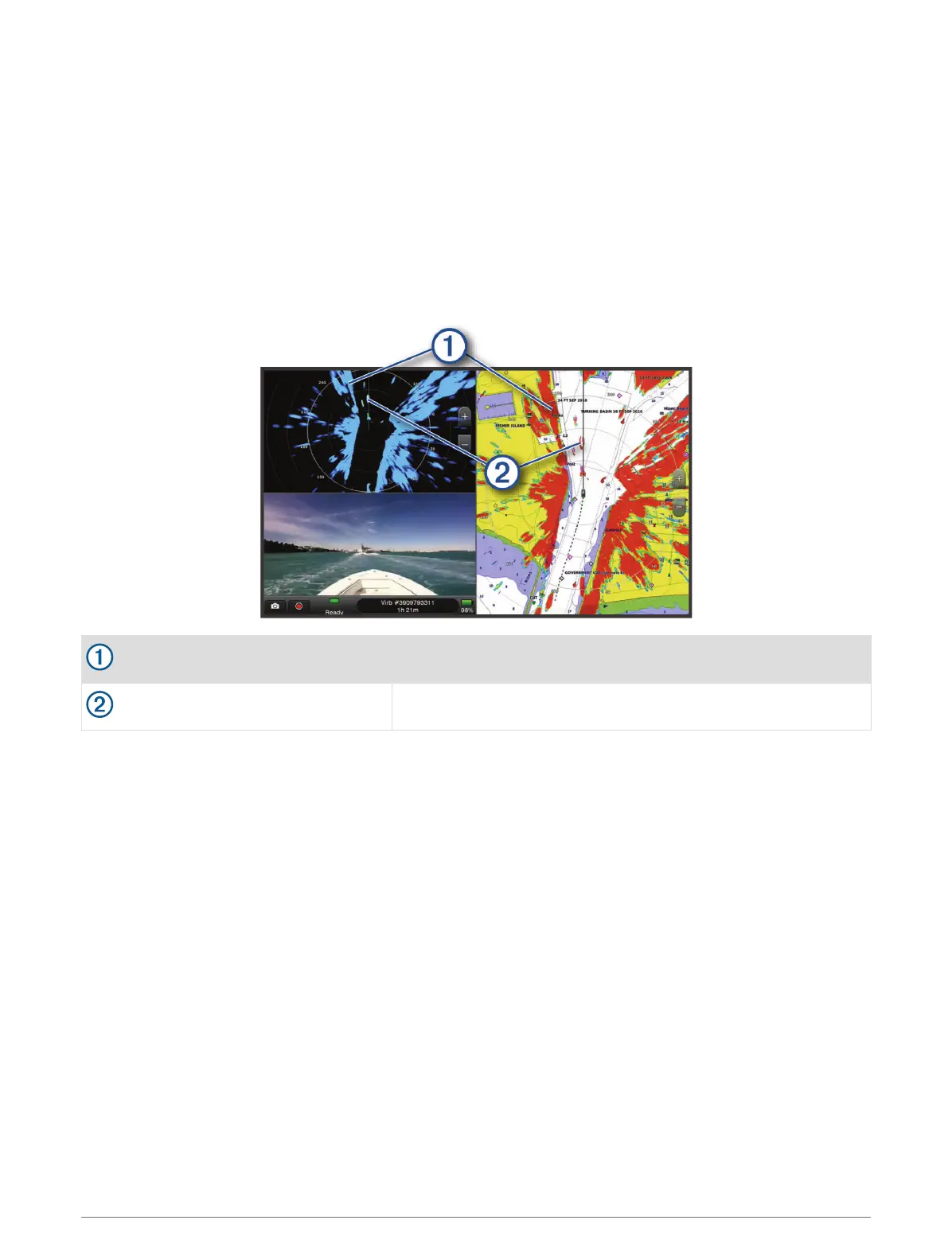
The radar overlay feature can help you interpret the radar display more easily, because it overlays the radar
returns on top of the chart. This can help you identify the difference between a radar return of a land mass,
bridge, or rain cloud. Showing the AIS vessels on the radar overlay can also help you identify features on the
radar display.
In the screenshot below, the radar overlay is turned on. This screen also shows a video feed. We can easily
identify a few items on the radar screen.
Land
Vessel
Radar Overlay
When you connect your chartplotter to an optional Garmin marine radar, you can use overlay radar information
on the Navigation chart or on the Fishing chart.
Data appears on the radar overlay based on the most recently used radar mode and all settings configurations
applied to the radar overlay are also applied to the last-used radar mode.
Radar Overlay and Chart Data Alignment
When using the Radar overlay, the chartplotter aligns radar data with chart data based on the boat heading,
which is based by default on data from a magnetic heading sensor connected using a NMEA 0183 or NMEA
2000 network. If a heading sensor is not available, the boat heading is based on GPS tracking data.
GPS tracking data indicates the direction in which the boat is moving, not the direction in which the boat is
pointing. If the boat is drifting backward or sideways due to a current or wind, the Radar overlay may not
perfectly align with the chart data. This situation should be avoided by using boat-heading data from an
electronic compass.
If the boat heading is based on data from a magnetic heading sensor or an automatic pilot, the heading data
could be compromised due to incorrect setup, mechanical malfunction, magnetic interference, or other factors.
If the heading data is compromised, the Radar overlay may not align perfectly with the chart data.
Radar 95



 To Next Page