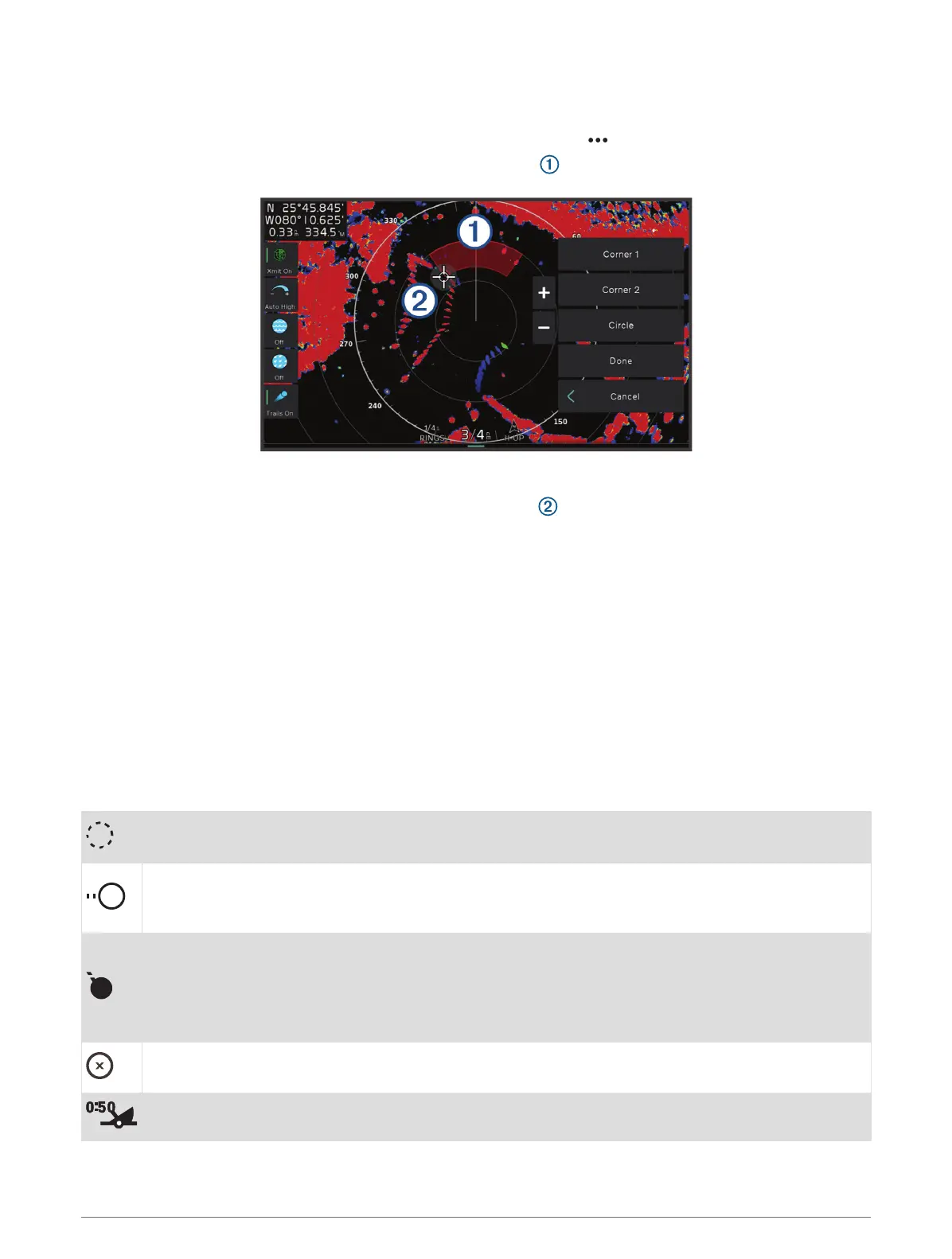
Defining a Partial Guard Zone
You can define the boundaries of a guard zone that does not completely surround your boat.
1 From a radar screen, select Options > Radar Options > Guard Zone > .
2 Drag the cursor to the location of the outer guard-zone corner .
3 Select Corner 2.
4 Drag the cursor to the location of the inner guard-zone corner to define the width of the guard zone.
5 Select Done.
MARPA
Mini-automatic radar plotting aid (MARPA) enables you to identify and track targets and is primarily used for
collision avoidance. To use MARPA, you assign a MARPA tag to a target. The radar system automatically tracks
the tagged object and provides you with information about the object, including the range, bearing, speed, GPS
heading, nearest approach, and time to nearest approach. MARPA indicates the status of each tagged object
(acquiring, lost, tracking, or dangerous), and the chartplotter can sound a collision alarm if the object enters your
safe zone.
Before you can use MARPA, you must have a heading sensor connected and an active GPS signal. The heading
sensor must provide the NMEA 2000 parameter group number (PGN) 127250 or the NMEA 0183 HDM or HDG
output sentence.
MARPA Targeting Symbols
Acquiring a target. Concentric, dashed green rings radiate from the target while the radar is locking
onto it.
Target has been acquired. A solid green ring indicates the location of a target that the radar has
locked onto. A dashed green line attached to the circle indicates the projected course over ground or
the GPS heading of the target.
Dangerous target is in range. A red ring flashes from the target while an alarm sounds and a message
banner appears. After the alarm has been acknowledged, a solid red dot with a dashed red line
attached to it indicates the location and the projected course over ground or the GPS heading of the
target. If the safe-zone collision alarm has been set to Off, the target flashes, but the audible alarm
does not sound and the alarm banner does not appear.
Target has been lost. A solid green ring with an X through it indicates that the radar could not lock
onto the target.
Closest point of approach and time to closest point of approach to a dangerous target.
98 Radar



 To Next Page