Selecting the Transducer Frequency
NOTE: You cannot adjust the frequency for all sonar views and transducers.
You can select which frequencies appear on the sonar screen.
NOTICE
Always be aware of local regulations on sonar frequencies. For example, to protect orca whale pods, you might
be prohibited from using frequencies between 50 to 80 khz within ½ mile of an orca whale pod. It is your
responsibility to use the device in compliance with all applicable laws and ordinances.
1 From a sonar view, select Options > Frequency.
2 Select a frequency suited to your needs and water depth.
For more information on frequencies, see Sonar Frequencies, page 86.
Creating a Frequency Preset
NOTE: Not available with all transducers.
You can create a preset to save a specific sonar frequency, which allows you to change frequencies quickly.
1 From a sonar view, select Options > Frequency.
2 Select Manage Frequencies > New Preset.
3 Enter a frequency.
Turning On the A-Scope
NOTE: This feature is available in the Traditional sonar views.
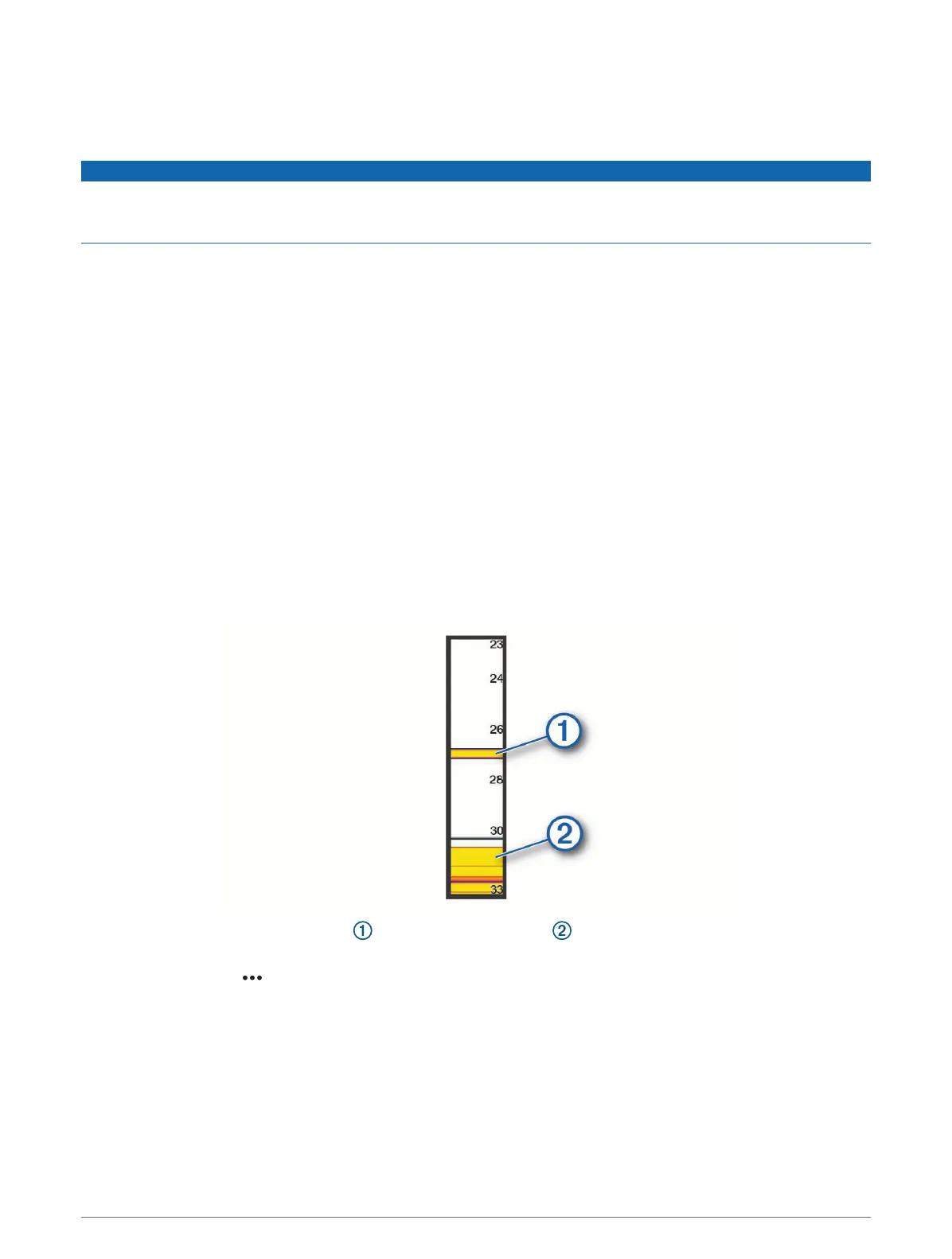
The a-scope is a vertical flasher along the right side of the view, showing you what is underneath the transducer
right now. You can use the a-scope to identify target returns that may be missed when the sonar data is quickly
scrolling across the screen, such as when your boat is moving at high speeds. It can also be helpful for
detecting fish that are close to the bottom.
The a-scope above shows fish returns and a soft bottom return .
1 From a sonar view, select Options > Sonar Setup > Appearance > A-Scope.
2 If necessary, select > Peak Hold to adjust the length of time the sonar returns are displayed.
Sonar Fishfinder 87



 To Next Page