Yamaha Autopilot Settings
From a Yamaha engine screen, select Options > Autopilot Setting.
Pattern Set: Allows you to select an autopilot pattern.
Direction: Sets a port or starboard direction for the pattern.
Spacing: Sets the spacing for the pattern.
Length: Sets the length of the pattern.
Amplitude: Sets the angle for the zigzag pattern.
Initial Radius: Sets the radius of the spiral pattern.
Final Track Point Mode: Sets the mode for the autopilot when it reaches the end of a route. The FishPoint®
option maintains the position, but does not maintain the heading. The DriftPoint® option allows the boat to
drift with the wind or current while maintaining the selected heading, but does not maintain the position. The
StayPoint® option maintains the position and the heading. The Deceleration option stops the motor, but does
not maintain the position or heading. The No Deceleration option does not stop the motor.
Course Hold Offset: Sets a distance to navigate parallel to a route.
NOTE: Detailed information on the operation of the Yamaha Joystick and Autopilot system can be found in the
Quick Guide included with the latest Joystick/Autopilot kit.
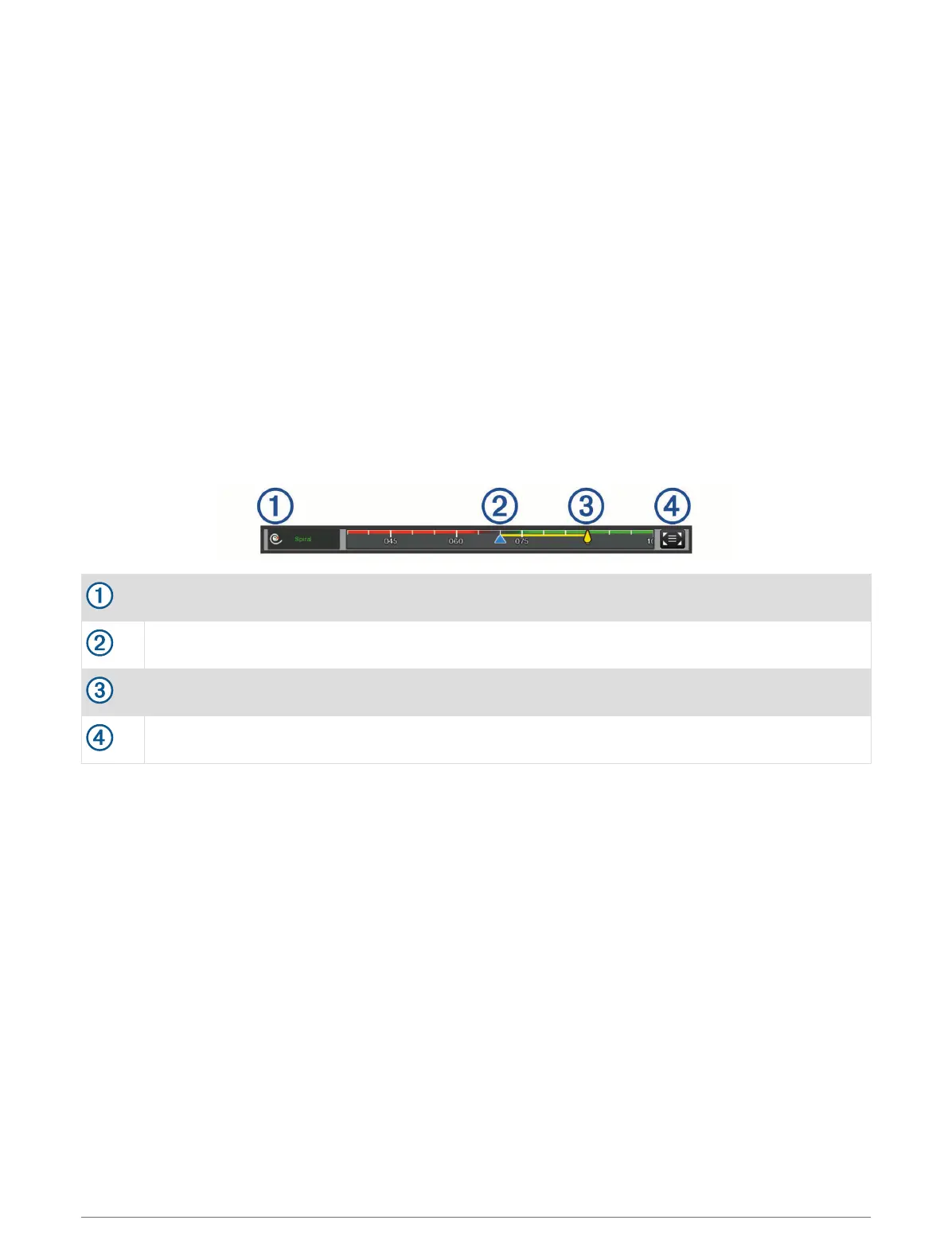
Yamaha Autopilot Overlay Bar
Autopilot mode
Actual heading
Intended heading (heading the autopilot is steering toward)
Opens the full autopilot screen and menu
112 Autopilot



 To Next Page