Tips for Selecting a Radar Range
• Determine what information you need to see on the Radar screen.
For example, do you need information about nearby weather conditions or targets and traffic, or are you more
concerned about distant weather conditions?
• Assess the environmental conditions where the radar is being used.
Especially in inclement weather, longer-range radar signals can increase the clutter on the Radar screen and
make it more difficult to view information about shorter-range targets. In rain, shorter-range radar signals can
enable you to view information about nearby objects more effectively, if the rain clutter setting is configured
optimally.
• Select the shortest effective range, given your reason for using radar and the present environmental
conditions.
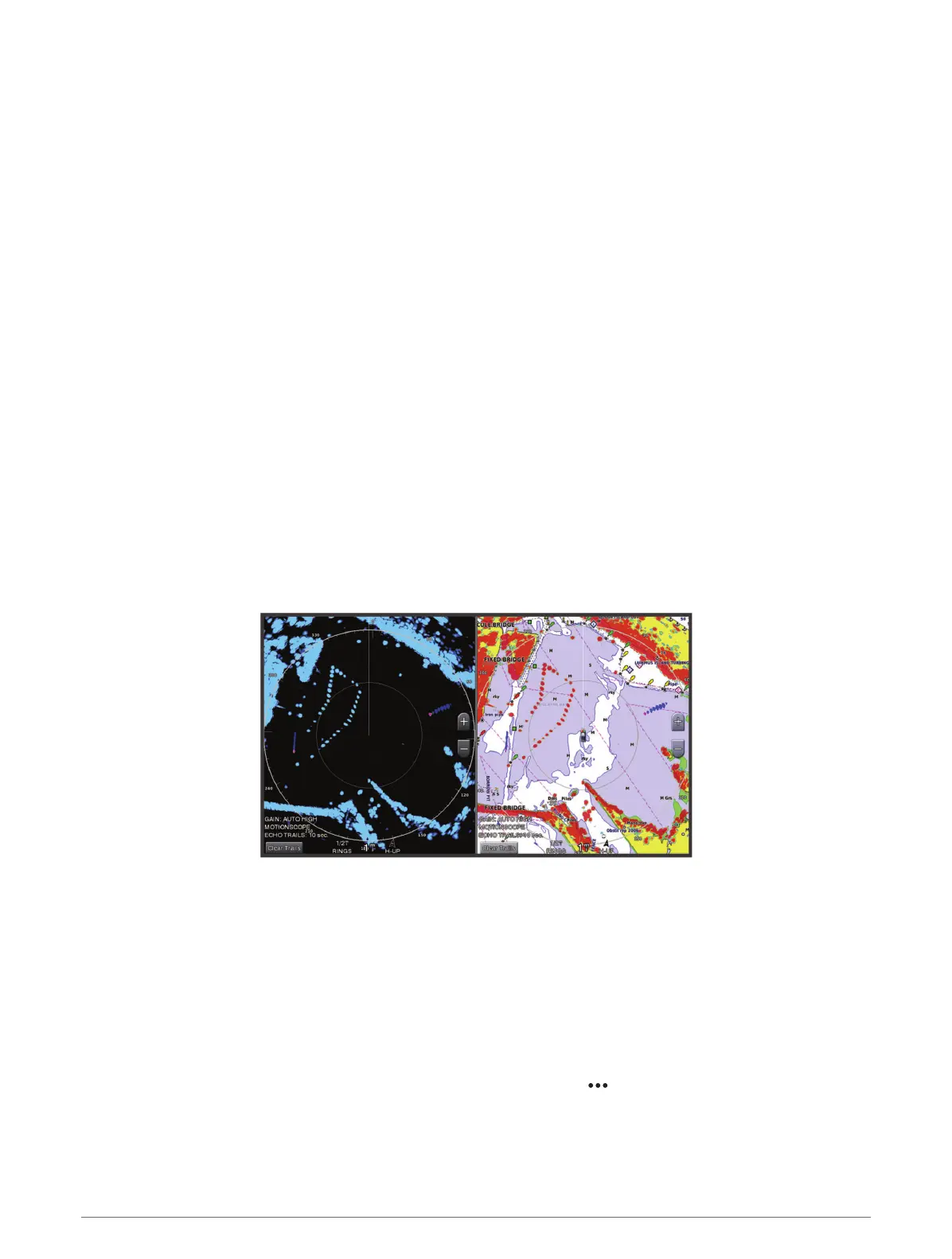
MotionScope
™
Doppler Radar Technology
The GMR Fantom radar uses the Doppler effect to detect and highlight moving targets to help you avoid
potential collisions, find flocks of birds, and track weather formations. The Doppler effect is the frequency shift
in the radar echo due to the relative motion of the target. This allows for instant detection of any targets moving
toward or away from the radar.
The MotionScope feature highlights the moving targets on the radar display so you can navigate around other
boats or severe weather, or toward fishing spots where birds are feeding at the surface.
The moving targets are color-coded so you can tell at a glance which targets are moving toward or away from
you. On most color schemes, green indicates the target is moving away from you and red indicates the target is
moving toward you.
On some models, you can also adjust the M-Scope Sensitivity setting to change the speed threshold for target
highlighting. A higher setting highlights slower targets, and a lower setting highlights only faster targets.
Enabling a Guard Zone
You can enable a guard zone to alert you when anything comes within a specified area around your boat.
From a radar screen, select Options > Radar Options > Guard Zone.
Defining a Circular Guard Zone
Before you can define the boundaries of the guard zone, you must enable a guard zone (Enabling a Guard Zone,
page 97).
You can define a circular guard zone that completely surrounds your boat.
1 From a radar screen, select Options > Radar Options > Guard Zone > .
2 Select Circle.
3 Select the location of the outer guard zone circle.
4 Select the location of the inner guard zone circle to define the width of the guard zone.
Radar 97



 To Next Page