As alternative, a separate PEN terminal block with 3
terminals, to be used for with "creation" of a neutral
conductor, can be used.
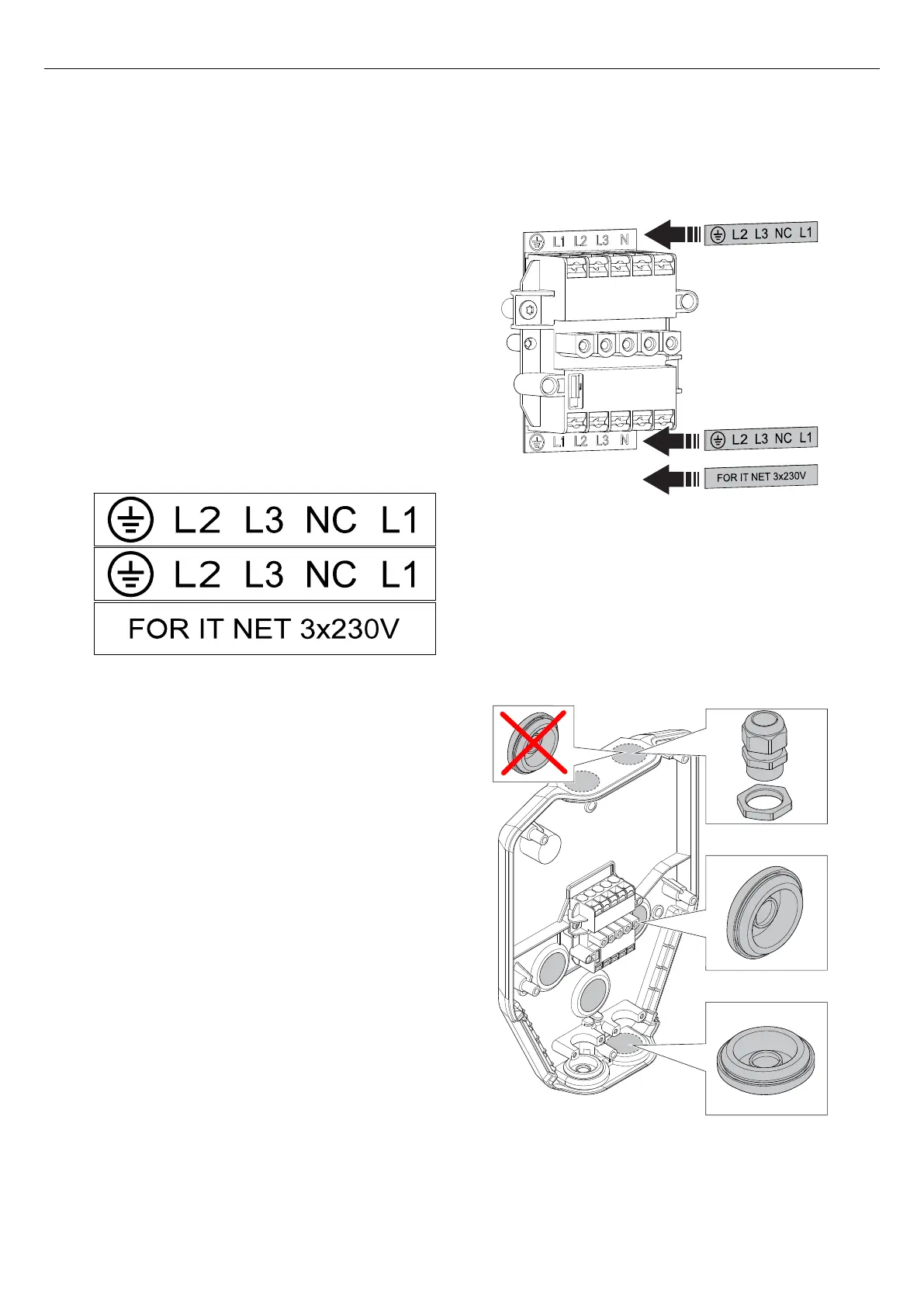
4.12.1 TO INSTALL THE STICKERS FOR IT 230 V
NOTE
This instruction is only valid for IT 230 V systems.
1. Locate the stickers on the installation bracket.
2. Install the new stickers supplied with the installation
bracket. Install the new stickers onto the old stickers.
4.12.2 TO PREPARE THE INSTALLATION BRACKET
FOR THE CABLE INSTALLATION
1. Decide the inlet points for the power cable.
a. Remove the knock-out from the inlet hole of the
power cable.
M32
Version: 1.3 27
Installation



 To Next Page