CAUTION
If the charging station is set up without any internet
connectivity, it will allow charging at maximum current
defined by the attached charging unit. The default
setting is 16 A. Can be adjusted as parameter.
4.12.13 TO INSTALL A PROTECTION COVER
The protection cover is used to protect the installation
bracket if a charging unit should not be attached from
the start or temporary removed. When the protection
cover is installed, the charging station is protected from
damage before installation of the charging unit.
1. Attach the protection cover to the installation
bracket.
2. Tighten the screws with a Torx TX20 until the
protection cover is tight against the installation
bracket (max. 2,9 Nm).
If the installation bracket is configured and
prepared as a charging station, the function of the
charging station is to be done using a charging
unit.
After this test, the charging unit can be removed
and replaced with a protection cover.
4.12.14 TO ATTACH THE CHARGING UNIT TO THE
INSTALLATION BRACKET
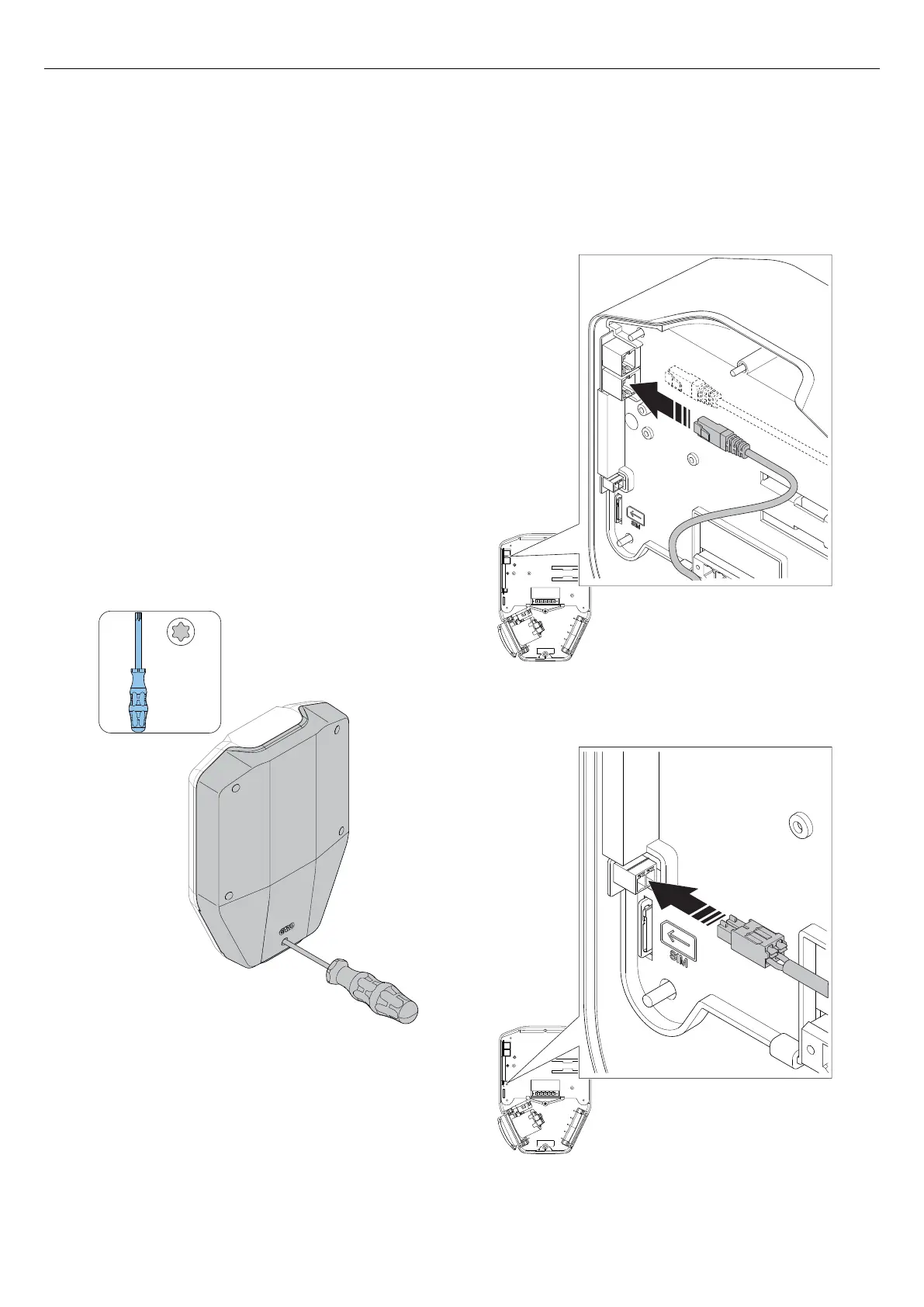
1. If applicable, install the ethernet cable(s) in the
ethernet ports on the charging unit.
2. Install the control cable to the control cable port on
the charging unit.
TX20
Version: 1.3 39
Installation



 To Next Page