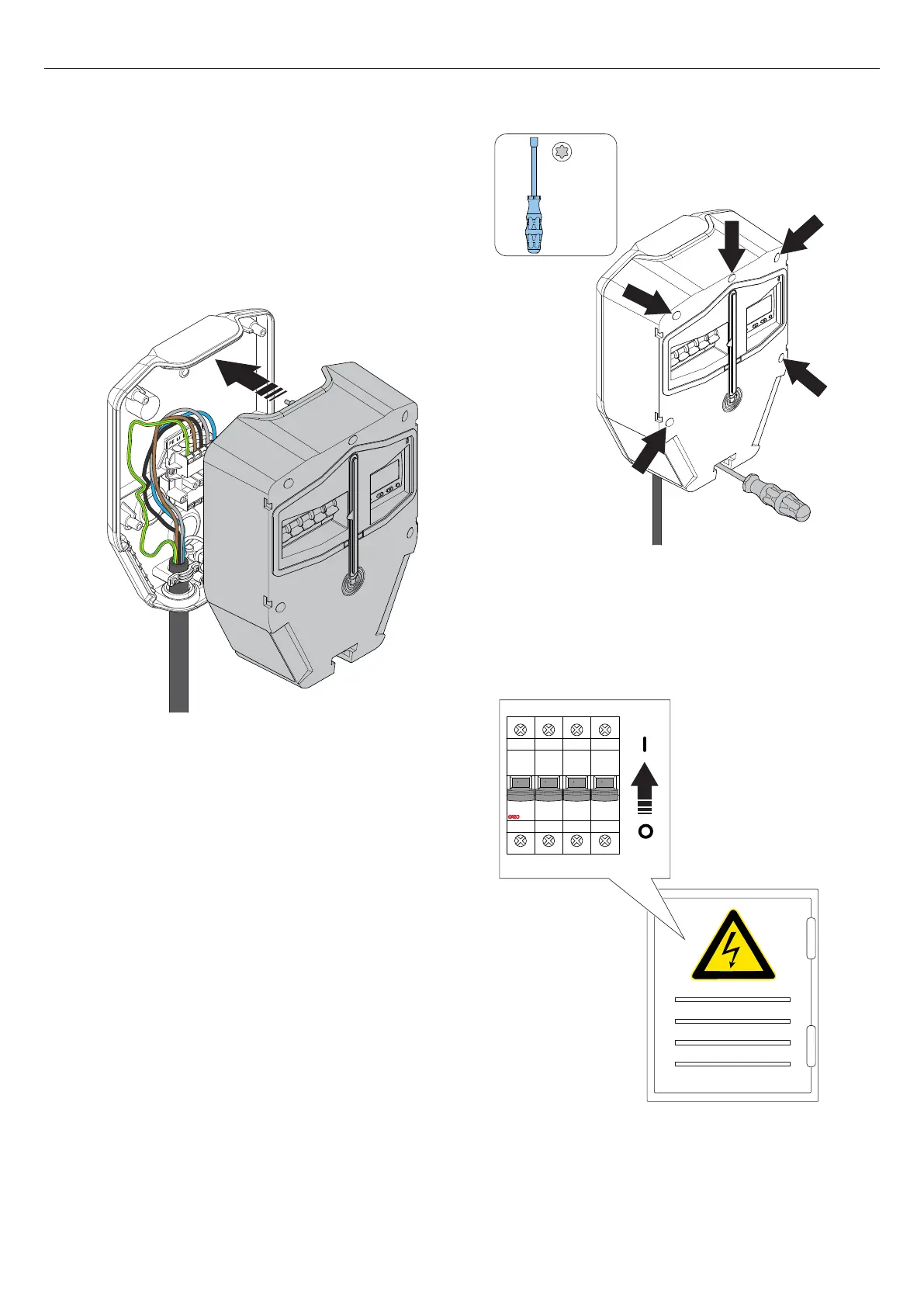
3. Attach the charging unit to the installation bracket.
Press equally on the charging unit with both hands.
CAUTION
Make sure that no cables get pinched and that the
charging unit can meet the edges of the installation
bracket.
4. Use a Torx TX20 and tighten the 6 screws until the
charging unit is tight against the installation bracket
(max. 2,9 Nm).
CAUTION
Do not overtighten the screws.
5. Set the power/voltage to on.
WARNING
Electrical power/voltage can cause serious personal
injury or death.
T20
O OFF O OFF O OFF O OFF
40 Version: 1.3
Installation



 To Next Page