4.12.9 TO CONNECT THE CHARGING STATION TO
THE INTERNET WITH COMMUNICATION MODEM
(CAT-M1/NB/GPRS)
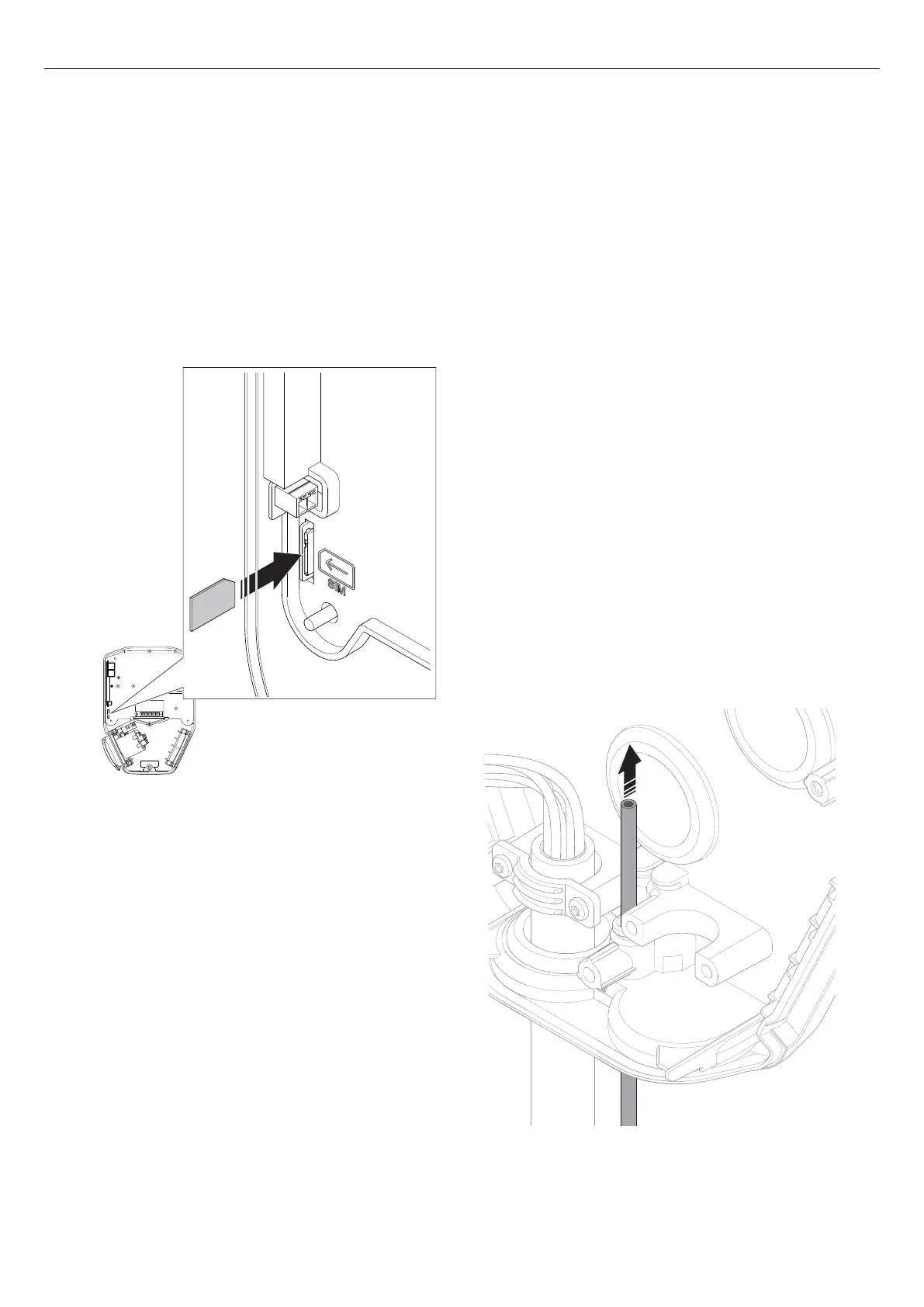
Connection to the internet with modem requires a SIM
card (SIM card size: 3 FF = Micro = 15x25 mm).
1. Turn the charging unit rear side up.
2. Install the SIM card to the dedicated slot in the
charging station.
NOTE
Some charging units are supplied with a SIM card
(standard) attached.
4.12.10 TO INSTALL THE CONTROL CABLE TO THE
INSTALLATION BRACKET
NOTE
The charging station has a control input that can be
used to enable and disable charging. This digital input
signal limits the charging current to a fixed value 0-32 A
(configurable). Physical connection is done by an
external, insulated/potential-free contact. The control
logic is configured in the GARO Connect app. By
default, charging is disabled if the contact is closed. The
control logic can be toggled: Closed contact =
limitation, or Open contact = limitation. The current
limitation level is configurable.
1. Thread the control cable through the inlet hole in the
bottom of the installation bracket.
NOTE
The recommended length of the control cable inside the
installation bracket is 500 mm. The maximum cable
area for the control cable is 1.5 mm² and maximum
voltage is 12 VDC and maximum current is 0.1 A. It is
recommended to use a flexible and smaller cable area
for convenient installation.
2. Secure the control cable from pull out forces, for
example with a cable strap.
4G
SIM
CARD
Version: 1.3 35
Installation



 To Next Page