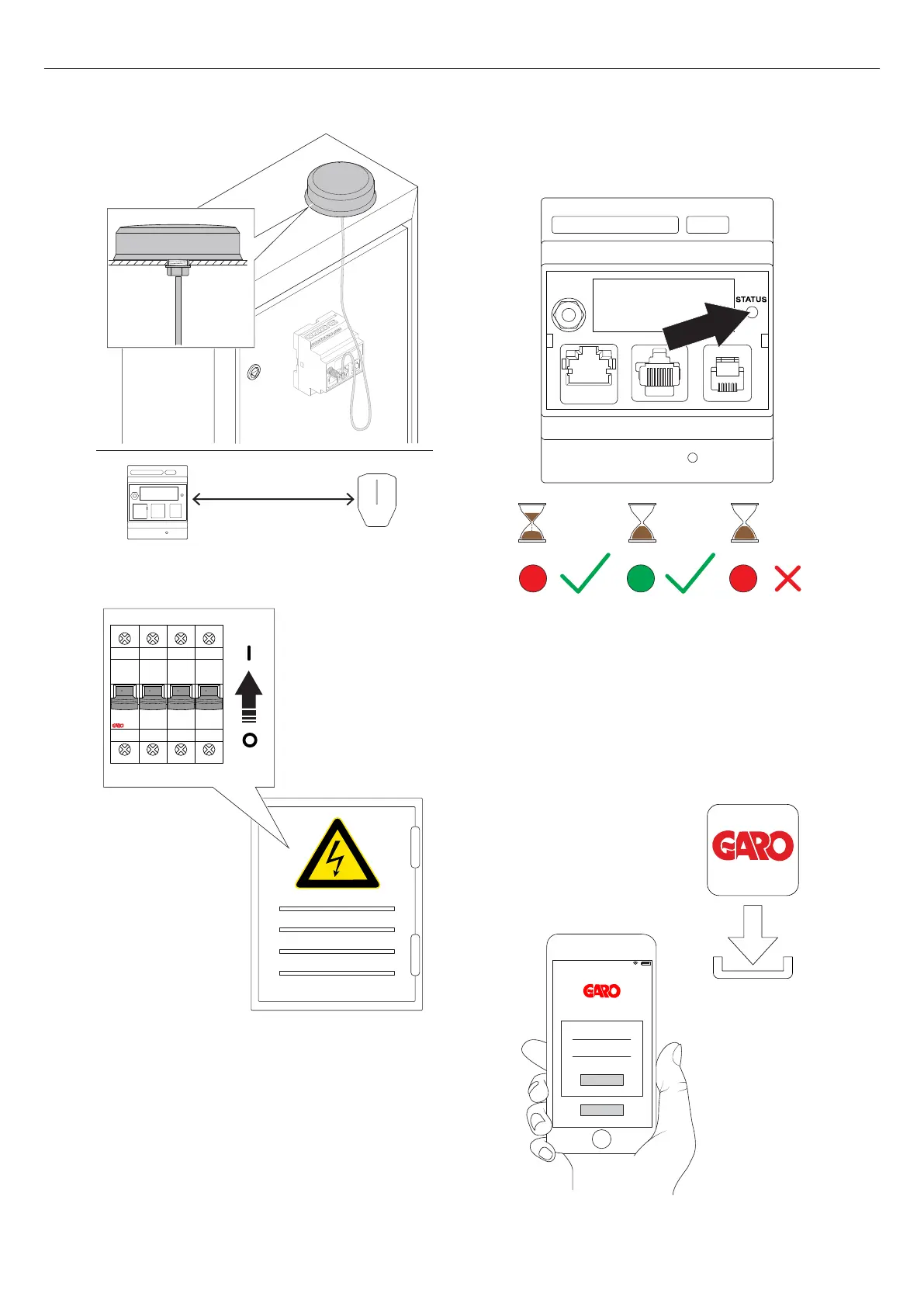
17. Turn the power/voltage on.
18. The light indicator on the front panel turns red at
power/voltage up. Make sure that the indicator
light on the load interface turns green. This can take
60–90 seconds.
The last few seconds before turning green, the light
turns blue. This is to indicate that the firmware starts
operating correctly. However, the most important
step is the green light.
NOTE
If the light indicator on the power unit does not turn
green within 90 seconds of powering up the power unit,
refer to 7.1 Troubleshooting, page 93.
19. Download the GARO Connect app on AppStore or
Google Play store.
Long
O OFF O OFF O OFF O OFF
> 90 sec < 90 sec > 90 sec
10:06
Version: 1.3 55
Installation



 To Next Page