EasyManua.ls Logo

GE af-600 fp - User Manual

GE af-600 fp
175 pages
Print Icon
To Next Page IconTo Next Page
Loading...
GE Consumer & Industrial
Electrical Distribution
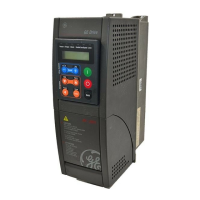
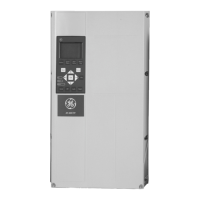
AF-600 FP
TM
Fan and Pump Drive
(460V/575V 150HP and above)
Operating Instructions
The instructions do not purport to cover all details or variations in equipment nor to provide for every possible
contingency to be met in connection with installation, operation or maintenance. Should further information be
desired or should particular problems arise which are not covered sufficiently for the purchaser’s purposes, the
matter should be referred to the GE company.
AF-600 FP is a trademark of the General Electric Company.
GE Consumer & Industrial
41 Woodford Avenue
Plainville, CT 06062
www.geelectrical.com/drives
130R0135 MG11U102
*MG11U102*
DET-610

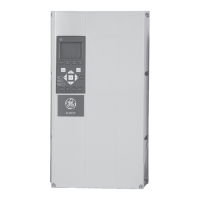
Table of Contents

Other manuals for GE af-600 fp

Questions and Answers

  • D
    Dennis LawrenceSep 23, 2025
    Why GE DC Drives motor will not brake?
    • J
      jason22Sep 23, 2025
      If your GE DC Drives motor won't brake, it could be due to incorrect settings in the brake parameters or excessively short ramp-down times. Check parameter group B-0# DC brake and F-5# Extended Reference.
  • R
    Ryan ParkerAug 23, 2025
    What to do if the motor is not running on my GE Controller?
    • B
      Brian EdwardsAug 23, 2025
      If your GE Controller's motor isn't running, start by checking the service switch and motor connection. Ensure line power is applied, especially if you're using a 24 V DC option card. If the keypad stop is active, press [Auto] or [Hand] to start the motor, depending on the operation mode. Also, verify that a valid start signal is applied and that the motor coast signal is not active by applying 24 V on the appropriate terminal or programming it to No operation. Finally, ensure the correct reference signal source is programmed, checking F-02 Operation Method and parameter C-05 Multi-step Frequency 1 - 8 for correct wiring and scaling of terminals and the reference signal.
  • M
    michealwalshAug 25, 2025
    Why is the display on my GE Controller intermittent?
    • P
      pamela65Aug 26, 2025
      If you experience intermittent display issues with your GE Controller, it might be due to an overloaded power supply (SMPS) caused by improper control wiring or a fault within the adjustable frequency drive. If the display stays lit briefly, inspect the control wiring for shorts or incorrect connections. If the display continues to cut out, follow the troubleshooting steps for a completely dark display.
  • H
    Hannah HendrixAug 27, 2025
    What causes a line power current imbalance on a GE Controller?
    • S
      Steven CantuAug 27, 2025
      If the line power current imbalance is greater than 3% on your GE Controller, it could indicate a problem with the line power. Try rotating the input power leads into the adjustable frequency drive one position: A to B, B to C, C to A. Alternatively, the issue might stem from the adjustable frequency drive itself, and rotating the input power leads as described above can help resolve it.
  • R
    Ryan MillsAug 27, 2025
    Why is my GE Controller motor running in the wrong direction?
    • J
      Jeremy RomeroAug 27, 2025
      If your GE Controller's motor is running in the wrong direction, the cause may be related to the motor rotation limit, an active reversing signal, or incorrect motor phase connection. Program the correct settings to adjust the motor rotation limit. Deactivate any active reversing signals. Refer to section 3.5 in this manual to check the motor rotation.
  • J
    Jimmy MorenoSep 16, 2025
    Why is the display on my GE af-600 fp intermittent?
    • D
      Dylan HudsonSep 16, 2025
      An intermittent display on your GE DC Drives could be due to an overloaded power supply (SMPS) caused by improper control wiring or a fault within the drive. If the display stays lit, check the control wiring for shorts or incorrect connections. If the display continues to cut out, follow the procedure for a dark display.
  • K
    Karen ColonSep 13, 2025
    How to troubleshoot motor current imbalance greater than 3% in GE af-600 fp DC Drives?
    • K
      Kathy BatesSep 13, 2025
      If the motor current imbalance is greater than 3% in your GE DC Drives, it could be due to a problem with the motor or motor wiring. Check the motor and motor wiring. If the imbalanced leg stays on the same output terminal, it indicates a problem with the drive unit, and you should contact your supplier.
  • N
    nicolevillanuevaSep 15, 2025
    Why GE af-600 fp motor is not reaching maximum speed?
    • V
      Veronica HartmanSep 15, 2025
      If your GE DC Drives motor isn't reaching its maximum speed, the frequency limits might be set incorrectly. Program the correct limits. Also, the reference input signal may not be scaled correctly; program the correct settings.
  • C
    Cynthia AdamsSep 5, 2025
    How to reduce acoustic noise or vibration from GE Controller?
    • D
      David BushSep 6, 2025
      If you are experiencing acoustic noise or vibration with your GE Controller, like a fan blade making noise at certain frequencies, it could be due to resonances in the motor/fan system. Check if the noise and/or vibration have been reduced to an acceptable limit. You can also turn off overmodulation in F-38 Overmodulation, change the switching pattern and frequency in parameter group 14-0*, or increase Resonance Dampening in H-64 Resonance Dampening.
  • C
    Christopher MataSep 3, 2025
    What causes a GE Controller motor to run rough?
    • J
      jacqueline76Sep 3, 2025
      If the motor runs rough on your GE Controller, it might be due to over-magnetization. Check the motor settings in parameter groups P-0# Motor Data, P-3# Adv Motor Data, and H-5# Load Indep. Setting.

Summary

How to Read these Operating Instructions

Copyright, Limitation of Liability and Revision Rights

Details proprietary information, warranty limitations, and revision rights for the manual.

Symbols and Available Literature

Explains symbols used in the manual and lists related literature for further information.

Safety

High Voltage and General Warnings

Covers high voltage hazards and general safety warnings for equipment operation.

Safety Instructions and Precautions

Provides essential safety instructions for installation and operation.

Before Commencing Repair Work

Outlines mandatory steps before performing any repair or maintenance.

Installation Considerations

Addresses special conditions like high altitudes, IT mains, and environmental factors.

Disposal Instruction

Provides guidance on the proper disposal of electrical and electronic waste.

Electrical Installation

Power Connections and Cabling

Details requirements for power cable connections, including sizing and fusing.

Earthing and Shielding

Explains earthing requirements for EMC and shielding practices for noise reduction.

Protection (Fuses, RCD, Overload)

Covers protection against overcurrent, RCD usage, and electronic overload settings.

Motor Cable and Connections

Details motor cable selection, connection, and length considerations.

Load Sharing and Noise Shielding

Explains load sharing for multiple converters and EMC shielding.

Mains and Fan Supply Connections

Covers mains connection requirements and external fan supply options.

Fuses and Tables

Provides detailed fuse tables for various unit sizes and ratings.

Motor Insulation and Bearing Currents

Discusses motor insulation requirements and mitigation of bearing currents.

Control Cable Routing and Terminals

Details routing of control cables and access to control terminals.

Connection Examples

Illustrates common connection examples like start/stop and potentiometer reference.

Switches and Configuration

Explains the function of DIP switches S201, S202, and S801 for configuration.

Final Set-up and Test

Guides through the process of setting up and testing the frequency converter.

Additional Connections

Covers parallel motor connections and motor thermal protection.

Introduction

Frequency Converter Identification

Details how to identify the frequency converter using its nameplate.

Model Numbering System and Abbreviations

Explains the model numbering system and provides a list of abbreviations.

Mechanical Installation

Getting Started and Pre-installation

Covers initial steps for installation and site planning.

Transportation, Unpacking, and Lifting

Provides instructions for safely handling and moving the unit.

Mechanical Dimensions

Details the physical dimensions of different unit sizes.

Tools and General Considerations

Lists required tools and general considerations for installation space.

Terminal Locations

Shows terminal positions for various unit sizes to aid cable routing.

Cooling and Airflow

Explains cooling methods and required airflow for heat dissipation.

Installation Procedures (Wall, Gland, Drip Shield)

Details wall mounting, gland entry, and drip shield installation.

Field Installation of Options

Describes installation of optional kits like duct cooling.

Installation on Pedestal

Provides instructions for mounting the unit on a pedestal.

Mains Shield and Panel Options

Covers installation of mains shields and panel options.

How to operate the frequency converter

Keypad Operation Overview

Introduces the keypad structure and operating methods.

Keypad Navigation and Buttons

Explains the function of navigation keys and operation buttons.

Communication and PC Connection

Details RS-485 bus connection and PC connection via USB.

PC Software Tools

Describes the Drive Control Tool DCT 10 for parameter management.

Tips and Tricks

Offers helpful tips for efficient operation and parameter setup.

Parameter Settings Transfer and Restore

Guides on transferring and restoring parameter settings.

How to Program

Parameter Groups Overview

Lists and describes the main parameter groups for programming.

Quick Menu Mode and Setup

Explains using the Quick Menu for efficient setup and parameter access.

Motor Data Configuration

Details parameters for entering motor specifications for optimal performance.

Speed and Time Settings

Covers configuration of speed limits, acceleration, and deceleration times.

Macros Configuration

Explains using Macros for quick access to application-specific parameters.

Analog Input;Output Configuration

Details configuration of analog inputs and outputs for control signals.

HVAC Application Parameters

Covers parameters specific to HVAC applications like pumps and fans.

PID Closed Loop Configuration

Explains how to configure the PID controller for closed-loop operations.

Pump Controller Configuration

Details parameters for the built-in pump cascade controller.

Logic Controller Configuration

Describes parameters for the built-in Logic Controller for custom sequences.

Braking Functions

Covers configuration of braking functions like DC hold and over-voltage control.

General Specifications

Electrical and Environmental Specs

Provides electrical ratings, supply details, and environmental requirements.

Torque and Cable Specifications

Details torque requirements and cable length/cross-section limits.

Input;Output Terminal Specs

Specifies characteristics of digital, analog, and relay I/O terminals.

Control Characteristics

Outlines control characteristics like response time and speed accuracy.

Performance Tables

Presents detailed performance data across various models and mains supplies.

Warnings and Alarms

Fault Message Overview

Explains how warnings and alarms are indicated and how to reset them.

LED Indicators and Status Words

Describes LED indications and alarm/warning status word meanings.

Common Fault Messages

Lists common faults with their descriptions and potential causes.

Specific Fault Code Details

Provides detailed explanations for specific alarm and warning codes.

GE af-600 fp Specifications

General IconGeneral
BrandGE
Modelaf-600 fp
CategoryDC Drives
LanguageEnglish

Related product manuals