Commissioning
Basics of commissioning
7160-9001-560
01. December 2020
32 / 74
Basic setting procedure
Please note
The computer and device to be set up must be connected in the same
network.
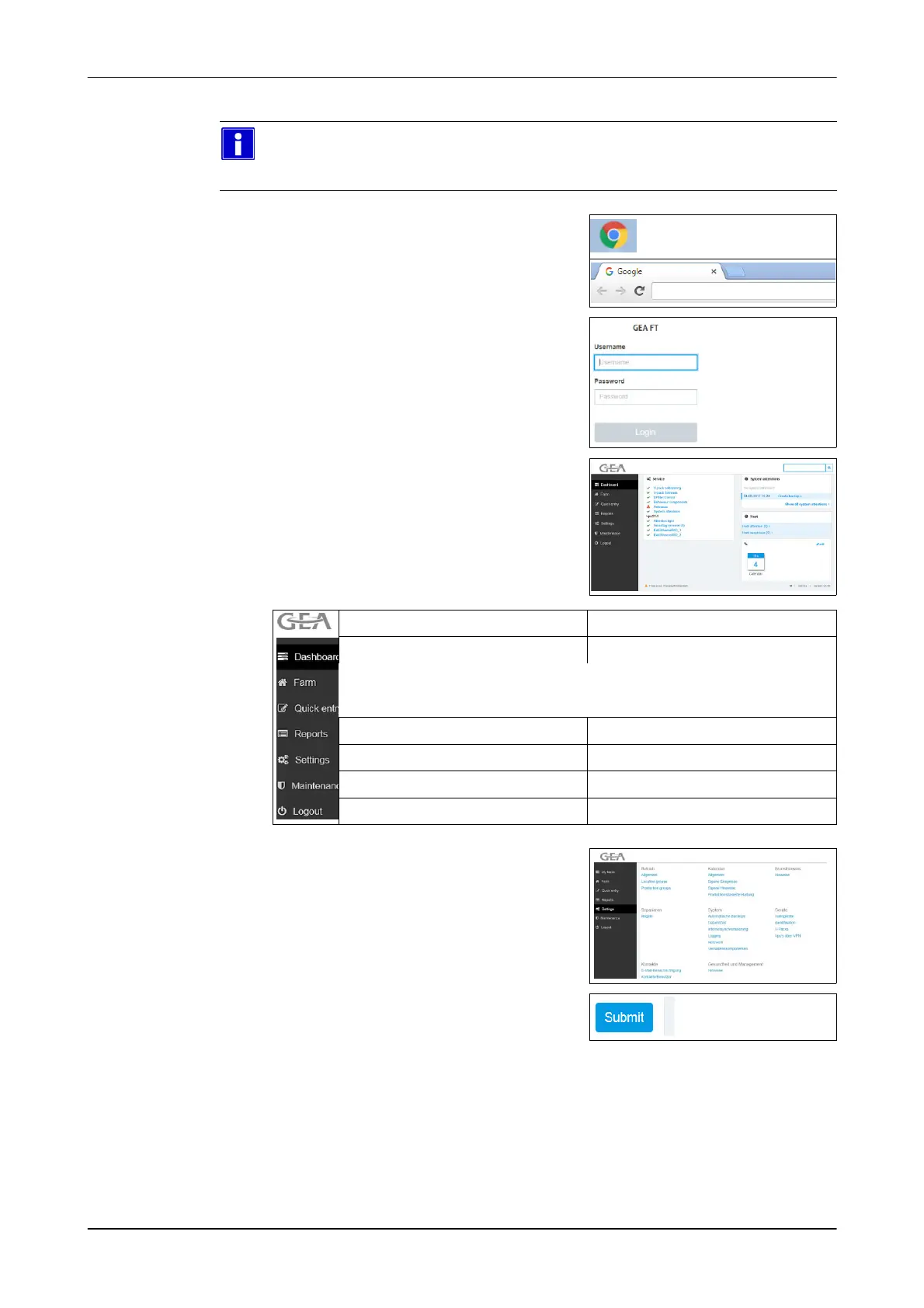
1. Open the Web browser
E.g.: Google Chrome
2. Enter the address:
Example: http://192.168.1.100/
http://192.168.1.100/
- Log-in page appears (Login)
3. Enter log-in data
Example:
- User: service
- Password: gea123
- User interface appears (VP8002)
Menüs Funktion
Information overview (Dashboard)
Betrieb (Farm)
Schnelleingabe (Quick entry)
Reports (Reports)
View of listed animal data
Settings (Settings)
Set functional areas
Maintenance (Maintenance)
Maintenance work
Logout (Logout)
4. Open required menu
- Menu items are displayed
5. Select a menu item
- The entry window appears
6. Make setting
7. Save the setting
(Submit)













 To Next Page