EasyManua.ls Logo

GEA VP8002 - User Manual

GEA VP8002
74 pages
Print Icon
To Next Page IconTo Next Page
Loading...
AutoSelect
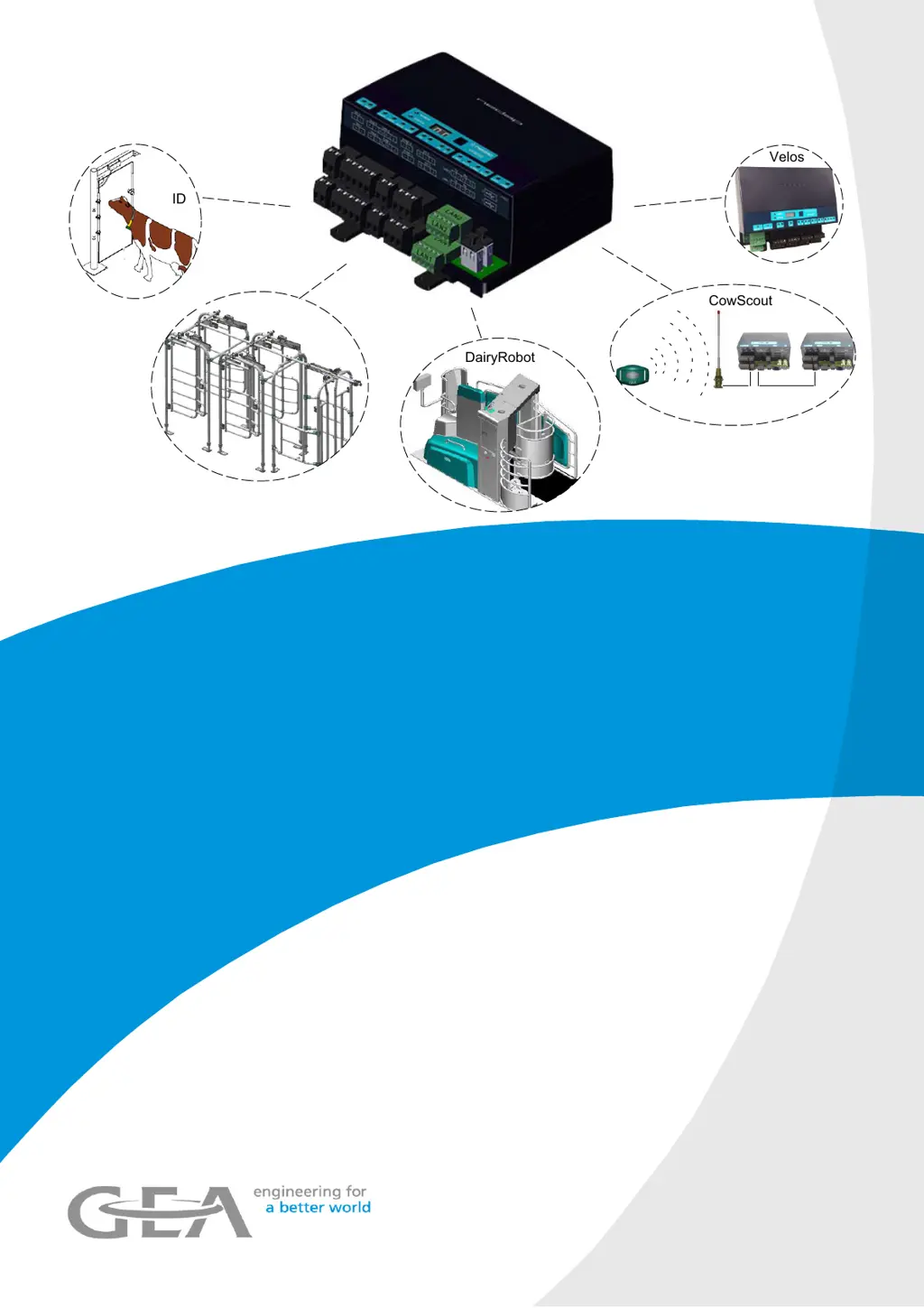
CowScout
VP8002
DairyRobot
Velos
ID
VP8002 - Control unit for herd management
processes
Operation Manual / Installation Instructions / Parts List
(Original instructions)
7160-9001-560
01. December 2020
gea.com

Table of Contents

Questions and Answers

Summary

General Information and Manufacturer Details

Document Information

Details about the manual's content, purpose, and structure.

Manufacturers Address and Contact

Contact information for GEA Farm Technologies GmbH and GEA Farm Technologies, Inc.

Customer Service and Dealer Information

Guidance on contacting authorized dealers and finding them online.

EU Declaration of Conformity

Manufacturer's statement of compliance with EU electrical equipment directives.

Safety Guidelines and Responsibilities

Intended Use and Application Scope

Defines the agricultural applications for the VP8002 control unit.

Owners Duty of Care for Safe Operation

Outlines the owner's responsibilities for safe operation and maintenance.

Prohibition of Unauthorized Modifications

States that unauthorized modifications are prohibited and void the warranty.

Explanation of Safety Symbols and Signal Words

Details the meaning of warning and important signal words used in the manual.

General Safety Instructions and Personnel Qualifications

Essential safety advice and qualification requirements for personnel.

Product Description and Technical Specifications

VP8002 vs. VP8001 Control Unit Comparison

Compares the VP8002 control unit with its predecessor, the VP8001.

VP8002 Control Unit Features and Network Capabilities

Describes the VP8002 control unit's functions and network connectivity.

Licensed Control Units for Connected Systems

Explains how licenses enable specific functions for connected systems.

System Configuration Examples

Illustrates system setups for Per Place Identification and Animal Segregation.

Detailed Technical Data

Lists environmental, electrical, geometric, and housing specifications.

Installation and Commissioning Procedures

Personnel Qualifications for Installation

Specifies the necessary qualifications for installation personnel.

Installation Safety Instructions and Hazards

Provides safety guidelines and lists hazards during installation.

Installation Requirements and Preparations

Details environmental requirements and necessary documents for installation.

Installing the Control Unit and Power Supply

Describes installation variants and general procedures for the unit and power supply.

Mounting Material and Installation Steps

Lists mounting parts and outlines the steps for internal wiring and component securing.

Electrical Installation and Cable Connections

Provides material and notes for electrical connections, including Ethernet.

Connecting the Control Unit to DairyPlan-PC

Details connection drawings and Ethernet cable preparation for DairyPlan.

Commissioning Overview and Personnel Qualifications

Covers commissioning basics, personnel requirements, and associated hazards.

IP Addresses, Device Addresses, and Network Sections

Explains IP addressing, device addressing, and network sections for commissioning.

User Interface and Device Menu Settings

Details how to use the device menu and user interface for settings.

Basic Setting Procedure via Web Browser

Guides through the initial setup, login, and basic configuration via web browser.

User Interface Menu Navigation and Functions

Outlines the functions of Dashboard, Farm, and Quick entry menus.

Network and Automatic Backup Configuration

Details network settings and how to configure automatic data backups.

Behavior Components and DPNet Settings

Covers DPNet settings and configuration for behavior components.

System Maintenance: Backup, Restore, and License Management

Details backup/restore functions and license management procedures.

System Attentions and Firmware Updates

Describes managing system alerts and performing firmware updates.

Device Identification and V-Pack Management

Explains checking transceivers, device identification, and V-pack management.

Monitoring Behavior Components and Sending Test Reports

Details monitoring behavior components and sending service PINs/test reports.

Checks Before Initial Commissioning

Outlines essential checks on the control unit before commissioning.

Commissioning the Control Unit: Installation Procedures

Lists steps for registering, installing, and unlocking control units.

Adjusting for Automatic Milking Systems

Describes firmware updates and FarmView setup for automatic milking systems.

Installing Control Units in the DPNet Network

Guides on creating connected systems and adding them to the farm network.

Configuring Connected Systems and Service PIN Installation

Details setup of systems like animal segregation and installation with a service PIN.

IP Address and Section Settings Examples

Illustrates IP address and section settings for various barn equipment.

System Installation and Troubleshooting Steps

Covers system installation, gateway finalization, and troubleshooting incomplete installations.

Installation Status Resolution and Section Settings

Guides on resolving installation status issues and setting network sections.

Individual Control Unit Setup and Behavior Components

Explains setting individual control units and behavior components via the user interface.

Post-Commissioning Connection Checks

Details how to check the connection to the herd management PC using PING.

Maintenance and Troubleshooting Procedures

Personnel Qualifications for Maintenance

Specifies the necessary qualifications for maintenance personnel.

Safety Instructions for Maintenance Operations

Provides safety guidelines and lists hazards during maintenance.

Firmware Update Procedures

Guides on performing firmware updates for the control unit and connected devices.

Restoring Factory Settings

Details the process of resetting the control unit to its default factory settings.

Troubleshooting Personnel Qualifications and Hazards

Specifies qualifications and hazards for troubleshooting activities.

Interpreting Device LEDs for Fault Messages

Details the meaning of LED indicators on the control unit for fault diagnosis.

CAN Bus Error Output via LED Display (dE)

Explains CAN bus errors indicated by LED display codes and their solutions.

Removing CAN Bus Errors

Provides steps to remove CAN bus errors using the device menu or user interface.

Processing System Messages and Troubleshooting Faults

Guides on viewing and resolving system messages via the dashboard.

Checking Behavior Components and Network Troubleshooting

Explains how to check behavior components and troubleshoot Ethernet networks.

Replacing the Control Unit (VP8002 with VP8002)

Details the process of replacing a VP8002 unit and registering the installation.

Installing and Unlocking Control Unit Licenses

Guides on installing a control unit and unlocking its license via web browser.

Replacing VP8001 with VP8002 and License Conversion

Guide for replacing VP8001 with VP8002, including license conversion and registration.

Decommissioning and Spare Parts

Decommissioning Personnel Qualifications and Safety

Specifies qualifications and safety instructions for decommissioning.

Final Decommissioning and Disposal Procedures

Procedures for final decommissioning and proper disposal of components.

Information on Original Spare Parts

Emphasizes using only original manufacturer parts for the product.

Electronic Control Unit and Housing Spare Parts

Lists part numbers for electronic control units and housing assemblies.

Appendix and Glossary

Glossary of Terms, Abbreviations, and Units

Provides definitions for specialist terms, abbreviations, and units used in the manual.

Summary

General Information and Manufacturer Details

Document Information

Details about the manual's content, purpose, and structure.

Manufacturers Address and Contact

Contact information for GEA Farm Technologies GmbH and GEA Farm Technologies, Inc.

Customer Service and Dealer Information

Guidance on contacting authorized dealers and finding them online.

EU Declaration of Conformity

Manufacturer's statement of compliance with EU electrical equipment directives.

Safety Guidelines and Responsibilities

Intended Use and Application Scope

Defines the agricultural applications for the VP8002 control unit.

Owners Duty of Care for Safe Operation

Outlines the owner's responsibilities for safe operation and maintenance.

Prohibition of Unauthorized Modifications

States that unauthorized modifications are prohibited and void the warranty.

Explanation of Safety Symbols and Signal Words

Details the meaning of warning and important signal words used in the manual.

General Safety Instructions and Personnel Qualifications

Essential safety advice and qualification requirements for personnel.

Product Description and Technical Specifications

VP8002 vs. VP8001 Control Unit Comparison

Compares the VP8002 control unit with its predecessor, the VP8001.

VP8002 Control Unit Features and Network Capabilities

Describes the VP8002 control unit's functions and network connectivity.

Licensed Control Units for Connected Systems

Explains how licenses enable specific functions for connected systems.

System Configuration Examples

Illustrates system setups for Per Place Identification and Animal Segregation.

Detailed Technical Data

Lists environmental, electrical, geometric, and housing specifications.

Installation and Commissioning Procedures

Personnel Qualifications for Installation

Specifies the necessary qualifications for installation personnel.

Installation Safety Instructions and Hazards

Provides safety guidelines and lists hazards during installation.

Installation Requirements and Preparations

Details environmental requirements and necessary documents for installation.

Installing the Control Unit and Power Supply

Describes installation variants and general procedures for the unit and power supply.

Mounting Material and Installation Steps

Lists mounting parts and outlines the steps for internal wiring and component securing.

Electrical Installation and Cable Connections

Provides material and notes for electrical connections, including Ethernet.

Connecting the Control Unit to DairyPlan-PC

Details connection drawings and Ethernet cable preparation for DairyPlan.

Commissioning Overview and Personnel Qualifications

Covers commissioning basics, personnel requirements, and associated hazards.

IP Addresses, Device Addresses, and Network Sections

Explains IP addressing, device addressing, and network sections for commissioning.

User Interface and Device Menu Settings

Details how to use the device menu and user interface for settings.

Basic Setting Procedure via Web Browser

Guides through the initial setup, login, and basic configuration via web browser.

User Interface Menu Navigation and Functions

Outlines the functions of Dashboard, Farm, and Quick entry menus.

Network and Automatic Backup Configuration

Details network settings and how to configure automatic data backups.

Behavior Components and DPNet Settings

Covers DPNet settings and configuration for behavior components.

System Maintenance: Backup, Restore, and License Management

Details backup/restore functions and license management procedures.

System Attentions and Firmware Updates

Describes managing system alerts and performing firmware updates.

Device Identification and V-Pack Management

Explains checking transceivers, device identification, and V-pack management.

Monitoring Behavior Components and Sending Test Reports

Details monitoring behavior components and sending service PINs/test reports.

Checks Before Initial Commissioning

Outlines essential checks on the control unit before commissioning.

Commissioning the Control Unit: Installation Procedures

Lists steps for registering, installing, and unlocking control units.

Adjusting for Automatic Milking Systems

Describes firmware updates and FarmView setup for automatic milking systems.

Installing Control Units in the DPNet Network

Guides on creating connected systems and adding them to the farm network.

Configuring Connected Systems and Service PIN Installation

Details setup of systems like animal segregation and installation with a service PIN.

IP Address and Section Settings Examples

Illustrates IP address and section settings for various barn equipment.

System Installation and Troubleshooting Steps

Covers system installation, gateway finalization, and troubleshooting incomplete installations.

Installation Status Resolution and Section Settings

Guides on resolving installation status issues and setting network sections.

Individual Control Unit Setup and Behavior Components

Explains setting individual control units and behavior components via the user interface.

Post-Commissioning Connection Checks

Details how to check the connection to the herd management PC using PING.

Maintenance and Troubleshooting Procedures

Personnel Qualifications for Maintenance

Specifies the necessary qualifications for maintenance personnel.

Safety Instructions for Maintenance Operations

Provides safety guidelines and lists hazards during maintenance.

Firmware Update Procedures

Guides on performing firmware updates for the control unit and connected devices.

Restoring Factory Settings

Details the process of resetting the control unit to its default factory settings.

Troubleshooting Personnel Qualifications and Hazards

Specifies qualifications and hazards for troubleshooting activities.

Interpreting Device LEDs for Fault Messages

Details the meaning of LED indicators on the control unit for fault diagnosis.

CAN Bus Error Output via LED Display (dE)

Explains CAN bus errors indicated by LED display codes and their solutions.

Removing CAN Bus Errors

Provides steps to remove CAN bus errors using the device menu or user interface.

Processing System Messages and Troubleshooting Faults

Guides on viewing and resolving system messages via the dashboard.

Checking Behavior Components and Network Troubleshooting

Explains how to check behavior components and troubleshoot Ethernet networks.

Replacing the Control Unit (VP8002 with VP8002)

Details the process of replacing a VP8002 unit and registering the installation.

Installing and Unlocking Control Unit Licenses

Guides on installing a control unit and unlocking its license via web browser.

Replacing VP8001 with VP8002 and License Conversion

Guide for replacing VP8001 with VP8002, including license conversion and registration.

Decommissioning and Spare Parts

Decommissioning Personnel Qualifications and Safety

Specifies qualifications and safety instructions for decommissioning.

Final Decommissioning and Disposal Procedures

Procedures for final decommissioning and proper disposal of components.

Information on Original Spare Parts

Emphasizes using only original manufacturer parts for the product.

Electronic Control Unit and Housing Spare Parts

Lists part numbers for electronic control units and housing assemblies.

Appendix and Glossary

Glossary of Terms, Abbreviations, and Units

Provides definitions for specialist terms, abbreviations, and units used in the manual.

GEA VP8002 Specifications

General IconGeneral
BrandGEA
ModelVP8002
CategoryControl Unit
LanguageEnglish

Related product manuals