Commissioning
Basics of commissioning
7160-9001-560
01. December 2020
38 / 74
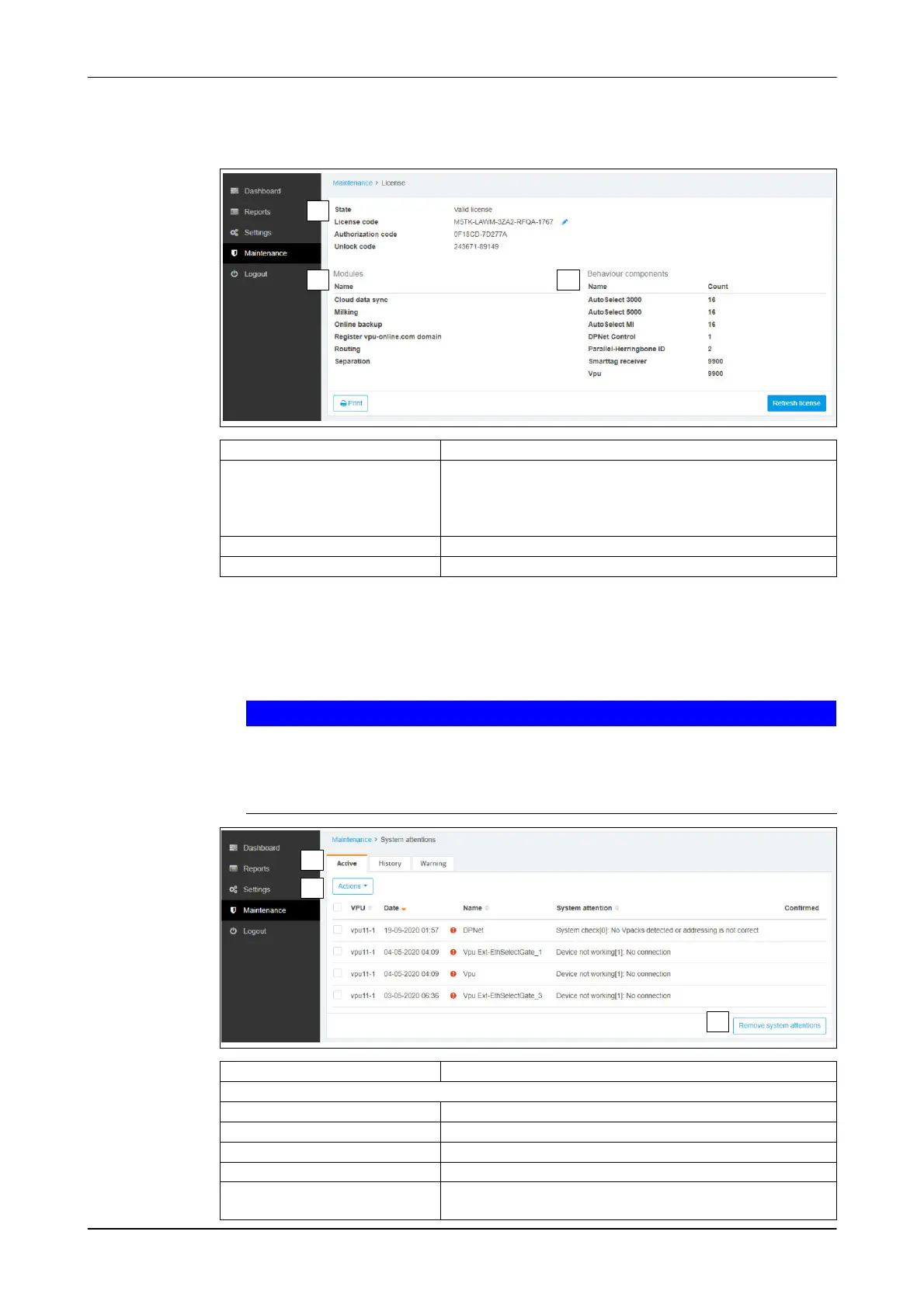
Menu item: Maintenance -> System -> License
Function(s):
● Licence update
2
1
3
Button Description
1 - State
● License code
Licence status
Licence code (change licence manually)
● Authorisation code
● Unlock code
Authorisation code
Unlock code
2 - Modules Overview of activated functions
3 - Behaviour Components Overview of activated systems
Menu item: Maintenance -> System -> System Attentions
Overview of system messages
Function(s):
● Confirm/delete system message
Important!
A system message can stop a behaviour component from working (e.g.
AutoSelect).
► First remove the cause, then confirm / delete reference
(Remove System Attentions)
2
1
3
Set-up Description
1 - Overview of system messages
- Active Active references
- History History
- Warnings Warnings
2 - Actions Confirm message
3 - Remove System Attentions Button:
Delete message













 To Next Page