Commissioning
Basics of commissioning
7160-9001-560
01. December 2020
39 / 74
Menu item: Maintenance -> System -> Update
Function(s):
● Firmware update
Button Description
File Update with file
For more information on this subject, please refer to the section on
Maintenance
Internet-Update Update via internet (only with an available
internet connection)
(only applies to
CowScout)
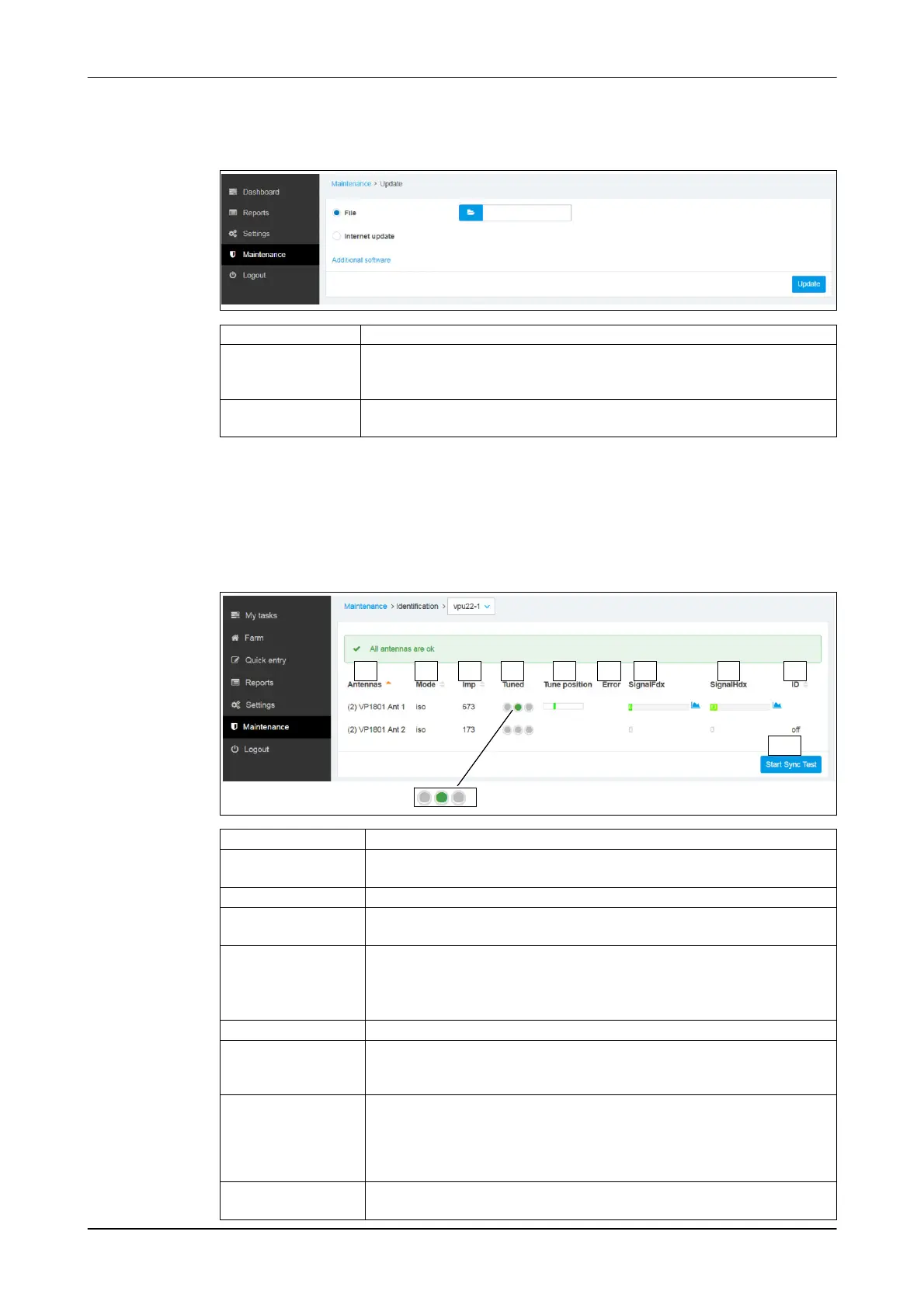
Menu item: Maintenance -> Devices -> Identification
Function(s):
● Information on connected transceivers
Example:
Antenna status (VP1801)
A
2 3 4 5 6 71 8 9
10
Set-up Description
1 - Antennas (logical address) designation
Example: (2) VP1801 Ant 1
2 - Mode Type of communication identified by the transceiver (FDX / HDX / ISO)
3 - Imp Automatic antenna resonance equalisation
● Antenna impedance
4 - Tuned ● Status display (LED)
● Start automatic resonance equalisation (Autotune Command)
Click on the area to do this (A)
5 - Tune position ● Status display
6 - Error Error display
7 - Signal FDX
8 - Signal HDX
Current signal strength displayed
● Black: responder identified
● Green to red: weak to strong background noise
9 - ID Identification status
● F: responder read (FDX)
● H: responder read (HDX)
● : interference signal (no display)
● off: antenna not active
Button:
10 - Start Sync Test
Check transceiver synchronisation













 To Next Page