Troubleshooting
Fault messages and troubleshooting help (VP8002)
7160-9001-560
01. December 2020
57 / 74
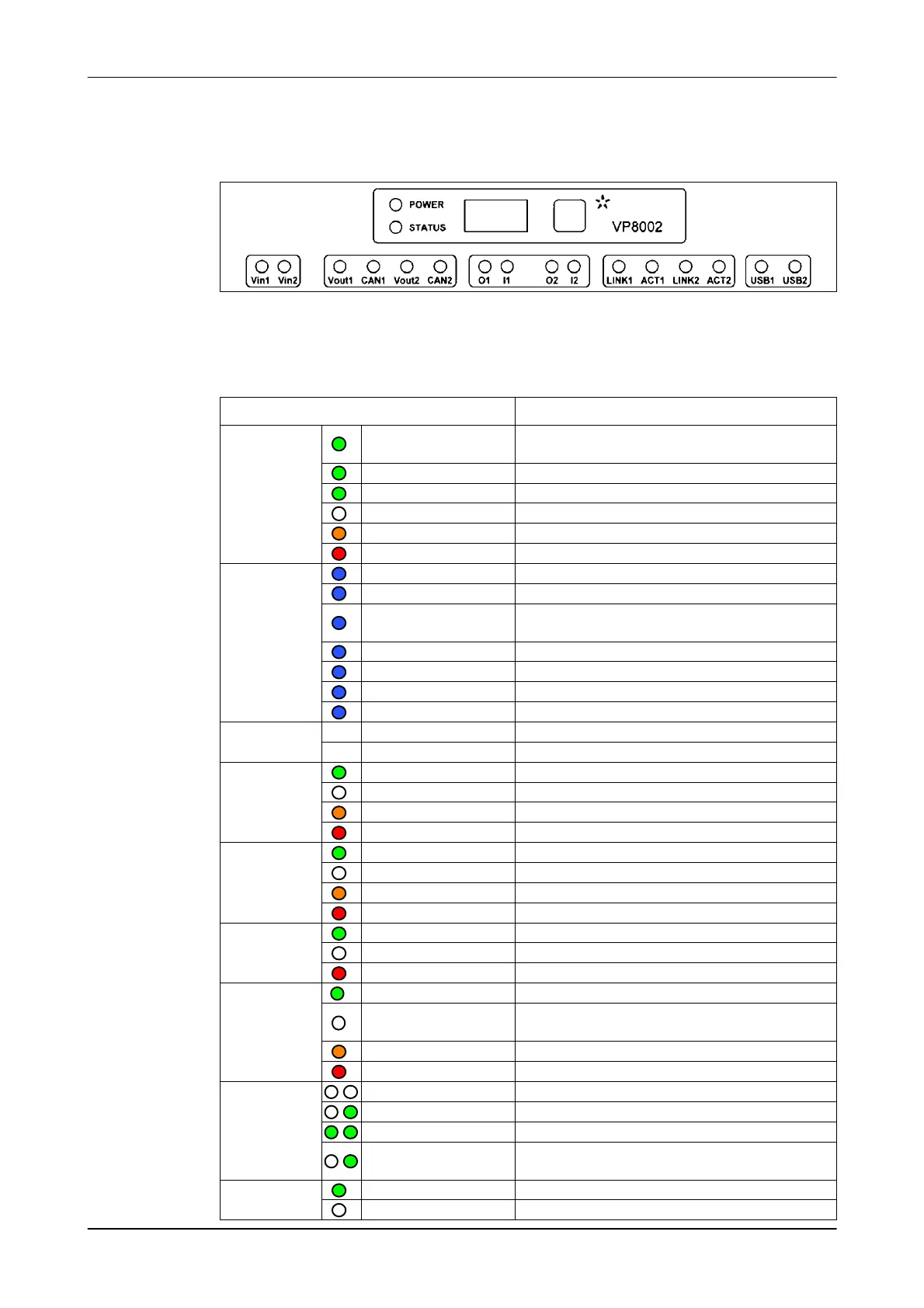
9.3.1 Messages via device LEDs
Messages on the control unit during operation
Device LEDs (VP8002)
LEDs
status
Power
Green on
Power on
Internal buffer battery charged
Slow flashing Supply from buffer battery
Flashing very quickly The buffer battery is charging
off no power
Orange Low capacitor voltage
Red / flashing Warning: capacitor voltage is too low
Status blue
Slow flashing Operation OK
Fast flashing ● Download
● Download error
Flashing very quickly Service mode active
1 short flash V-pack not connected
2 short flashes Firmware present but not active
3 short flashes No firmware present
Display on Display address no communication
off Communication status OK
Vin1/Vin2 Green on Power supply on
off no power
Orange low power, less than 20 V
Red / flashing Error: plus and minus swapped
Vout1/Vout2 Green on output power
off no power
Orange low power, less than 20 V
Flashing red Error: plus and minus swapped
CAN1/CAN2 Green on CAN bus OK
off CAN bus switched off
Red / flashing CAN-bus warning/ connection wrong
O1/I1/O2/I2 Green on output on
off Output overloaded
Check connected devices
Orange Warning message
Flashing red Fault
LINK+ACT off no network activity
off / green on LAN 10 Mbps
green on / green on LAN 100 Mbps
off (or green on) /
green flashing
Network activity
USB1 / USB2 Green on Active
off not active













 To Next Page